

Names and scores can be paired by position to make rows for a list of records. A Python list of tuples stores those rows in an outer list, with each tuple holding the ordered fields for one row.
I’ll show how to pair values with zip(), then read and sort the resulting tuple records.
TL;DR: Python List of Tuples
A Python list of tuples stores ordered records: the outer list holds rows, and each tuple holds the fields in one row. Use a list literal for existing records or list(zip(…)) to pair parallel sequences.
- Read a row with records[row_index] and a field with records[row_index][field_index].
- Loop with tuple unpacking when each row has a known shape.
- Check input lengths before pairing: ordinary zip() stops at the shortest input.
What Is a Python List of Tuples?
A list of tuples stores ordered rows, with each tuple grouping fields such as a student’s name and score.
| Part | What it does | Example |
|---|---|---|
| Outer list | Stores and orders the rows. It can be changed. | records[0] selects the first row. |
| Inner tuple | Stores ordered fields. Its positions cannot be reassigned. | records[0][1] selects the first row’s second field. |
Python indexes sequences from zero, so use records[0] because it selects the first row.
How to Create and Use a Python List of Tuples
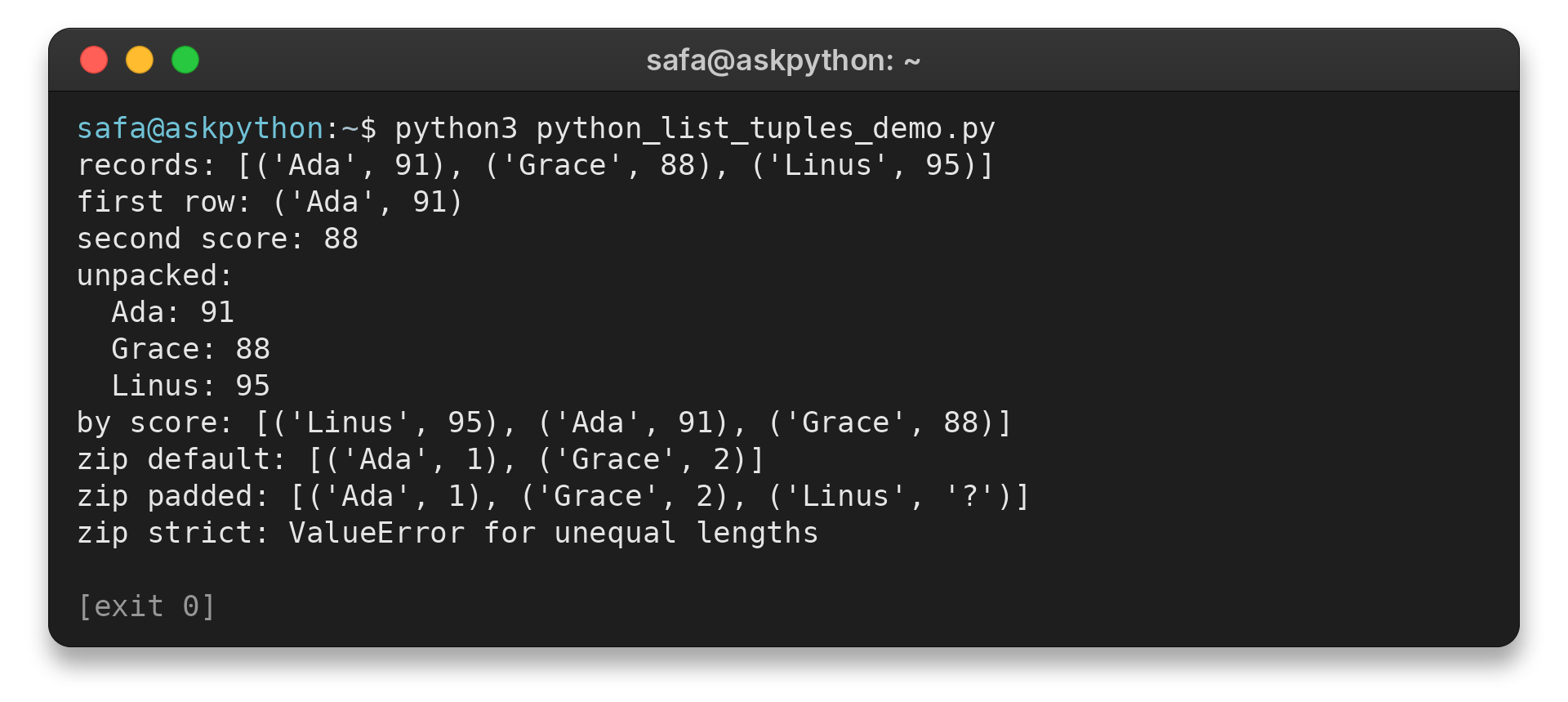
Use zip() because the names and scores occupy matching positions. I ran this named script with Python 3.14.7. Its captured output checks field access, unpacking, sorting, and unequal inputs.
Step 1: Pair parallel values into rows
Save the code as python_list_tuples_demo.py and run python3 python_list_tuples_demo.py. list() materializes the iterator returned by zip().
from itertools import zip_longest

names = ["Ada", "Grace", "Linus"]
scores = [91, 88, 95]
records = list(zip(names, scores))
print("records:", records)
print("first row:", records[0])
print("second score:", records[1][1])
print("unpacked:")
for name, score in records:
    print(f"  {name}: {score}")
print("by score:", sorted(records, key=lambda row: row[1], reverse=True))

names = ["Ada", "Grace", "Linus"]
ids = [1, 2]
print("zip default:", list(zip(names, ids)))
print("zip padded:", list(zip_longest(names, ids, fillvalue="?")))
try:
    list(zip(names, ids, strict=True))
except ValueError:
    print("zip strict: ValueError for unequal lengths")
Output from python3 python_list_tuples_demo.py:
records: [('Ada', 91), ('Grace', 88), ('Linus', 95)]
first row: ('Ada', 91)
second score: 88
unpacked:
  Ada: 91
  Grace: 88
  Linus: 95
by score: [('Linus', 95), ('Ada', 91), ('Grace', 88)]
zip default: [('Ada', 1), ('Grace', 2)]
zip padded: [('Ada', 1), ('Grace', 2), ('Linus', '?')]
zip strict: ValueError for unequal lengths
The score key sorts descending, so Linus leads with 95.
Step 2: Read or unpack the fields you need
For a column of values, use a comprehension rather than a manual loop.
| Expression | Result |
|---|---|
| records[1] | The second complete row: (‘Grace’, 88). |
| records[1][0] | The name in that row: ‘Grace’. |
| records[1][1] | The score in that row: 88. |
Unpacking is concise when every row has the same number of fields. Otherwise it raises ValueError, so validate variable-length rows or use indexes.
Step 3: Sort by a selected tuple field
Tuples sort lexicographically by default. Use key to choose a field. sorted() returns a new list, while list.sort() changes the original.
| Need | Choice |
|---|---|
| Keep the original list order | Use sorted(records, key=…). It creates a new list. |
| Reorder the existing list | Use records.sort(key=…). This changes that list in place. |
Common Errors and Edge Cases with a Python List of Tuples
Check tuple and dictionary details because a trailing comma creates a one-item tuple and duplicate keys replace earlier values.
| Situation | Behavior and safe choice |
|---|---|
| Inputs differ in length | zip() stops at the shortest input. The demo leaves out Linus’s unmatched ID. |
| Unequal lengths indicate bad data | On Python 3.10 or later, zip(…, strict=True) raises ValueError instead of silently truncating. |
| Keep every input value | itertools.zip_longest() fills missing positions with None by default, or with a chosen fillvalue. |
| Turn pairs into a dictionary | dict(records) accepts two-item rows as key-value pairs. Keys must be hashable. Duplicate keys overwrite earlier values, so check uniqueness when it matters. |
| A tuple has one item | Write (‘Ada’,). The comma makes it a tuple. Parentheses alone do not. |
zip_longest() also returns an iterator. Convert it to a list when you need to reuse its rows.
Conclusion: Keep Rows Ordered and Readable
In shared code, document what each tuple position represents before another function consumes the rows.
For related syntax, see the Python tuple guide and the guide to iterating through a Python list.
FAQ
These answers cover common questions about Python lists that contain tuple records.
Can a Python list contain tuples?
Yes. A list can store tuples as its items, so the outer list holds the records and each tuple holds one row of values.
How do I get the same field from every tuple?
Use a comprehension such as [row[1] for row in records] to collect the second field from each row. The index is zero-based.
Does zip() keep extra values from a longer list?
No. By default, zip() stops when the shortest input is exhausted. Use zip_longest() to pad missing fields or strict=True to raise an error when lengths differ.
