

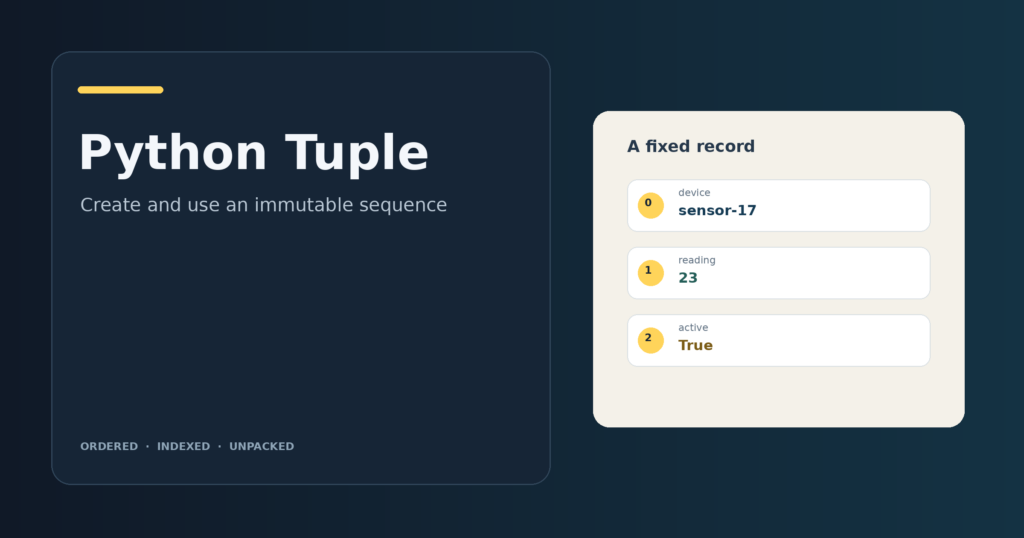
Sensor records can keep an identifier and reading in a fixed order. A Python tuple groups values in order and keeps its positions fixed after creation.
I’ll show how to create a tuple and explain when its fixed positions suit a record.
TL;DR
A Python tuple is an ordered sequence whose positions cannot be reassigned after creation. Choose one for a fixed record, and choose a list when the group needs additions or removals.
- Commas group tuple values. A one-item tuple needs a trailing comma.
- Indexing, slicing and unpacking let you read values without changing the tuple.
- Immutability does not guarantee hashability. Every value inside a tuple used as a dictionary key must be hashable too.
What Is a Python Tuple?
A tuple is an ordered Python sequence that can group a sensor identifier, reading and active flag while keeping their positions fixed.
A tuple does not store field names, so unpack its values into descriptive names because the reader has no labels to follow.
| Choice | Can the sequence change? | Fits when |
|---|---|---|
| Tuple | No. Its positions cannot be replaced, added or removed. | The group has a stable order and fixed roles, such as a coordinate pair or a returned result. |
| List | Yes. Items can be replaced, added or removed. | The collection grows, shrinks or changes as the program runs. |
Tuples can mix object types and contain nested collections. Choose by the mutation rules the task needs, not by whether values share one type. See Data Structures in Python for context on other collection types.
The pair (8, 8) keeps two indexed positions for equal values, unlike a set, which represents unique members.
A set represents unique members, and a dictionary maps keys to values. The standard library’s array type is a mutable sequence whose type code restricts the stored values to a compatible basic type. Use it for typed numeric storage, not as a replacement for a record with mixed field types.
How to Create and Use a Python Tuple Step by Step
Use the comma to form a tuple, then read or unpack its values according to the record’s shape. These short runs cover creation, sequence access, unpacking and the edge between immutability and hashability.
Step 1: Create a tuple and check the comma
Commas form tuples, so parentheses are optional around values in a simple assignment. A single value still needs a trailing comma to form a one-item tuple.
coordinates = (12, 7)
single_item = ("north",)
empty = ()
from_text = tuple("cat")

print("coordinates:", coordinates)
print("single item:", single_item, "| type:", type(single_item).__name__)
print("empty:", empty)
print("from iterable:", from_text)
Output:
coordinates: (12, 7)
single item: ('north',) | type: tuple
empty: ()
from iterable: ('c', 'a', 't')
The empty parentheses create an empty tuple. The constructor in the last line consumes an iterable, so a string becomes a tuple of its characters. I ran this file and confirmed that the one-item value has type tuple.
Step 2: Read fields by index and slice
Tuple positions start at zero, while negative indexes count from the end. A slice returns a tuple from a range and excludes its stop position. I ran this example to check how the first and last positions map to the record.
record = ("sensor-17", 23, True)

print("length:", len(record))
print("first field:", record[0])
print("last field:", record[-1])
print("middle slice:", record[1:3])
Output:
length: 3
first field: sensor-17
last field: True
middle slice: (23, True)
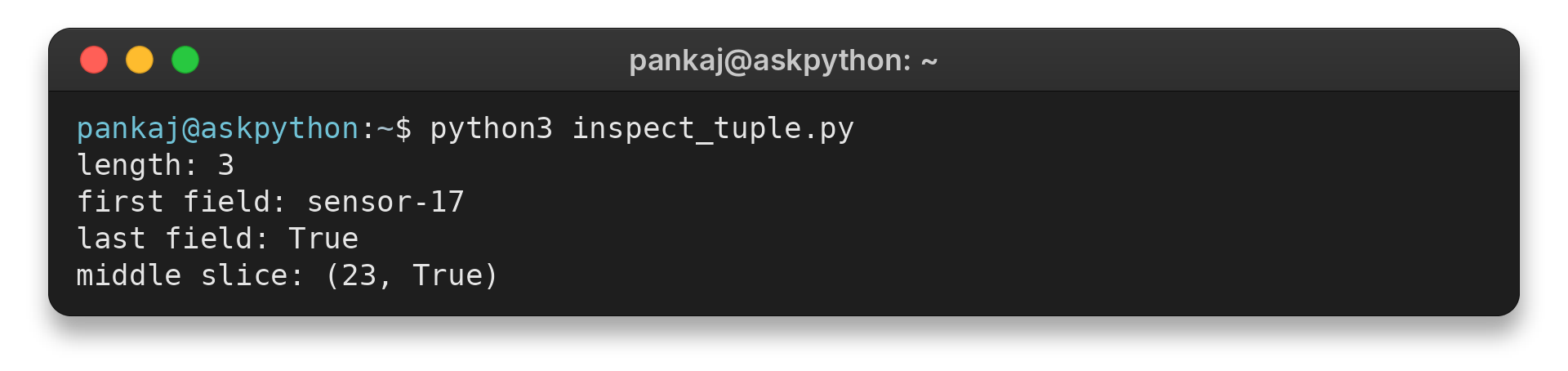
The record has three positions, so its last item is at index negative one. A request beyond the tuple’s length raises an IndexError. Check the length or use a slice when the number of available fields can vary.
Step 3: Unpack a record into named values
Unpacking assigns sequence values to names in order, so match one target to each value for a fixed record. A starred target collects a variable middle section into a list. I ran this example to check the order of assigned values.
record = ("sensor-17", 23, True, "calibrated")

device, reading, *details = record

print("device:", device)
print("reading:", reading)
print("remaining fields:", details)
Output:
device: sensor-17
reading: 23
remaining fields: [True, 'calibrated']
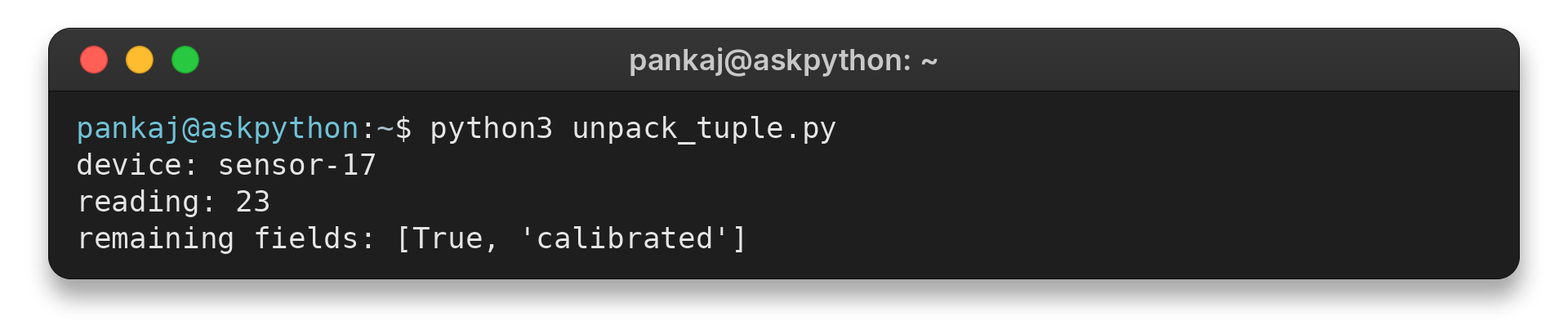
Without a starred target, the number of names must match the number of values. A function can also return several values for named assignment. The tuple unpacking guide covers further forms.
Step 4: Check immutability and hashability
The final example tests field assignment, a mutable list inside a tuple and dictionary-key use. I ran it to check how the nested list and key behave.
point = (12, 7)
try:
    point[0] = 99
except TypeError as error:
    print("slot update:", type(error).__name__)

point = (99, point[1])
print("replacement tuple:", point)

tags = ["urgent"]
record = (42, tags)
tags.append("review")
print("mutable member:", record)

prices = {(42, "usd"): 19.5}
print("tuple key:", prices[(42, "usd")])
try:
    prices[([42], "usd")] = 19.5
except TypeError as error:
    print("list member key:", type(error).__name__)
Output:
slot update: TypeError
replacement tuple: (99, 7)
mutable member: (42, ['urgent', 'review'])
tuple key: 19.5
list member key: TypeError
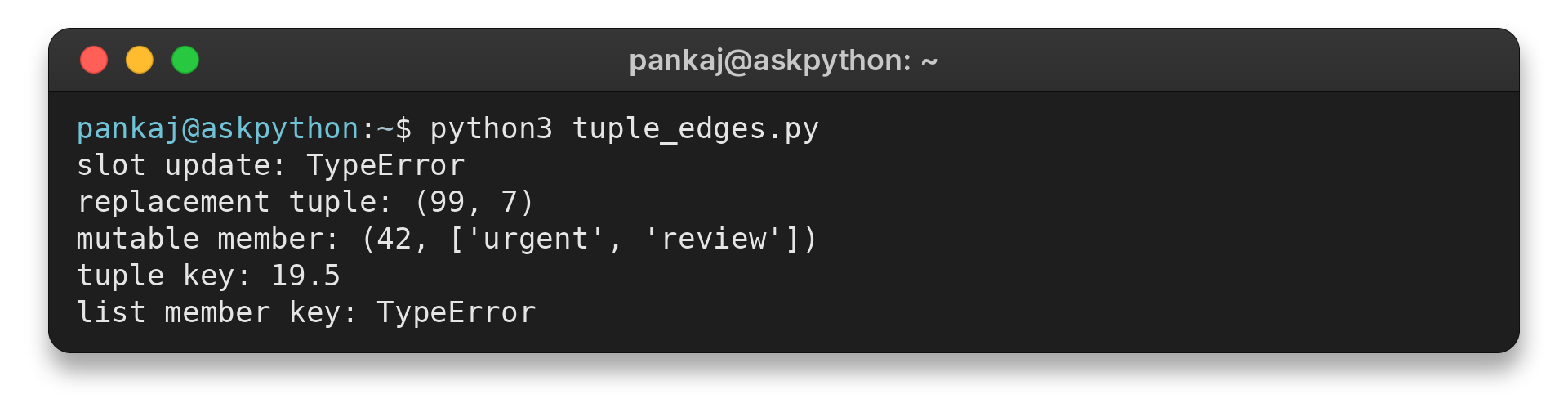
The failed assignment leaves the tuple value unchanged, while the second assignment points the name at a new tuple. A list inside the tuple can still change because the tuple holds a reference to it. A tuple serves as a dictionary key only when each member is hashable, so the nested list makes this key invalid.
Common Errors with Python Tuples
These errors usually come from confusing a tuple’s fixed shape with its contents, or from assuming each operation returns the same kind of object. Match the symptom to the operation before changing the data structure.
| Situation | What happens | What to do |
|---|---|---|
| Replace, add or remove a tuple position | Item assignment raises TypeError. Tuples have no in-place item insertion or removal. | Create a new tuple, or use a list if the sequence itself must change. |
| Read an index that is outside the tuple | Python raises IndexError. | Check the available length or use a slice when a shorter sequence is valid. |
| Unpack into too few or too many names | Python raises ValueError when the target count does not match. | Match the record shape or use one starred target for a variable middle section. |
| Use a tuple containing a list as a dictionary key | The tuple is unhashable because one of its members is unhashable. | Use hashable members, or choose another key structure that reflects the data. |
| Join a tuple directly to a list | Sequence concatenation fails because the operand types differ. | Convert deliberately so both operands have the same sequence type. |
A slice or repeated tuple creates a new outer tuple, not a deep copy of the values inside it. If two tuple values refer to one mutable list, a change through that list appears through both tuples.
Conclusion: Choose a Tuple for a Fixed Record
Use a tuple when order and field roles are stable, such as a coordinate or a small returned record. Use a list when membership needs to change. Keep the singleton comma, unpack against the record’s shape, and check member hashability before using a tuple as a key.
For the language rules, start with the Python Tutorial’s tuples and sequences section. The built-in types reference documents tuple operations, and the data model’s hash contract explains dictionary-key requirements.
FAQ
These answers cover two small tuple operations and what concatenation changes.
What does a tuple’s count method return?
It returns the number of times a value occurs in the tuple. It does not change the tuple.
How does a tuple’s index method choose a result?
It returns the first position matching the requested value. Optional start and stop bounds limit the search; if no value matches, Python raises ValueError.
Does concatenating two tuples change either one?
No. Concatenation creates a new tuple and leaves both original tuples unchanged. It combines their values in order.
