


You can know Python’s basics and still be unsure which topics count as advanced or what to learn next. Advanced Python concepts explain how Python behaves beneath familiar syntax, helping you choose a feature that fits a problem in your code.
In this article, I’ll explain what the label covers and show a four-step way to choose a concept for a problem.
TL;DR
Advanced Python concepts describe how Python controls evaluation, function behavior, object rules, resource cleanup, and concurrent work. “Advanced” is not a fixed level: learn the mechanism that solves your current problem, then understand its trade-offs.
- Use a comprehension to build a collection, or a generator to produce values on demand.
- Use decorators for shared call behavior and context managers for cleanup.
- Check mutability and hashability before using objects as keys or set members.
- Choose async I/O or processes based on whether work waits or computes.
What Are Advanced Python Concepts?
Advanced Python concepts help you understand how values, functions, objects, resources, and concurrent tasks behave beneath familiar syntax.
Comprehensions, iterators, and generators
A comprehension builds a collection from an iterable. A list comprehension stores its results, while a generator creates values when iteration requests them.
A generator can stop when its consumer has enough values, but laziness does not guarantee faster execution. See AskPython’s guide to generators and explanation of the Python for loop.
An iterable can supply an iterator, which tracks its position and raises StopIteration when exhausted. A for loop consumes this protocol for you. A generator function uses yield to pause and resume, and its result is generally consumed once.
Closures and decorators
A closure is a function that can access names from its enclosing scope. A decorator accepts a function and returns a callable, often a wrapper for logging, timing, or validation. Decoration rebinds the function name to that returned callable.
Use functools.wraps to preserve common metadata such as the function name and docstring. A callback created in a loop can see a later value if its closure looks up that variable only when the callback runs. Bind the intended value when creating the callback if each one needs a different value.
A lambda creates an anonymous one-expression function for a short callback, such as a sort key. Use def when logic needs a name or several statements. See AskPython’s lambda tutorial for its limits.
Context managers and cleanup
A context manager gives a with block a setup-and-cleanup boundary. File objects close when the block ends, including when an exception interrupts the work. A class-based manager implements enter and exit methods, while contextlib.contextmanager expresses the lifecycle with one yield and cleanup in finally.
Exceptions normally continue outward unless the manager deliberately suppresses them. See the standard-library contextlib reference for both forms.
Identity, mutability, and hashability
Identity means two references point to one object. Equality means values compare as equal. Assignment creates another reference rather than a copy.
A shallow copy creates a new outer container but can share nested objects. A deep copy recursively copies nested values, which may be costly or unsuitable for objects connected to external resources.
A hashable key keeps a stable hash, and equal objects have equal hashes. Avoid hashing a mutable object by fields that may change while it is stored. Strings and tuples of hashable values are common keys, but hashes can collide, so review the Python data model’s hash rules before defining custom equality or hashing.
Async code, threads, and processes
Concurrency overlaps task progress, not necessarily CPU execution. Choose asyncio for coroutines waiting on asynchronous I/O, threads for blocking I/O, or processes for CPU-heavy work when startup and data-transfer costs fit. On standard GIL-enabled CPython builds, threads generally do not execute Python bytecode in parallel across cores, though build and library details matter.
| Concept | Useful when | Check first |
|---|---|---|
| Comprehension | You need a collection immediately | Will you use the whole result? |
| Generator | Values can be consumed one at a time | Is one pass enough? |
| Decorator | Calls share wrapper behavior | Will errors and metadata stay clear? |
| Context manager | A resource has a defined lifetime | Does cleanup run on exceptions? |
| Asyncio or processes | I/O waits overlap or CPU work can be split | Is the bottleneck I/O or computation? |
See three mechanisms in one run
This example combines a generator, a logging decorator, and a context manager. The manager prints lifecycle markers without opening a file. The generator is its own iterator, and list conversion consumes its values.
from contextlib import contextmanager
from functools import wraps


def square_stream(limit):
    for number in range(1, limit + 1):
        yield number * number


def log_call(function):
    @wraps(function)
    def wrapper(*args, **kwargs):
        print(f"calling {function.__name__}")
        return function(*args, **kwargs)

    return wrapper


@contextmanager
def opened_source(name):
    print(f"enter {name}")
    try:
        yield name
    finally:
        print(f"exit {name}")


@log_call
def summarize(source):
    return f"loaded {source}"


if __name__ == "__main__":
    stream = square_stream(3)
    print("iterator:", iter(stream) is stream)
    print("values:", list(stream))

    with opened_source("settings.json") as source:
        print(summarize(source))
Run python3 advanced_concepts_demo.py. The complete output is shown here and in the screenshot of that command.
iterator: True
values: [1, 4, 9]
enter settings.json
calling summarize
loaded settings.json
exit settings.json
How Do You Choose an Advanced Python Concept?
Choose a feature from the behavior your program needs. This four-step workflow narrows the choice before you add another abstraction.
Step 1: Describe the problem in plain language
Describe the behavior: transform records, process a stream, apply a rule around calls, release a resource, or wait on services. Choose the missing behavior rather than a complex-looking feature.
Step 2: Check what the next operation expects
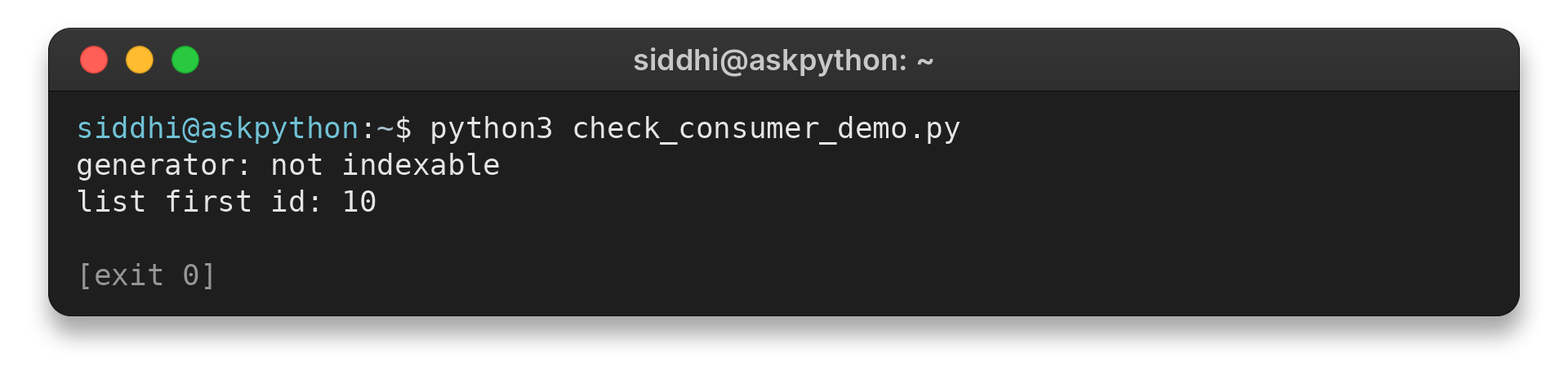
Trace the next operation: does it need indexing, repeated access, or just the next value? Check what each consumer expects before choosing a data structure. A small test can reveal whether the proposed change preserves the program’s behavior.
def first_record(rows):
    return rows[0]


if __name__ == "__main__":
    stream = ({"id": number} for number in (10, 20))
    try:
        first_record(stream)
    except TypeError:
        print("generator: not indexable")

    records = [{"id": 10}, {"id": 20}]
    print("list first id:", first_record(records)["id"])
Run python3 check_consumer_demo.py to see the consumer’s indexing requirement:
generator: not indexable
list first id: 10
Step 3: Make shared behavior and cleanup explicit
Use a decorator when functions need the same call behavior. Use a context manager when a resource has a clear opening and closing point. Prefer ordinary functions or explicit try/finally when they make control flow clearer, and keep wrappers understandable.
Step 4: Test the choice with representative data
Run a representative small case and compare its result with the simpler implementation. If speed matters, benchmark both against the expected workload because a tiny sample can mislead. For containers, check whether a mutation or copy could affect another reference.
from copy import copy


if __name__ == "__main__":
    source = [{"score": 10}]
    shallow = copy(source)

    print("same nested object:", shallow[0] is source[0])
    shallow[0]["score"] = 20
    print("source score after shallow edit:", source[0]["score"])
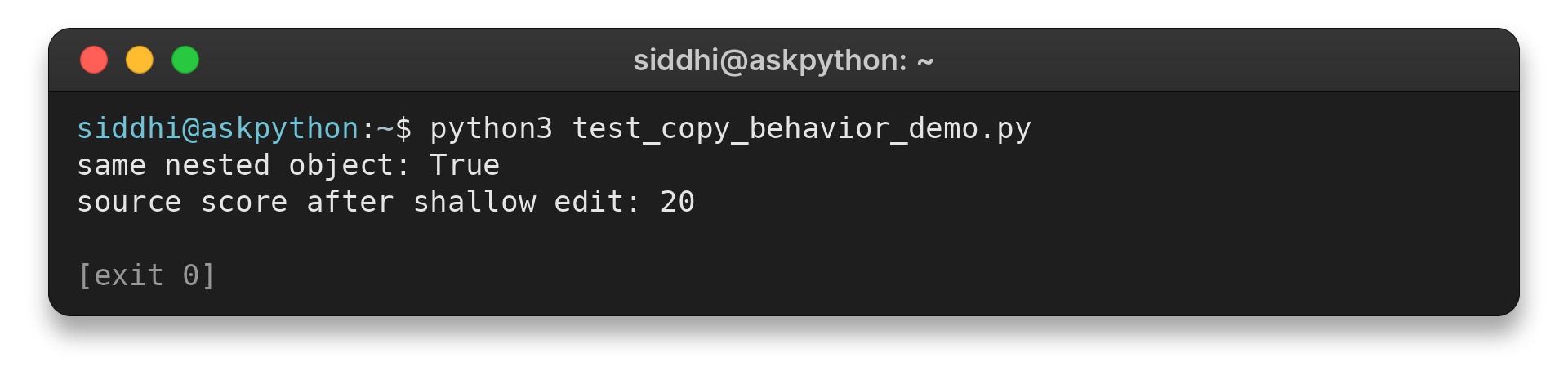
Run python3 test_copy_behavior_demo.py on this representative nested value:
same nested object: True
source score after shallow edit: 20
Edge Cases and Next Steps
Check these assumptions before choosing a feature or applying it to new data.
The label varies with experience, so a topic can seem advanced or still basic to different readers. If you are unsure about what to focus on next, start with an assumption from the table that matches your code. To step up your game, test one concept on a small input and explain the result and its limits.
| Assumption | Check instead |
|---|---|
| A generator works like a list | It is one-pass. Create another generator or store values for another pass. |
| A shallow copy separates nested data | Nested objects may remain shared. Deep-copy only when recursion is appropriate. |
| Any object can be a dictionary key | Its hash and equality must stay stable while stored. |
| Async speeds up CPU work | Asyncio overlaps waits. Profile CPU work and choose a fitting execution model. |
| A decorator is always cleaner | Use it only when shared behavior is worth the extra indirection. |
A mutable default argument is another common trap: Python evaluates a function’s defaults once, so calls can share the same list or dictionary. Use a None default and create a fresh value inside the function when each call needs its own container. Type annotations also describe expectations without validating runtime values.
I ran the combined example in Python 3.14.7. It exited successfully and produced the output shown above, which makes the generator and cleanup sequence clear to check.
For a learning path, start with iterators and generators, then study decorators, context managers, and hashing when custom objects become keys. Consult the official generator guide, contextlib reference, and asyncio overview with a small example.
Conclusion: Learn the Mechanism Behind the Syntax
Use first-party documentation to explore the behavior of each feature, then keep a small example that makes its assumptions testable. Add complexity only when it clarifies the program’s behavior.
Frequently Asked Questions
These short answers clarify common distinctions that decide when an advanced Python feature is useful.
What is the difference between an iterable and an iterator?
An iterable can provide an iterator. An iterator tracks its current position, returns the next value, and becomes exhausted when no values remain. A for loop consumes the iterator protocol automatically.
Why are Python generators lazy?
A generator produces a value when iteration requests one instead of building the full sequence immediately. This can help with streaming or early termination, but a generator is generally consumed only once.
When should you use a Python decorator?
Use a decorator when multiple functions need the same behavior around a call, such as logging or validation. Keep the wrapper understandable and use functools.wraps to preserve common function metadata.
Does async Python run code in parallel?
Not by itself. Asyncio schedules coroutines cooperatively, often allowing I/O waits to overlap. CPU-bound parallel work may need processes or another suitable execution model.
