

We have multiple teams (8) working on Redgate Monitor. Some work on the Standard Edition, a few on the Enterprise Edition, and others handling core work, like the Linux/PostgreSQL option.
We also have designers, and they regularly research how well the product works for customers, what is difficult, and they propose changes. One of them was recently release. We have a new analysis page in Redgate Monitor and this post looks at the changes.
Video walk-through of this post below.
This is part of a series of posts on Redgate Monitor. Click to see the other posts.
The New Experience
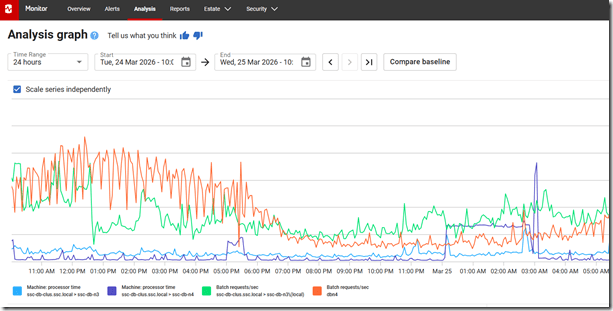
If you go to monitor.red-gate.com, you can see this at: https://monitor.red-gate.com/Analysis. This shows the new analysis graph, which is easier to see and takes up the entire screen.
If you haven’t used this, I’ve added metrics below this for certain servers. You can see in the legend that I’m looking at CPU time along with batch requests for both sides of my cluster. I can compare these to see if the number of batches is impacting CPU. A correlation I might use to research how a workload affects my system.
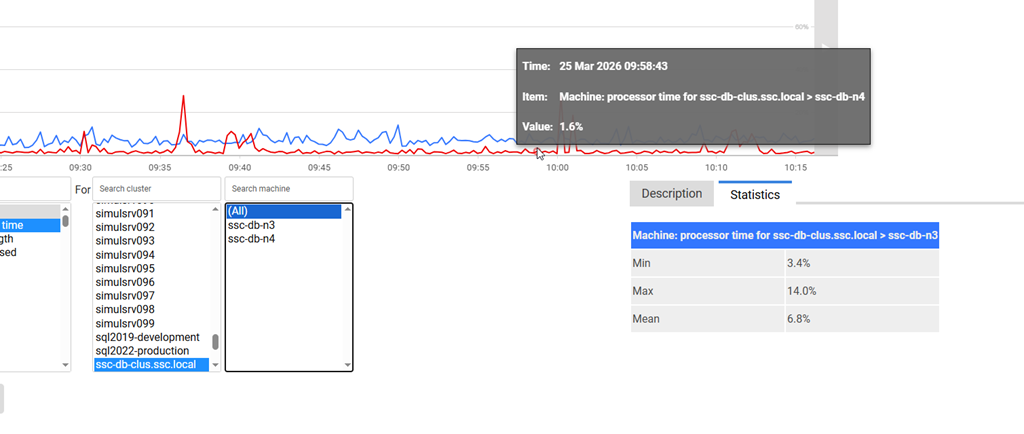
If I put my cursor over the graph, I can get info on the metric, the current time and the value/min/mean/max. These values are for the time period.
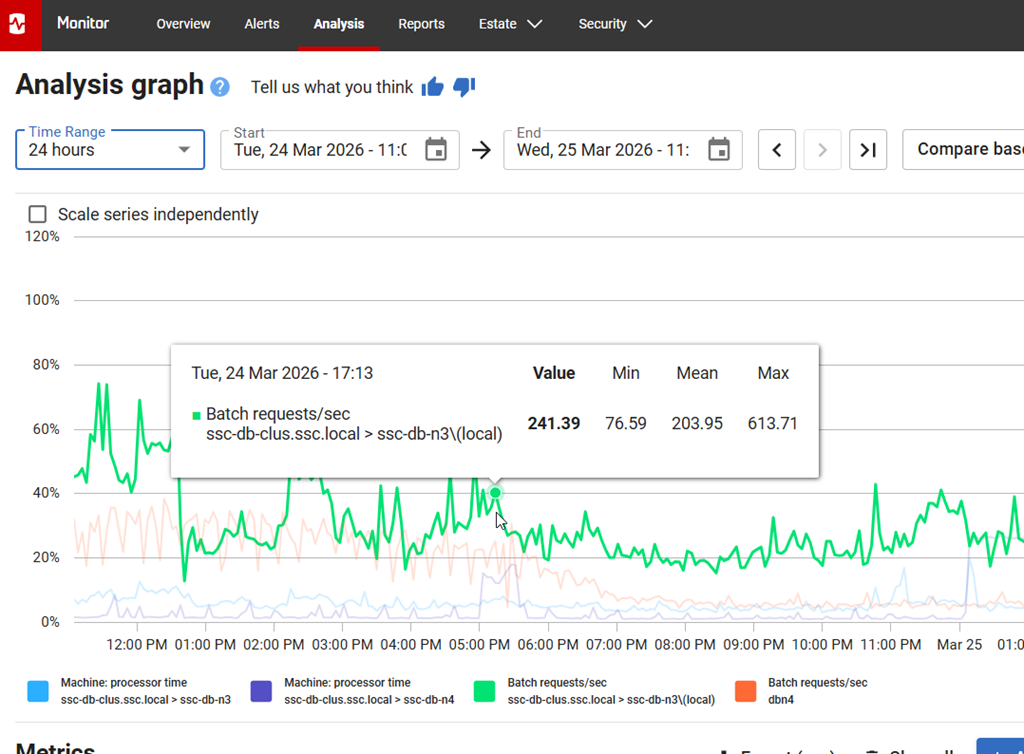
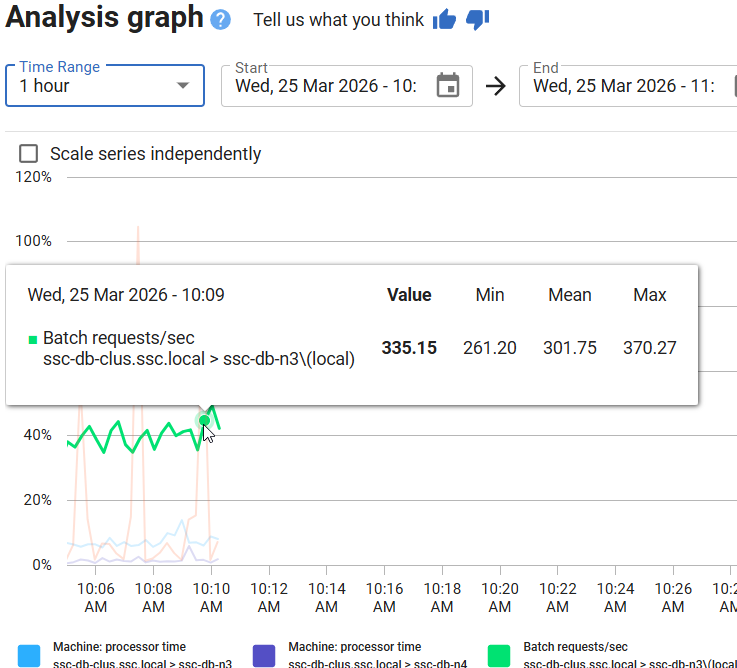
If I change my time period, I see the values change for the stats.
Below this, for the metrics, it’s a little cleaner as well. The interface hasn’t changed a lot, but it’s a little larger and spread out. I can see that I pick a metric for a cluster, and then for a machine. This is the same.
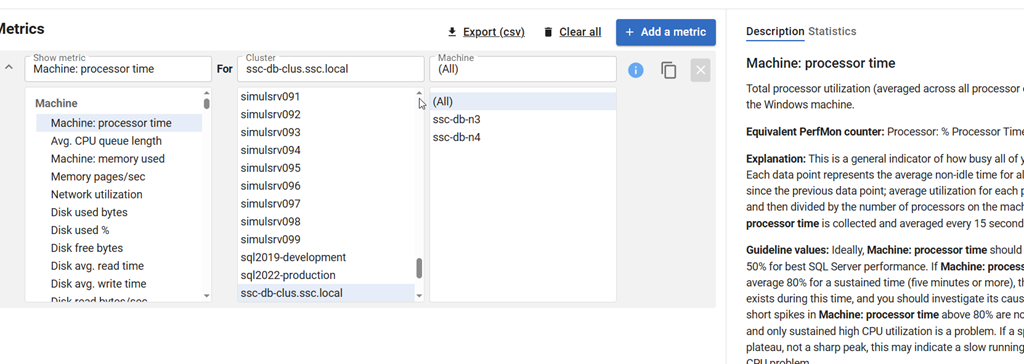
What has changed is the “add a metric” is now at the top on the side. If I click this, I get a new set of metrics to pick below this. Note the “same as above” for the cluster, which is very handy. I can also type in the box to search.
At the right, the explanation of the metrics and statistics are still on the far right.
This makes an interesting experience that works smoother to ensure that
The Classic Experience
If you don’t like this, there’s a link in the upper right to switch back.

Clicking this loses my metrics, but if I add them back, you can see the old view. It’s a little less appealing to me. The other thing I hated is that the “add a metric” is below the list shown below, which is annoying. I often scroll down to find it.
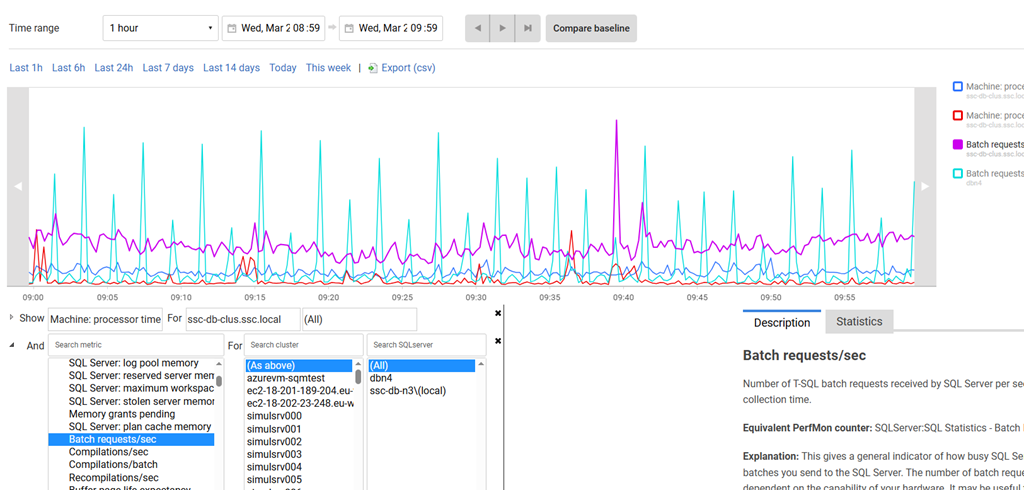
I also have statistics which only show one of the metrics (first one?) and not both. I’m also missing stats of the average.
Summary
This is a small change, but a nice one, IMHO. The ease with which the UX is designed can make a big difference to how users can interact with the data. This is a small one, but one that I really appreciated.
If you have feedback in general, please let us know as we value your opinions and comments on how we shape the future of Redgate Monitor.
Redgate Monitor is a world class monitoring solution for your database estate. Download a trial today and see how it can help you manage your estate more efficiently.
Video Walk-through
Video of this post below.
