

A script that uses Python’s math module needs a way to refer to its code. An import statement makes a module or selected names available to your script.
I’ll show how to choose an import form and check which locations Python searches for a module.
TL;DR
Python import statements make modules or selected names available to your code.
- Write import module when calls should show the module prefix.
- Write from module import name for a small, known set of names.
- Use an alias when it makes a familiar module name clearer to read.
What Is a Python Import Statement?
A module is an importable unit of Python code, often saved in a file, and an import statement asks Python to locate it and make its names available in the current file. Python stores loaded modules in sys.modules so later requests in the same process can reuse them.
| Form | Name available in your file |
|---|---|
| import math | math, then use math.pi |
| from math import pi | pi, used directly |
| import statistics as stats | stats, an alias for statistics |
A Python package groups modules under a name, and I used one in the demo because a sibling import needs package context. Regular packages use an initialization file, while namespace packages combine portions from directories to share a tree, as the Python import reference explains.
Absolute imports start from the import root, while relative imports start from the current package. Extra dots move toward parent packages but cannot go above the top-level package. The Python relative imports guide explains the syntax and package context.
A wildcard import brings in many public names at once, which makes it harder to see where a later name came from. Prefer explicit imports in shared code unless a package deliberately defines its public names.
How to Choose and Use a Python Import Statement
Check each form in a short script before using it in a larger program. Run the script from the working directory your project expects.
Step 1: Import a Module and Selected Names
Modules such as math are included with Python. A third-party module must be installed for the interpreter that runs the script, since separate environments do not share installed packages automatically.
from math import pi
import random as rng

print(round(pi, 2))
print(rng.__name__)
Save the code in a file, then run this command from that file’s directory.
python3 import_example.py
I ran the script in Python 3.14.7 and got the shown output. The first line is pi rounded to two decimal places. The second is the module’s own name, random, even though this file uses the alias rng.
Step 2: Import a Module from Your Project
Put reusable functions in a module, then import the names your program needs. Place both files in the same directory so the interpreter can find the formatter module.
# formatters.py
def label(value):
    return str(value).strip().title()
# report.py
from formatters import label


def main():
    print(label("  monthly report "))


if __name__ == "__main__":
    main()
Run the second file from that directory to call the imported function.
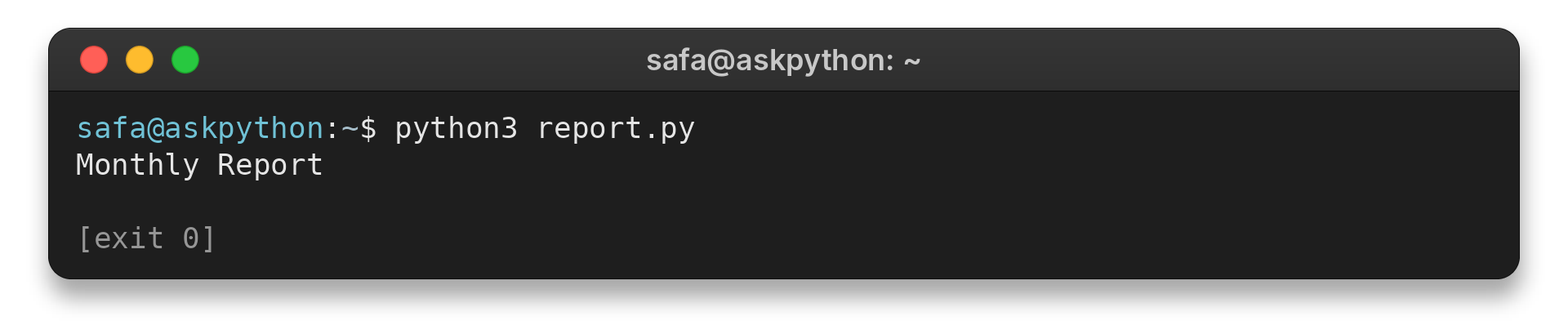
The output is title-cased by label. The main guard calls main only when this file runs as a program, so another file can reuse label without printing the report.
This module imports its sibling helpers with a relative name.
python3 -m package.module
Import Errors and Module Path Checks
ModuleNotFoundError and ImportError describe different failures during module loading. The traceback helps identify whether Python failed to find the module or a name inside it.
| Symptom | Check | Next step |
|---|---|---|
| ModuleNotFoundError | Module spelling and active environment | Install the dependency in that environment or correct the import name. |
| A local file is ignored | Script directory and package layout | Check whether a file shadows a standard-library module. |
| Unexpected output during import | Top-level statements in the imported file | Move startup work into a function. |
| Import works from one location only | Working directory and package entry point | Run from the import root or use the package entry point. |
| ImportError during initialization | Project modules that import each other | Move shared names into a third module. |
Read the traceback before installing anything. If Python finds the module but cannot find a requested name inside it, the error can instead be ImportError. An import cycle between project files can leave a name unavailable during initialization, so move shared helpers into a third module.
I ran this read-only diagnostic to identify the executable and the first search-path entry Python used.
import sys

print(sys.executable)
print(sys.path[0])
It printed these values:
/home/ubuntu/.hermes/tools/python-3.14.7+20260901-linux-arm64/bin/python3
/home/ubuntu/.cache/journaldev-article-runs/askpython-python-import-statement-20261016T205608Z-41a63ec5d2dd
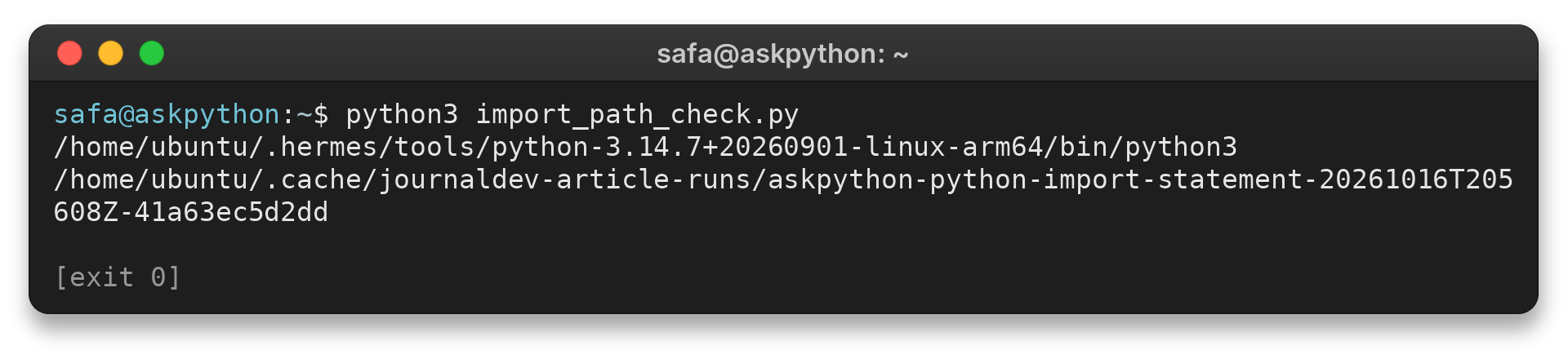
The first line names the Python executable, and the second shows its initial search-path entry. For a script, that entry is usually the script directory, while interactive execution generally starts with the current directory instead. Python adds library locations based on interpreter settings, so file names and installed modules can differ across environments.
How Python Finds a Module
| Import component | Role |
|---|---|
| Finder | Locates a module and its source. |
| Path finder | Checks the entries in sys.path. |
| Loader | Creates and executes the module. |
| Archive or custom finder | Can provide modules from other sources. |
Put an optional import inside a condition only when the dependency is genuinely optional. Required dependencies should fail clearly instead of being hidden by a fallback. A package can also re-export a selected name from a child module, but keep that public surface small so callers can trace where each name comes from.
For project layout, see Python modules: create and import them. The Python modules tutorial covers reusable files and packages.
Conclusion: Choose an Import Form That Fits the Call
Keep the project layout and its documented launch command together. That gives other developers a repeatable way to run local and package imports.
The Python import syntax reference defines the statement forms and their behavior.
FAQ
These answers cover a conditional import and the package names Python can load.
Can Python import a module inside an if statement?
Yes. Python executes that import only when the condition is true, which can support an optional dependency or a platform-specific feature.
How do I check whether Python can find a module?
Check the spelling, the executable reported by sys.executable, and the search locations in sys.path.
What is the difference between a package and a module?
A module is a unit of Python code, often a file. A package organizes modules under a dotted name and may use regular or namespace package rules.
