

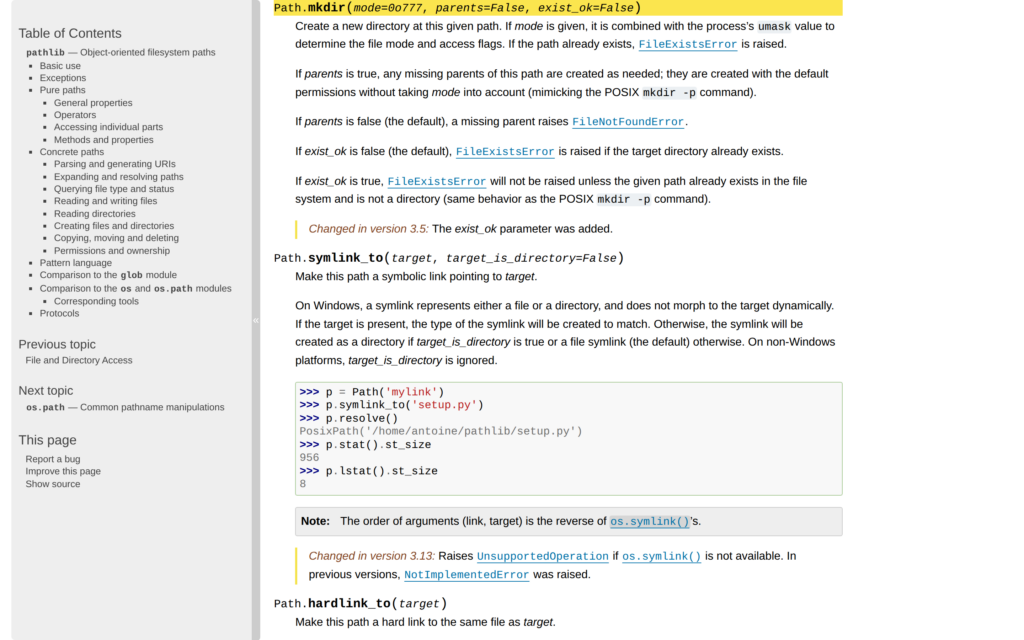
When a script saves a file inside a new folder, that folder has to exist first. Python’s standard library provides pathlib for working with paths, and Path.mkdir() creates a folder while parents=True tells it to create any missing folders above it.
I’ll show how to create a directory and check where a path written from the program’s current folder points.
TL;DR
Use pathlib’s mkdir method to create a directory. Set parents=True when Python must create missing folders.
- Use mkdir for one new directory whose parent already exists.
- Use mkdir with parents=True for missing parent directories.
- Add exist_ok=True when repeating the script should accept an existing directory.
What Is a Directory in Python?
A directory is a folder on disk. Python’s standard library provides pathlib and os for this task, so no package installation is needed.
A Path object represents a path, and / joins path parts. I use Python’s standard library because this example needs no extra package.
| Need | Use | Behavior |
|---|---|---|
| One new folder | Path.mkdir() | Requires its parent folder to exist |
| Folder and missing parents | Path.mkdir(parents=True) | Creates the required directory chain |
| Repeat safely when the folder exists | Path.mkdir(parents=True, exist_ok=True) | Accepts an existing directory |
The os module provides os.mkdir() and os.makedirs() for code built around string paths.
How to Create a Directory in Python Step by Step
I chose pathlib because joining Path parts keeps the nested target explicit. Build a Path, choose whether to create missing parents, then check the result with is_dir().
Step 1: Choose the directory path
A relative path starts from the process current working directory, so use an absolute path when the program needs a fixed location.
Step 2: Create the directory and any missing parents
The first mkdir() call creates a single folder. The second sets parents=True for the nested path and exist_ok=True so the repeated call does not fail when that directory is already there.
from pathlib import Path
from tempfile import TemporaryDirectory

with TemporaryDirectory(prefix="directory-demo-") as temporary_root:
    root = Path(temporary_root)

    report_directory = root / "reports"
    report_directory.mkdir()

    archive_directory = root / "archive" / "2026" / "october"
    archive_directory.mkdir(parents=True, exist_ok=True)
    archive_directory.mkdir(parents=True, exist_ok=True)

    print("Single directory created:", report_directory.is_dir())
    print("Nested directory created:", archive_directory.is_dir())
    print("Repeated call accepted:", archive_directory.is_dir())
Run the named source file with this command:
python3 create_directory_demo.py
The run printed:
Single directory created: True
Nested directory created: True
Repeated call accepted: True
I ran the named source file in a temporary directory. It reported three successful checks, and TemporaryDirectory removed the test folders when the script exited.
Step 3: Confirm where the relative path points
The pathlib cwd() method returns the base for relative paths. Check it when a folder does not appear where expected, because the path may resolve somewhere else.
Directory Creation Edge Cases
Creation can fail when a parent is missing, a file occupies the destination, or the process lacks access. Handle a specific filesystem error because each cause points to a different fix.
| Case | What happens | What to do |
|---|---|---|
| The parent is missing | mkdir() without parents=True raises FileNotFoundError | Set parents=True when Python should create the chain |
| The directory already exists | Default mkdir() raises FileExistsError | Set exist_ok=True only when an existing directory is acceptable |
| A file occupies the target path | Creation still fails, including with exist_ok=True | Choose a directory path that does not conflict with a file |
| The process lacks write access | The operating system raises PermissionError | Choose a location the process may write to |
| A created folder is hard to find | A relative path was resolved from another working directory | Check Path.cwd() or use an absolute path |
| A file is opened under a new folder | Opening the file does not create missing parent folders | Create file_path.parent first with mkdir(parents=True, exist_ok=True) |
The pathlib is_dir() method checks for a directory, while exists() also accepts files. See AskPython’s guide to checking whether a file exists.
Conclusion: Choose the Path Behavior You Need
I verified each path with is_dir() because the result must be a directory, not just an existing file. For API details, see the Python pathlib documentation, the os documentation, and AskPython’s overview of the os module.
FAQ
These answers cover common questions about repeating the operation and writing a file under a new folder.
Can I run a directory-creation script more than once?
Yes. Call Path.mkdir() with exist_ok=True when the target may already be a directory. A file at the target path still causes an error.
Does opening a file create its parent directory?
No. Create the parent path first with Path(file_path).parent.mkdir(parents=True, exist_ok=True), then open the file.
How can I check whether the path is a directory?
Use Path(path).is_dir(). Path.exists() also returns True for existing files, so it does not confirm the path is a directory.
