

Everyone writes about AI generating queries. Nobody writes about the strange jobs it is actually doing inside real database teams. These are nine of them, and I helped build every one.
I want to say something before the technical part, because it is the reason I wrote this at all.
The most satisfying work of my career has not been tuning a query. It has been walking into a room where a team is quietly terrified of their own database, and walking out three days later with them arguing confidently about it. That shift is the whole job. It is also the thing I did not expect AI to help with.
These nine are not the usual list. Nobody here is asking a chat window to write a SELECT. Every one of these is a workflow we designed together, tested, broke, and rebuilt, and every one of them solved a problem that had been sitting untouched for years because it was too big and too boring for anybody to start.
A quick note. Everything here is blended across many engagements and reshaped so that no client, person, or system is identifiable. Table names, numbers, and details have been changed.
1. Heterogeneous Migration, But for the Business Rules Instead of the Syntax

A client was moving off Oracle. Roughly 800 PL/SQL packages, about 400,000 lines, written over nineteen years.
Every migration tool on the market converts syntax. That is the easy half and it is largely solved. The hard half is that nobody in the building could tell you what the code decides. Somewhere in those packages were the actual business rules of the company, and the only copy of them was the code itself.
So we stopped converting and started extracting. Package by package, the question was not how do I write this in T-SQL. The question was what business decisions does this code make, and under what conditions.
The output was a rules inventory. Plain sentences, one per rule, with the package and line number beside it.
If the customer is in the wholesale tier and the order total is above 50,000, apply an additional 2 percent discount, unless the order contains any item from product group 14.
Then we did the part that mattered. We printed the inventory and put it in front of the business people.
They did not recognize about sixty of the rules. Some were obsolete promotions from 2009 that had never been switched off. A few were things the business genuinely wanted and thought they had lost years ago. And two of them were quietly wrong and had been quietly wrong for a very long time.
The technical detail that made it work. Feeding whole packages produced vague summaries. We got useful output only after splitting by procedure and passing the referenced table DDL alongside the code, so the model could see that P_CUST.TIER_CD was a three character code with a check constraint rather than a free text field. Context about the data changed the quality of the reasoning more than any prompt wording did.
The failure mode to watch. It will state intent it cannot know. It will tell you a block exists to handle tax exemptions when the block actually exists because a batch job used to fail at midnight. Every rule in that inventory got verified by a human against real data before anybody trusted it. Every single one.
That project had been on the roadmap for four years. The rules inventory took eleven weeks. I am still a little proud of that one.
2. Reverse Engineering a Vendor’s Closed Schema

This client ran a critical application from a vendor who provided no schema documentation. Not restricted documentation. None. The contract said the database was an implementation detail.
Their tables looked like T_ACCT_MSTR_01. Their columns looked like FLG_3, DT_02, and the immortal USR_DEF_5.
The team needed to report on this data. They had been guessing for six years.
What we built was a structured guessing machine, and the structure is what makes it work. For each table we assembled five things and fed them together:
The DDL, including constraints and defaults, because a check constraint of IN ('A','C','P','X') tells you more about FLG_3 than the name ever will.
The foreign key graph from sys.foreign_keys, because knowing that a table hangs off the invoice header narrows the search enormously.
Value distributions, not raw data. SELECT FLG_3, COUNT(*) FROM T_ACCT_MSTR_01 GROUP BY FLG_3. Nothing sensitive leaves the building, and a column that is 94 percent N and 6 percent Y is obviously a flag.
The vendor’s own views and report definitions. This one is free and almost everybody misses it. Vendors write cryptic tables and then write readable views on top of them, because their own developers cannot remember what FLG_3 means either. Pull everything out of sys.sql_modules and search it for aliases. SELECT a.ACCT_NM AS [Customer Name], a.DT_02 AS [Completion Date] is the documentation the contract said you could not have. They wrote it in the database instead of a PDF.
An Extended Events capture of one screen. Start a session filtered to the application’s login, have a user open exactly one screen and save exactly one record, stop the session. You now have the precise set of tables and columns that screen touches, tied to a screen you can name out loud. It also catches every column the interface writes and never displays, which is where the interesting ones hide.
With all five, the hypotheses were genuinely good. DT_02 is always populated within two days of DT_01 and never null when FLG_3 is C, so it is likely the completion date.
Then came verification, which is not optional and is the part everyone wants to skip. Change one value in the application, watch which column moves. We did that for 340 columns over about three weeks.
What they have now. A 60 page data dictionary for a database their vendor refuses to document. They maintain it themselves. When the vendor ships an upgrade, they diff the schema and re-run the process on whatever is new.
I will admit I enjoyed handing that document over more than was strictly professional.
3. Decoding a Twenty Year Old Foreign Language ERP

Related to the last one but harder, and this is the one that surprised me most.
The system was a German ERP from the early 2000s. Column names were German, and not full German words either. Abbreviated German. KNDNR. BSTDT. LIEFSPERRE.
The team was in three countries and nobody read German.
This turned out to need two distinct passes, and running them together produced worse results than running them apart.
Pass one, expansion. What is the likely full German word behind this abbreviation, in a business software context. KNDNR expands to Kundennummer. LIEFSPERRE expands to Liefersperre.
Pass two, domain meaning. Given the expansion, the table it lives in, and its value distribution, what does this represent in an order management system. Kundennummer is the customer number. Liefersperre is a delivery block, which in practice is a flag that stops shipment when a customer is over their credit limit.
That second pass is where the value is. A translation dictionary gives you the word. It does not tell you that this particular flag is why the warehouse team has been complaining for two years about orders that vanish.
The gotcha. German compound nouns are ambiguous when abbreviated, and it will pick one meaning and commit to it with total confidence. We had a column confidently identified as a delivery date that turned out to be a delivery week. Two rows of test data caught it. Nothing else would have.
4. M&A Due Diligence Schema Mapping

Two companies merge. Both have customers. Both have a customer table. Somebody has to work out how they fit together, and usually that somebody has ninety days.
We used AI for the first pass mapping. Column by column across both schemas, with three outputs required for every proposed match: the target column, a confidence level, and the specific reason.
Requiring the reason changed everything. A match justified by “both are named CUST_STATUS” is a weak match and now it looks weak on the page. A match justified by “both are nvarchar(10), both have a check constraint listing the same four values, both are referenced by the invoice table” is a strong match and it also looks strong. The confidence level on its own was useless because it was always high. The reason column is what let humans triage 900 columns in a week.
The finding that paid for the whole exercise. Both companies had a column called CUSTOMER_STATUS. Both used the value A. In one company A meant Active. In the other, A meant Archived.
A straight merge on matching names would have marked several thousand dead accounts as live customers, and the first anyone would have known about it is when the marketing emails went out.
The tool did not catch that, by the way. It proposed the match at high confidence. A human reading the reason column noticed that the value distributions were mirror images of each other and went looking. That is exactly the workflow working correctly. The machine narrows 900 columns to 40 worth arguing about, and the humans argue about the right 40.
5. Compliance Documents Turned Into Actual SQL Checks

A regulated client had an audit requirement document. Three hundred pages of prose, written by people who have never opened SQL Server Management Studio, describing controls that a database must satisfy.
Every year, a team of people read that document and manually checked things. It took six weeks and it was miserable and it was error prone because it was miserable.
We converted it into a test suite.
Section by section, the question was: what would you have to query in SQL Server to prove or disprove this requirement. The output was a set of checks, each one a query that returns zero rows when compliant and returns the offending rows when not.
A requirement that privileged access is restricted to approved personnel became a query against sys.server_role_members and sys.server_principals, joined to their approved list table, returning anybody who should not be there.
Encryption at rest became a check on sys.databases.is_encrypted alongside sys.dm_database_encryption_keys for state 3.
Backup retention became a query against msdb.dbo.backupset proving a full backup exists within the required window for every production database.
What made it credible to the auditors. Every check carries the section number of the requirement it came from, in a comment at the top of the query. When an auditor asks how you know you comply with 7.4.2, you run one query in front of them. That traceability is why they accepted it.
What it could not do. Maybe a third of the requirements are not testable in SQL at all. Things about staff training, approval processes, and physical access. It happily proposed queries for a few of those, and the queries were nonsense dressed as diligence. Those stayed manual, which is correct.
Six weeks became two days and a report. I have watched a compliance officer smile exactly once in my career and it was during that demo.
6. Column Level Data Lineage Across Forty Procedures

The question sounds simple and it is not. Where does this column come from, and what touches it.
A finance team had a number in a report. Nobody could say with certainty how it was calculated. It passed through views, procedures, and a couple of SSIS packages, and it had been that way since before most of the team joined.
SQL Server gives you a start. sys.dm_sql_referencing_entities and sys.sql_expression_dependencies will find static references. That gets you the skeleton.
Then it stops, because that shop used dynamic SQL, and the dependency views cannot see inside a string.
So the workflow was: pull every module definition out of sys.sql_modules, use the built in views to get the static dependency graph, then hand the actual code plus the graph over and ask what happens to this specific column at every hop. Read, written, aggregated, filtered, transformed.
Reading inside the dynamic SQL is the thing only this approach could do. A string being concatenated together is just text to SQL Server. It is also just text to a language model, and a language model is quite good at text.
What they found. The number was being rounded twice. Once to four decimal places in a view, then again to two in the procedure that consumed the view. On most rows it did not matter. On a small number of rows it produced a one cent difference, and that one cent had caused a reconciliation argument every month for years.
Nobody had found it because finding it required one person to read forty objects in one sitting while holding the whole chain in their head. That is not a hard task. It is an unpleasant one, and unpleasant tasks wait forever.
7. The SQL Agent Job Graveyard

Fifteen years of accumulated SQL Agent jobs. Two hundred and forty of them on one instance.
Everybody has this. Nobody deletes jobs, because deleting a job feels like the sort of thing that gets you a phone call, and leaving it running feels free. It is not free, but the cost is spread thin enough that nobody argues about it.
We pulled three things together for every job. The step commands from msdb.dbo.sysjobsteps. The execution history and durations from sysjobhistory. The schedule from sysschedules.
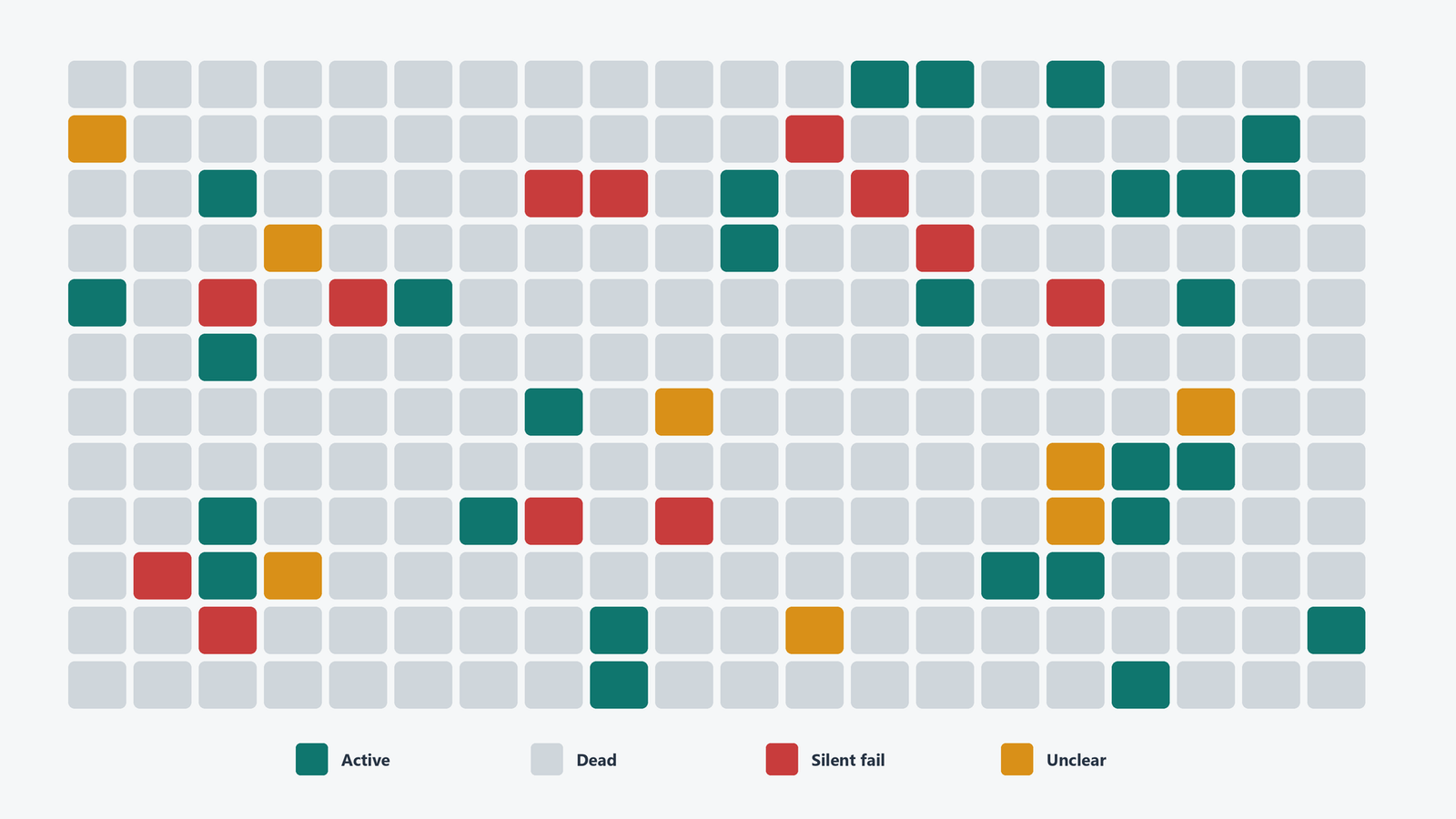
Then we asked for a classification of each job into one of four buckets: clearly still needed, clearly dead, unclear, and actively broken but failing silently.
That last bucket is the interesting one and it is bigger than you want it to be.
What turned up. Eleven jobs writing to tables that no longer existed, succeeding every night because the step was wrapped in a TRY block that swallowed the error and reported success. Six jobs copying files to a share that was decommissioned in 2019. Four jobs that ran an index maintenance script against a database that had been dropped, and one job whose only step was to call another job that had been disabled seven years earlier.
And one genuinely alarming discovery. A job that emailed a report to a distribution list containing two people who had left the company, going to addresses that still resolved to a mailbox nobody was reading.
The rule we set. Nothing gets deleted. Everything suspicious gets disabled with a note in the description saying who disabled it, when, and why. If nobody complains in ninety days, then it goes. That rule is not sophisticated but it is the reason the project actually finished, because it removed the fear that had been preserving 240 jobs in amber.
8. Explaining a Query Plan Regression After a Version Upgrade
This is the most technical one on the list and the one where AI is closest to being genuinely expert, because the problem is well documented and the inputs are structured.

A client upgraded and a handful of queries got dramatically slower. Same hardware, same data, same indexes, same code. Everybody’s least favorite kind of problem, because nothing you changed is what broke.
The workflow was to capture both plans, the good one and the bad one, and feed both together with a specific question. Not why is this slow. What is structurally different between these two plans, and what optimizer behavior change would explain the difference.
That framing matters. Asked to tune the query in isolation it gives you generic advice about indexes. Asked to compare two plans it does something much more useful, which is diffing.
What it identified correctly. The join order had changed and the estimates behind the change came from the newer cardinality estimator. The old estimator assumed correlation between predicates on the same table. The newer one assumes more independence. On a table where two columns are heavily correlated, and in this case city and postal code, that assumption produces a much smaller estimate, and a much smaller estimate produces a nested loop where a hash join belonged.
It then correctly listed the options. Test with LEGACY_CARDINALITY_ESTIMATION at the database scope, or per query with a USE HINT, or force the old plan through Query Store, or fix the estimate properly with filtered statistics.
Where it was wrong. It recommended a database wide legacy setting first. That would have fixed six queries and quietly pessimized several hundred others that were happily faster on the new estimator. The correct answer was Query Store plan forcing for the specific queries while the estimates got fixed properly.
It knew the mechanism. It did not know the blast radius. That is a good one line summary of this entire technology.
9. Dialect Drift Verification After a Migration

Back to migration, because this is where the last one bites you and it is the section I would keep if I could only keep one.
Your migration completes. Row counts match. Checksums match. Everyone signs off.
Three weeks later a report is subtly wrong, and it is wrong in a way that took three weeks to notice, which is the worst way for a thing to be wrong.
The queries were converted correctly. They are valid on the new platform. They just do not mean quite the same thing anymore.
So instead of asking for a conversion, we asked for a list of every semantic difference between the source and target platform that could affect this specific query. That list became a differential test suite, run against both systems, output compared.
The categories that catch people.
NULL ordering. SQL Server sorts NULLs first on an ascending sort. PostgreSQL sorts them last. Nothing errors. Your TOP 10 is just a different ten rows.
Collation and case sensitivity. A case insensitive SQL Server collation moving to a case sensitive target turns WHERE status="active" into a query that silently returns nothing when the data says Active.
Empty string and NULL. Oracle treats the empty string as NULL. SQL Server does not. Every IS NULL and every = '' in the entire codebase is now a question rather than a fact.
Integer division. 5/2 is 2 in SQL Server and 2.5 in MySQL depending on configuration. Financial calculations built on integer columns quietly change answer.
Date arithmetic. Adding a number to a date, week numbering, what the first day of the week is, how a fractional interval rounds. All of it varies and none of it errors.
Implicit conversion order. Comparing a string to a number gets resolved differently across platforms, and the difference shows up as a performance change or a result change depending on the day.
The pattern in every one of those is the same. No error message. No failed row count. Just a different answer, arriving confidently, discovered by a customer.
The test suite for that client had 180 cases. Nineteen of them failed on the first run. Nineteen bugs that would each have been found in production, individually, over about a year, by somebody angry.
The Thread Running Through All Nine
Look at what these have in common, because I did not see it until I wrote them out in one place.
Not one of them is a hard problem. Every single one is a large, tedious, low judgment reading task that a competent person could do perfectly, given three months and no interruptions, which is a resource that has never existed in any company I have ever visited.
These projects were not blocked on skill. They were blocked on tedium. Reading 800 packages, 240 job definitions, 900 column pairs, 300 pages of compliance prose. The work was always possible. It was just never worth starting, because it would never be finished.
What changed is not that the machine got smart. It is that starting got cheap, and these were all problems that only needed somebody to start.
And in all nine, the shape is identical. The machine reads at volume and proposes. A human verifies and decides. The moment anyone inverted that order, the project produced a beautiful document full of confident fiction.
The Part I Am Actually Proud Of
None of these clients bought a product. There was no platform, no license, no vendor with a booth at the conference.
What they got was a workflow, a verification step they were not allowed to skip, and a written note about where the thing lies. Their own people run all of it now. I am not needed for any of it, which is exactly how a consulting engagement is supposed to end and almost never does.
One of them told me the real change was not the time saved. It was that his team had stopped being frightened of the old system. They had a document now. They could argue about it. Being able to argue about your own database is an underrated form of wealth.
The question underneath every one of these projects was the same. Who is holding the judgment when the output looks perfect. That question sits behind all thirty essays in my book AI: Nobody’s in There. But we’re still in here. Every essay is free to read at pinaldave.com, and there is a paperback on Amazon if you would rather hold something real.
My consulting work is now taking a broader route. I continue to help teams solve difficult SQL Server performance problems through the Comprehensive Database Performance Health Check, and I am also helping businesses identify practical ways to enable AI in their daily work. This is not about adding AI because it is fashionable. It is about finding a valuable problem, building a workflow with clear verification, and giving the team the confidence to run it themselves. If your business has an old system nobody fully understands, a manual process that consumes weeks, or an AI idea that needs a safe and useful starting point, this is exactly the kind of consulting work I am now excited to take on.
This is not a story about AI understanding your database, it is a story about AI reading it fast enough that you finally can.
Reference: Pinal Dave (https://blog.sqlauthority.com/), AI for SQL Server, X
