

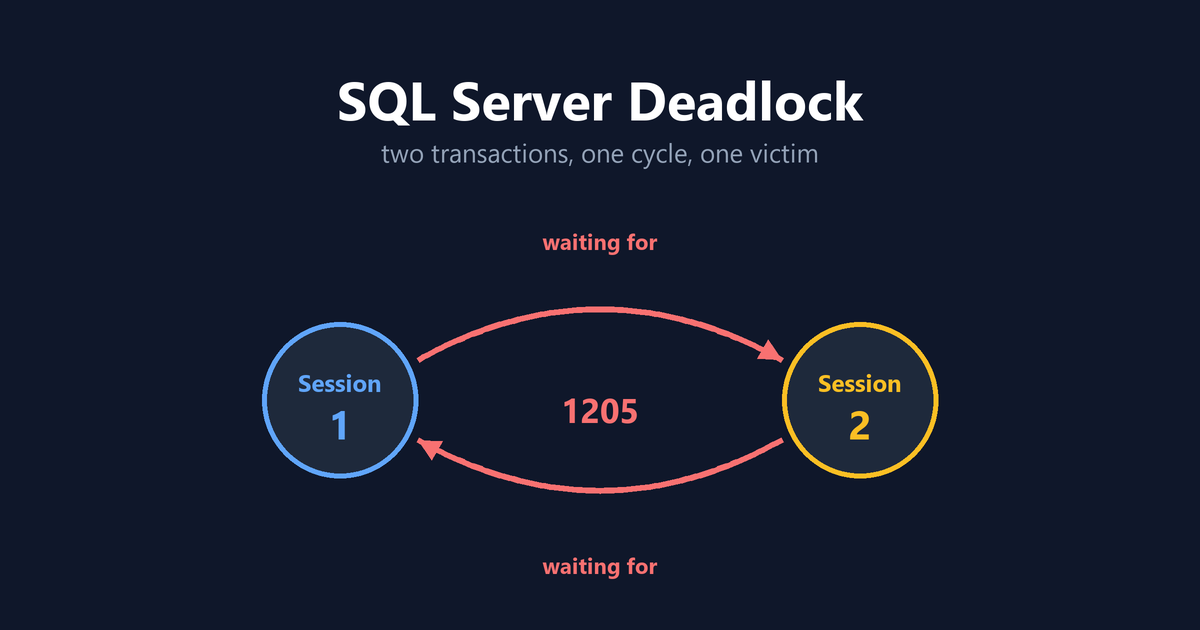
A SQL Server deadlock occurs when sessions form a cycle of dependencies and none can continue. This example lets you create the cycle, inspect it, and remove it.
Transaction (Process ID 57) was deadlocked on lock resources with another process and has been chosen as the deadlock victim. Rerun the transaction.
SQL Server resolves the cycle by choosing one transaction as the victim, rolling it back, and returning error 1205. The surviving transaction can then continue.
The two transactions
Demo compatibility: This demo is intended for SQL Server versions or databases where optimized locking is disabled. On SQL Server 2025 and Azure SQL platforms, optimized locking may prevent this exact pattern from reproducing.
Run this setup in a disposable test database, never production.
-- Run once in a disposable test database.
CREATE TABLE dbo.DeadlockDemoAccounts
(
    AccountID int NOT NULL PRIMARY KEY,
    Balance int NOT NULL
);

CREATE TABLE dbo.DeadlockDemoOrders
(
    OrderID int NOT NULL PRIMARY KEY,
    Status varchar(20) NOT NULL
);

INSERT dbo.DeadlockDemoAccounts (AccountID, Balance)
VALUES (1, 1000);

INSERT dbo.DeadlockDemoOrders (OrderID, Status)
VALUES (1, 'Open');
Open two query windows in the same database. Run each numbered step in order.
-- Step 1, in session 1.
BEGIN TRAN;
UPDATE dbo.DeadlockDemoAccounts
SET Balance = Balance - 100
WHERE AccountID = 1;

-- Step 2, in session 2.
BEGIN TRAN;
UPDATE dbo.DeadlockDemoOrders
SET Status="Cancelled"
WHERE OrderID = 1;

-- Step 3, back in session 1. This batch blocks.
UPDATE dbo.DeadlockDemoOrders
SET Status="Paid"
WHERE OrderID = 1;
IF XACT_STATE() = 1 COMMIT;
IF XACT_STATE() = -1 ROLLBACK;

-- Step 4, back in session 2. This completes the cycle.
UPDATE dbo.DeadlockDemoAccounts
SET Balance = Balance + 100
WHERE AccountID = 1;
IF XACT_STATE() = 1 COMMIT;
IF XACT_STATE() = -1 ROLLBACK;
One session receives error 1205. The other update resumes and commits. Victim selection depends on deadlock priority and estimated rollback cost, so either session can be selected.
After both sessions have finished, clean up the two demo objects.
DROP TABLE dbo.DeadlockDemoOrders;
DROP TABLE dbo.DeadlockDemoAccounts;
Each UPDATE protects its uncommitted change from conflicting writers. Without optimized locking, this commonly appears as an X key or row lock held until COMMIT or ROLLBACK. With optimized locking, row and page locks can be released earlier, while a transaction ID lock protects the uncommitted change. The logical result is still that another writer cannot modify the same row until the transaction finishes, although the deadlock behavior and graph can differ.
Build the deadlock
Run one step from each session, then request the second row from both. Three pictures cover the whole thing.
Open the interactive version if you would rather click through it yourself and watch the cycle form.
State 1. Each session protects one row. Session 1 has updated Accounts. Session 2 has updated Orders. Both hold a lock, neither is waiting, and nothing is wrong yet.
State 2. Each session asks for the row the other one is holding. Session 1 requests Orders. Session 2 requests Accounts. Both are now blocked, and each is blocked by the other.
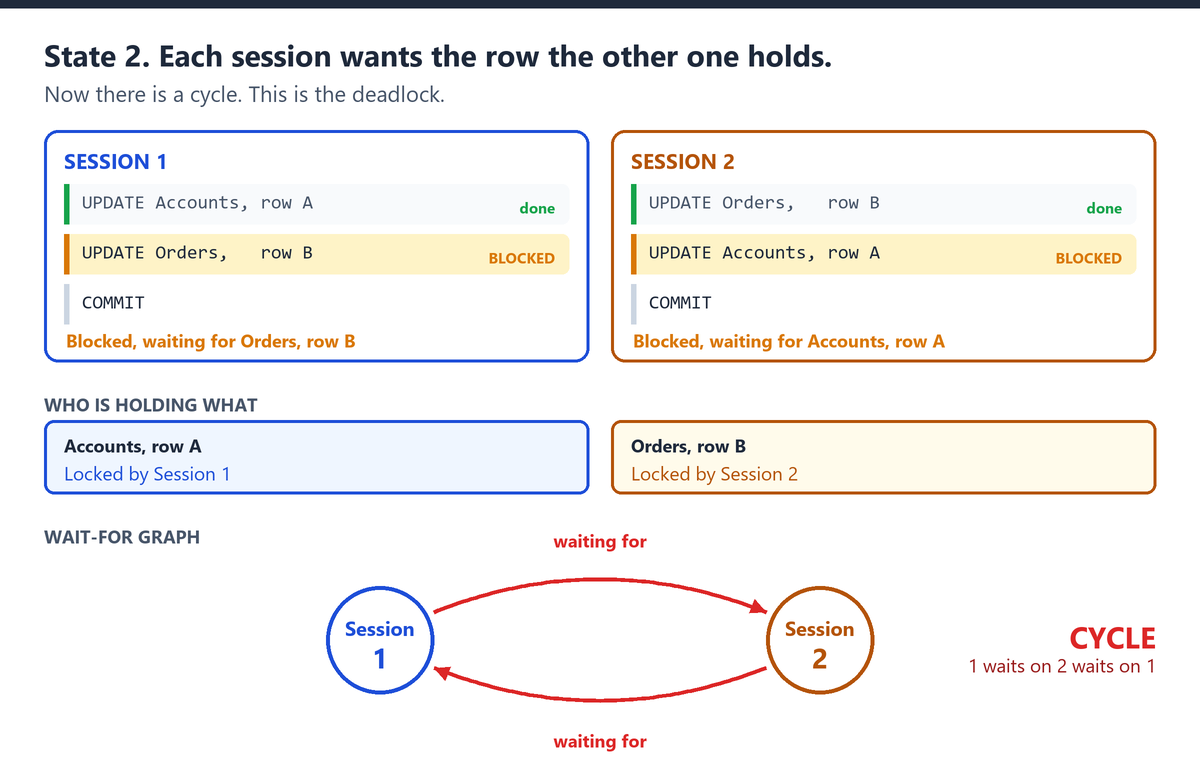
This is the deadlock. It is a cycle, not a slow query. No amount of waiting fixes it, because the only thing that could release either lock is the transaction that is waiting on the other one.
State 3. The lock monitor finds the cycle and breaks it. SQL Server picks a victim, rolls it back, and returns error 1205. The survivor gets both rows and continues.
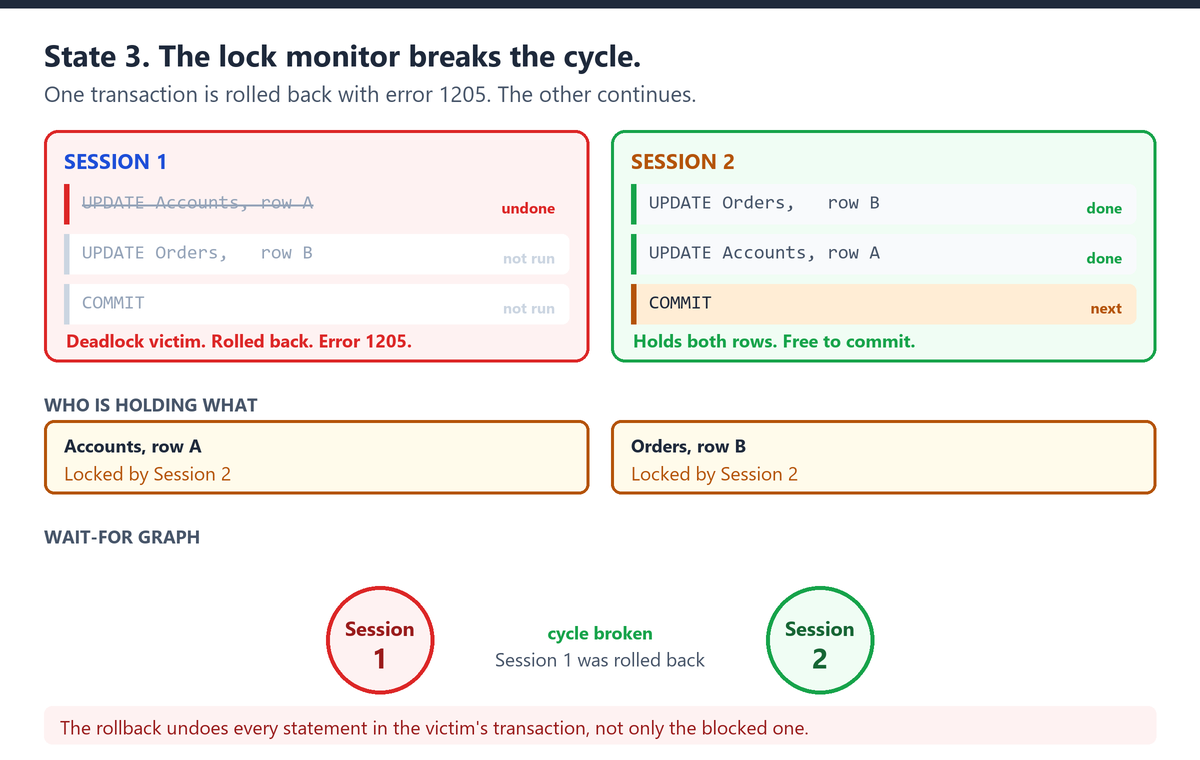
Look closely at the victim. Its first UPDATE had already succeeded. It is undone anyway, because a rollback undoes the whole transaction and not only the statement that was blocked.
Victim selection depends on deadlock priority and estimated rollback cost, so either session can be chosen. Do not write code that assumes it is always the other one.
Change one thing and the cycle cannot form
Both sessions take the rows in the same order. Accounts first, then Orders. Session 2 still gets blocked, but look at the graph.
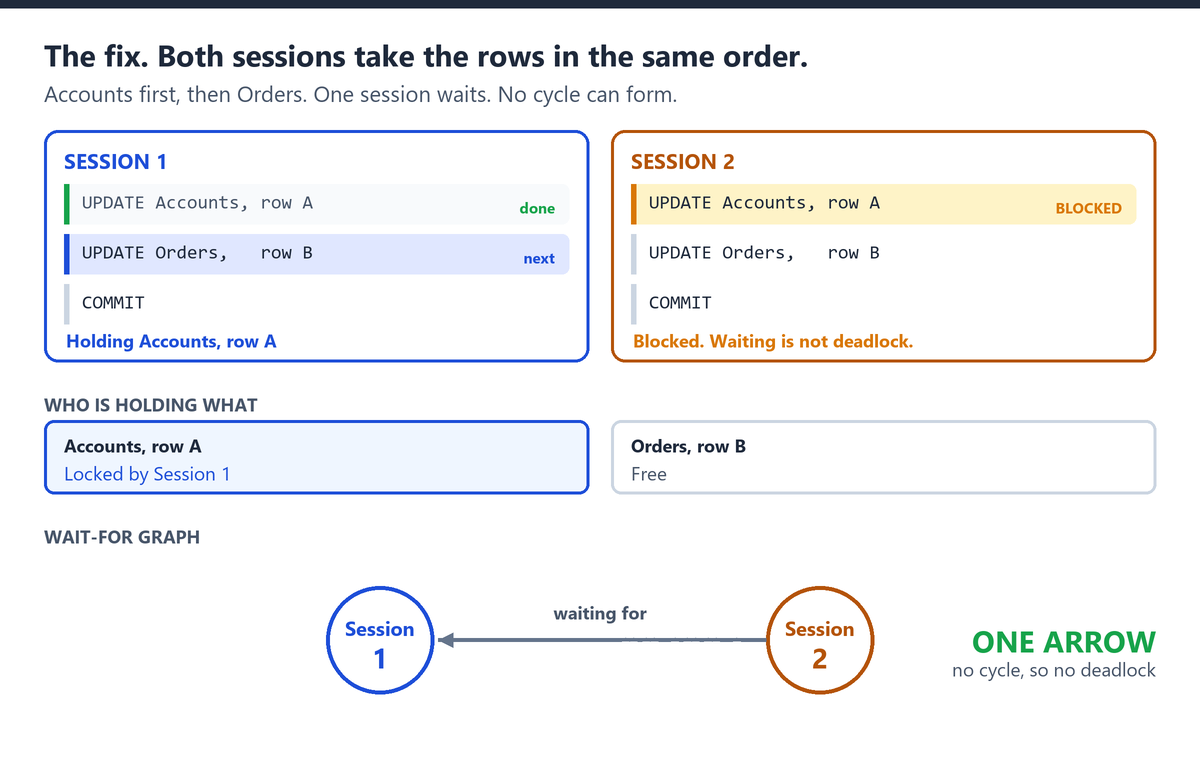
One arrow. A cycle needs the arrow to come back, and it never does. Session 1 finishes, releases both rows, and Session 2 carries on.
Blocking is not deadlock. Blocking can end when the blocking transaction commits or rolls back, but it can also persist indefinitely if the blocker does not release the resource. That is the whole difference, and it is the reason a consistent access order is the first fix to reach for.
What just happened
Session 1 protects its Accounts change and requests Orders. Session 2 protects its Orders change and requests Accounts. Each session is waiting for a resource protected by the other.
SQL Server’s lock monitor searches for cycles. The normal detection interval is five seconds, but it can fall as low as 100 milliseconds when deadlocks occur frequently.
When the lock monitor finds the cycle, SQL Server rolls back one transaction. The victim receives error 1205, severity 13. Its rollback releases the conflicting resource and the survivor continues. This differs from ordinary blocking. Blocking can end when the blocking transaction commits or rolls back, with no victim selected.
Why lowering the isolation level does not fix this example
READ UNCOMMITTED reduces shared read locking by allowing dirty reads. READ COMMITTED SNAPSHOT and SNAPSHOT use row versions for qualifying reads. These options can reduce some reader-writer deadlocks, but they do not remove this writer-writer dependency.
Both sessions still need to protect their uncommitted changes. For this pattern, the fix is consistent resource access order, not a lower isolation level.
Why each transaction looks correct alone
Each transaction performs a reasonable operation when tested alone. The defect appears only when they overlap and acquire the same resources in opposite order. This is why a deadlock must be analyzed as a workload interaction, not as a single failed statement.
Use a consistent access order
The fourth diagram above is the whole fix. Within this two-resource model, matching order prevents the cycle. One session may block behind the other, but it can proceed once the first transaction finishes.
Apply the same rule across related stored procedures, triggers, cascading actions, and application code. A convention such as parent before child can help. Confirm the actual resources and access paths in the deadlock graph.
Retry the complete transaction
SQL Server rolls back the victim’s entire transaction, including statements that completed before the deadlock. Handle error 1205 with a bounded retry, backoff, and jitter. Retry the complete transaction and ensure the business operation is safe to repeat.
Read the deadlock graph
On SQL Server and Azure SQL Managed Instance, the built-in system_health Extended Events session starts automatically and records detected deadlocks. Its event files roll over, so it preserves recent history rather than an unlimited archive. Azure SQL Database does not include this built-in session.
SELECT CAST(event_data AS xml) AS deadlock_graph
FROM   sys.fn_xe_file_target_read_file('system_health*.xel', NULL, NULL, NULL)
WHERE  object_name="xml_deadlock_report";
Each returned event contains the deadlock XML, including the participating processes, requested and owned resources, execution context, and victim information. On SQL Server 2019 and earlier, reading the files requires VIEW SERVER STATE. On SQL Server 2022 and later, it can require VIEW SERVER PERFORMANCE STATE or VIEW DATABASE PERFORMANCE STATE.
Use the graph to identify the cycle before changing indexes, isolation levels, or transaction code.
What the demo leaves out
- Rows are shown as simply held or free. Real locking has multiple modes and resource types, plus intent locks and possible escalation. With optimized locking, transaction ID locks can also appear.
- Detection here is instant. SQL Server normally starts with a five-second detection interval, but can detect much sooner when deadlocks occur frequently.
- The demo estimates rollback cost from the number of completed steps. SQL Server checks DEADLOCK_PRIORITY first, then estimated rollback cost, and can choose randomly when both are equal.
- Real deadlocks are not limited to two sessions or to rows. Three or more sessions can form a longer ring, and the resources can be pages, keys or memory grants.
Production checklist
Document a resource order. Apply it across every transaction that touches the same objects.
Keep transactions short. Do not hold database locks while waiting for user input, network calls, or unrelated work.
Catch 1205 and use a bounded retry with backoff and jitter. Retry the complete transaction, log the failure, and stop after a sensible limit.
Verify collection and retention. system_health is active on SQL Server and Azure SQL Managed Instance, but rollover removes older events. Use a dedicated Extended Events session when longer retention is required.
Do not assume a lower isolation level fixes a writer-writer cycle. Row versioning can reduce reader-writer blocking and deadlocks. It also changes read semantics, and it does not remove the writer dependency shown here.
If recurring deadlocks require broader analysis, consider a Comprehensive Database Performance Health Check.
A deadlock is a workload-level concurrency defect. Two transactions can look correct in isolation and still fail when they acquire shared resources in an inconsistent order.
Reference: Pinal Dave (https://blog.sqlauthority.com/), X
