

Have you ever wanted to create a presentation in your computer’s terminal? While this is an uncommon need, a clever open source developer has provided a solution to this problem! The project is called Spiel, and while it is currently archived, the idea is pretty cool. Spiel uses the Rich package to create the slides for your presentation. Note: while the GitHub page doesn’t explain why the project is archived, it appears to use a very old version of Textual which cannot be upgraded.
Let’s spend a little time learning how this all works.
Installing Spiel
According to the Spiel GitHub page, you can try Spiel without even installing it if you have docker installed. Here’s how to try Spiel:
$ docker run -it --rm ghcr.io/joshkarpel/spiel
However, for the purposes of this tutorial, you really should install Spiel. To do that, you will be using pip. Open up your terminal and run the following:
pip install spiel
Feel free to create a Python virtual environment first if you don’t want to install Spiel into your global Python packages.
Once you have Spiel installed, you can check that it is working by running the Spiel demo, like this:
spiel demo present
If that works, you are good to go!
Creating Your Presentation
The documentation gives a good example of how to create a one-slide presentation. Here’s their example:
from rich.console import RenderableType

from spiel import Deck, present

deck = Deck(name="Your Deck Name")


@deck.slide(title="Slide 1 Title")
def slide_1() -> RenderableType:
    return "Your content here!"


if __name__ == "__main__":
    present(__file__)
According to the documentation, there are two ways to add slides:
- Use the decorator like in the example above
- Use `deck.add_slides()` and pass in one or more Slide objects
Here is a more complete example that creates a couple of custom slides:
from rich.align import Align
from rich.console import RenderableType
from rich.style import Style
from rich.text import Text
from spiel import Deck, Slide, present


def make_slide(
    title_prefix: str,
    text: Text,
) -> Slide:
    def content() -> RenderableType:
        return Align(text, align="center", vertical="middle")
    return Slide(title=f"{title_prefix} Slide", content=content)

deck = Deck("Test Deck")

title_slide = make_slide(title_prefix="First", text=Text("Python 101 - All About Lists",
                                             style=Style(color="blue")))

intro_slide = make_slide(title_prefix="Second",
                    text=Text("A Python list is",
                              style=Style(color="red"))
                    )

deck.add_slides(title_slide, intro_slide)

if __name__ == "__main__":
    present(__file__)
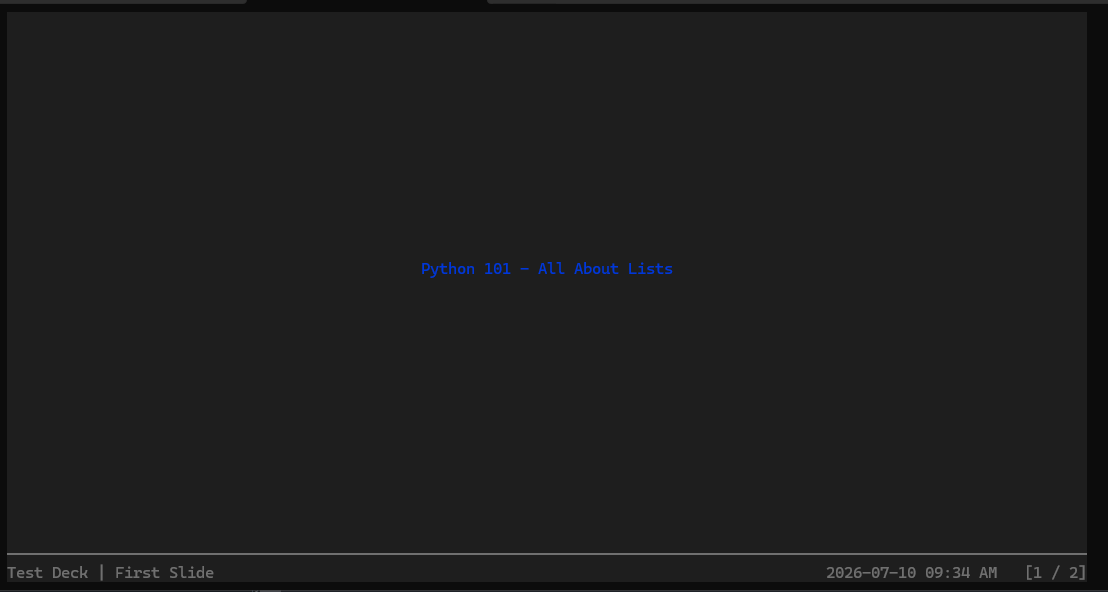
When you run this code in your terminal, you will see something like this:
You can move to the next or previous slide using the arrow keys on your keyboard. If you want to exit, press CTRL+C.
Wrapping Up
Spiel seems like a neat package. It’s a shame that it is currently archived. Hopefully, the author will reopen it at some point, or someone else will pick up the torch. In the meantime, you can easily use it in a Python virtual environment and give it a try.
