

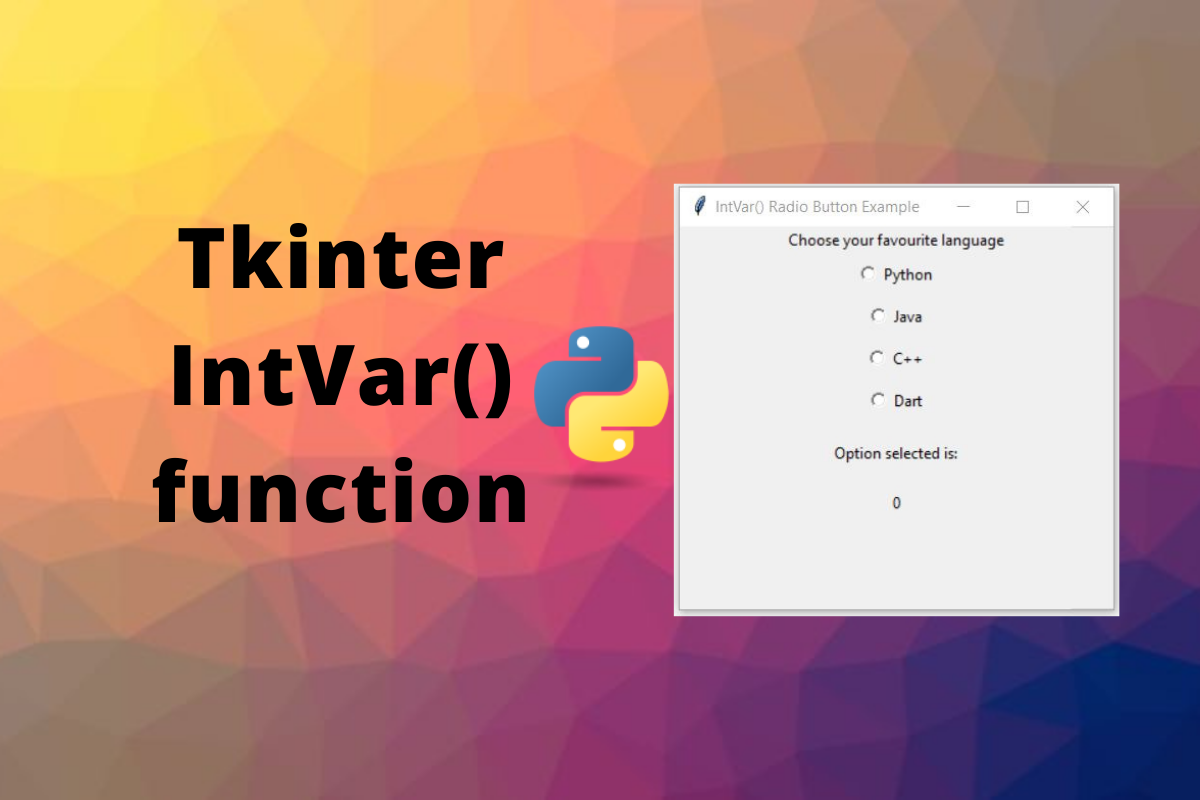
Tkinter IntVar is one of those built-in types that quietly powers half the widgets in a real desktop app. Every Label bound to a counter, every Radiobutton reporting which option the user picked, every Spinbox stepper that updates a running total, all of them route through an IntVar. The class itself is small, but the patterns around it (trace_add for live updates, StringVar siblings, the constructor requirements) trip up beginners more often than the syntax does.
This article walks through how IntVar works in Tkinter 8.6, the difference between trace_add and the older trace() method, how to wire multiple variables to one callback, and the pitfalls that bite when you try to use IntVar outside a real Tk root. Every code sample below was run against Python 3.13 and Tk 8.6.
Quick map
- IntVar holds a Python int and binds it to widget state through textvariable or variable parameters.
- set(value) writes, get() reads, and both round-trip through int.
- trace_add(“write”, callback) is the modern API for live updates. The older trace() still works but is deprecated.
- Wire multiple IntVars to the same callback for things like live sum or live validation.
- IntVar needs a Tk root. Instantiating one before tk.Tk() raises TclError on some platforms.
- StringVar, DoubleVar, and BooleanVar follow the exact same pattern with different type coercions.
What IntVar does in one paragraph
tk.IntVar is Tkinter’s integer-valued variable class. You create one, set its value with set(int), read it back with get(), and pass it to widgets that take a variable or textvariable argument.
The widget then mirrors the variable. Change the variable, and the widget updates.
The user changes the widget, and the variable updates. That two-way binding is the whole point. IntVar is the bridge between your Python state and the on-screen widget.
import tkinter as tk

counter = tk.IntVar(value=0)
label = tk.Label(root, textvariable=counter)
counter.set(255)
print(counter.get())   # 255
print(type(counter.get()).__name__)   # int
The class is part of tkinter’s Variable hierarchy. StringVar, DoubleVar, and BooleanVar follow the exact same pattern, just coercing to str, float, and bool respectively. If you understand IntVar, the others are a one-line mental swap.
The Tkinter variable family
There are four Variable subclasses in tkinter. Pick the one whose Python type matches what the widget expects.
sv = tk.StringVar(value="hello")
iv = tk.IntVar(value=42)
dv = tk.DoubleVar(value=3.14)
bv = tk.BooleanVar(value=True)

print(f"StringVar:    {sv.get()!r}    type={type(sv.get()).__name__}")
print(f"IntVar:       {iv.get()}    type={type(iv.get()).__name__}")
print(f"DoubleVar:    {dv.get()}    type={type(dv.get()).__name__}")
print(f"BooleanVar:   {bv.get()}    type={type(bv.get()).__name__}")
StringVar:    'hello'    type=str
IntVar:       42    type=int
DoubleVar:    3.14    type=float
BooleanVar:   True    type=bool
Choosing the wrong variable class is the most common silent bug. Passing a StringVar to textvariable= where Python expects a number, or using IntVar where DoubleVar would preserve fractional values, gives you confusing widget behavior with no error message. Match the variable type to the data you intend to put in it.
Constructing an IntVar
The IntVar constructor accepts three optional arguments: master, value, and name. None of them are required for typical use.
import tkinter as tk

root = tk.Tk()
root.withdraw()

counter = tk.IntVar(master=root, value=0, name="counter")
print(counter.get())
print(counter._name)
master defaults to the active Tk root. value defaults to 0. name defaults to PY_VAR0, PY_VAR1, and so on, which is fine for almost every case.
The named form matters only when you have variables whose names need to match across Python and Tcl code, which is rare.
Live callbacks with trace_add
The most useful IntVar feature is trace_add, which fires a callback whenever the variable changes. The signature is var.trace_add(mode, callback), where mode is one of “write”, “read”, or “unset”.
def on_change(*args):
    print(f"  [callback fired] counter is now {counter.get()}")

counter = tk.IntVar(value=0)
counter.trace_add("write", on_change)
counter.set(5)
counter.set(10)
counter.set(15)
  [callback fired] counter is now 5
  [callback fired] counter is now 10
  [callback fired] counter is now 15
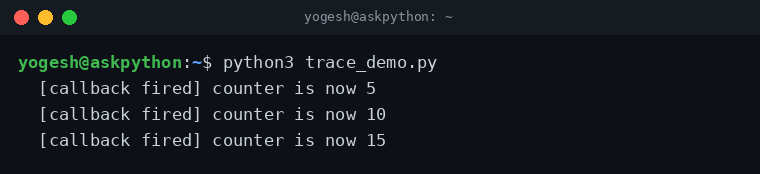
The callback receives three positional arguments (variable name, index, mode) which most code ignores with *args. Inside the callback, var.get() returns the new value because the callback fires after the write completes. Avoid storing the value outside the callback (for example, in a closure) and expect it to stay in sync: the callback should re-read the variable every time.
The three trace modes
trace_add accepts three modes. The “write” mode covers 95% of use cases. The other two exist for introspection and cleanup logic.
- “write” fires when the variable’s value changes (via set() or through the widget).
- “read” fires when get() is called, useful for debugging lazy evaluation patterns.
- “unset” fires when the variable is destroyed, useful for releasing external resources held by the callback.
write_calls = []
read_calls = []

def on_write(*args):
    write_calls.append(v.get())

def on_read(*args):
    read_calls.append(v.get())

v = tk.IntVar(value=1)
v.trace_add("write", on_write)
v.trace_add("read", on_read)

_ = v.get()           # fires read
print(f"after get():  write={write_calls}, read={read_calls}")

v.set(2)              # fires write
print(f"after set(2): write={write_calls}, read={read_calls}")
after get():  write=[], read=[1]
after set(2): write=[2], read=[1]

The “read” callback fires every time you read the variable, which makes it expensive in a hot path. Use it for diagnostics, not for production logic.
The “unset” callback fires when the variable is garbage-collected or when the parent window is destroyed. Hook it only if your callback holds references to external resources (file handles, network sockets) that need explicit cleanup.
trace_add versus the older trace method
Older Tkinter code uses var.trace(mode, callback), which returns a string token and requires var.trace_remove(mode, token) to disconnect. The new var.trace_add(mode, callback) returns an integer token and uses the same trace_remove signature. Both still work, but trace_add is the supported path for new code.
counter = tk.IntVar(value=0)

# Modern API
token = counter.trace_add("write", lambda *a: print(counter.get()))

# Disconnect
counter.trace_remove("write", token)
counter.set(99)    # no callback fires
Always keep the token returned by trace_add. Without it, the callback stays connected for the lifetime of the variable and Tk keeps a reference to your function, which leaks memory in long-lived applications that create and destroy variables on the fly.
Wiring multiple IntVars to one callback
The classic pattern: two Entry widgets, one Label that shows their sum, and the sum updates live as the user types. The wiring is two IntVars, two trace_add calls, and one callback that re-reads both variables.
import tkinter as tk

class SumApp(tk.Tk):
    def __init__(self):
        super().__init__()
        self.title("Sum of 2 Numbers")
        self.geometry("300x150")

        self.a = tk.IntVar(value=0)
        self.b = tk.IntVar(value=0)

        # One callback, two variables - both routes trigger it
        self.a.trace_add("write", self._update_sum)
        self.b.trace_add("write", self._update_sum)

        tk.Label(self, text="A:").grid(row=0, column=0, padx=5, pady=5)
        tk.Entry(self, textvariable=self.a).grid(row=0, column=1, padx=5, pady=5)
        tk.Label(self, text="B:").grid(row=1, column=0, padx=5, pady=5)
        tk.Entry(self, textvariable=self.b).grid(row=1, column=1, padx=5, pady=5)

        self.sum_label = tk.Label(self, text="Sum: 0")
        self.sum_label.grid(row=2, column=0, columnspan=2, pady=10)

    def _update_sum(self, *args):
        self.sum_label.config(text=f"Sum: {self.a.get() + self.b.get()}")

if __name__ == "__main__":
    app = SumApp()
    app.mainloop()
The callback receives *args because Tkinter passes (variable_name, index, mode). The callback does not need to know which variable fired it. It just re-reads every variable it cares about, computes the new value, and updates the output widget.
Spinbox bound to IntVar
Spinbox is the built-in widget that combines an Entry with up/down arrows. Bind an IntVar to its textvariable and the variable updates as the user clicks the arrows or types a value.
import tkinter as tk

class OrderForm(tk.Tk):
    def __init__(self):
        super().__init__()
        self.title("Order")
        self.geometry("240x120")

        self.qty = tk.IntVar(value=1)
        self.qty.trace_add("write", self._update_total)

        tk.Label(self, text="Quantity:").grid(row=0, column=0, padx=5, pady=5)
        tk.Spinbox(self, from_=1, to=99, textvariable=self.qty, width=5).grid(row=0, column=1, padx=5, pady=5)

        self.total_label = tk.Label(self, text="Total: $10")
        self.total_label.grid(row=1, column=0, columnspan=2, pady=10)

    def _update_total(self, *args):
        self.total_label.config(text=f"Total: ${self.qty.get() * 10}")

if __name__ == "__main__":
    app = OrderForm()
    app.mainloop()
The from_ and to parameters clamp the value. If you bind an IntVar to a Spinbox without those bounds, the variable can go negative or unboundedly large. The Spinbox enforces the range visually (the arrows stop at the limits), but the underlying IntVar can be set programmatically to anything.
Radio buttons and checkboxes
Radiobuttons report their selected value through a shared variable, which is the textbook use of IntVar. One variable, many buttons, each with a distinct value: the variable carries the chosen option.
import tkinter as tk

class LanguagePicker(tk.Tk):
    def __init__(self):
        super().__init__()
        self.title("Pick a language")
        self.geometry("280x200")

        self.choice = tk.IntVar(value=1)

        languages = [("Python", 1), ("Java", 2), ("C++", 3), ("Rust", 4)]
        for text, val in languages:
            tk.Radiobutton(self, text=text, variable=self.choice,
                           value=val, padx=10, pady=4).pack(anchor="w")

        self.choice.trace_add("write", self._show)
        self.label = tk.Label(self, text="Selected: 1")
        self.label.pack(pady=10)

    def _show(self, *args):
        self.label.config(text=f"Selected: {self.choice.get()}")

if __name__ == "__main__":
    app = LanguagePicker()
    app.mainloop()
The same pattern works for Checkbutton, where each button gets its own IntVar (since each one is independently on or off). For Checkbutton, set onvalue and offvalue if 1 and 0 are not what you want.
Pitfalls and gotchas
Three traps show up the most in real Tkinter code.
IntVar before Tk root
On some platforms, instantiating an IntVar before tk.Tk() raises TclError because there is no Tcl interpreter yet. The fix is to create the root window first, or pass master explicitly to the IntVar.
import tkinter as tk

root = tk.Tk()         # create root first
root.withdraw()        # hide it during tests

counter = tk.IntVar()  # safe - root exists
Trace callbacks capturing stale state
A trace callback that reads a value once and stores it in a closure sees a stale snapshot if the variable changes again. The fix is to call var.get() inside the callback every time it needs the current value.
Forgetting to keep the trace token
If you call var.trace_add(“write”, callback) and discard the return value, you can never disconnect that callback. Save the token and call var.trace_remove(“write”, token) when the variable or its container goes out of scope.
Quick reference
The methods you will reach for most often. Skim once, return when you need a specific call.
| Method | Returns | What it does |
|---|---|---|
| set(value) | None | Write an int into the variable |
| get() | int | Read the current value |
| trace_add(mode, cb) | str token | Register a callback for write, read, or unset |
| trace_remove(mode, token) | None | Disconnect a previously registered callback |
| trace_info() | list | Inspect currently attached traces |
FAQ
IntVar vs StringVar: which should I pick?
Pick the variable type that matches the data you intend to put in it. IntVar coerces to int and works with widgets that expect a number (Radiobutton value, Spinbox). StringVar works with text widgets (Label, Entry). Mixing them up is the most common silent bug in Tkinter code.
Does IntVar need a Tk root window?
Yes. IntVar requires a Tcl interpreter to back it, which means a tk.Tk() root must exist. If you try to instantiate an IntVar before tk.Tk(), you get TclError on some platforms. Pass master=root explicitly or create the root first.
trace_add vs trace: which API should I use?
Use trace_add. It is the supported path for new code and returns an integer token. The older trace() method still works but is on the deprecation track. Both share the same modes (write, read, unset) and the same callback signature.
How do I run a callback when the user changes a widget?
Bind an IntVar to the widget’s variable or textvariable, then call var.trace_add(“write”, callback). Tkinter fires the callback whenever the variable changes, regardless of whether the change came from set() in Python or user interaction with the widget.
Can one callback handle multiple IntVars?
Yes. Pass the same callback to trace_add on each variable. The callback fires once per variable change. Inside the callback, read every variable you care about and compute the result. That is the standard pattern for live sum, live validation, and dependent UI fields.
The pattern that pays off: bind one IntVar per piece of UI state, route everything through trace_add for live updates, and pick the variable type that matches the data. That is the whole IntVar story. Once it clicks, the rest of Tkinter’s reactive UI patterns fall out of the same shape.
