

Linux has become easier to use than ever, making it a practical choice for anyone looking to move beyond Windows or macOS.
There was a time when installing Linux meant spending hours configuring hardware, hunting for drivers, and learning terminal commands before you could get real work done.
Things have changed quite a bit.
Most modern Linux distributions now come with graphical installers, automatic hardware detection, software stores, and polished desktop environments that feel familiar to anyone coming from Windows or macOS.
Over the years, I’ve installed Linux on everything from old office desktops and home laptops to production servers and cloud instances. One thing I’ve noticed is that beginners rarely struggle with Linux itself, but the bigger challenge is deciding which distribution to install first.
Some distributions focus on simplicity, but others provide newer software, additional customization options, or support for older hardware, so choosing the right one can make your first Linux experience much smoother.
In this guide, we’ll look at the Linux distributions that I believe are the best choices for beginners in 2026.
How We Chose These Linux Distributions
Every distribution on this list meets a few important requirements:
- Easy installation process
- Beginner-friendly desktop environment
- Active development and updates
- Good hardware support
- Strong community support
- Suitable for daily desktop use
I also considered how easy it is to find help online. When you’re learning Linux, having access to tutorials, forums, and documentation can save a lot of time.
Quick Comparison of Linux Distros
Here’s a quick overview of the best Linux distributions for beginners, including their ideal use cases and default desktop environments.
| No. | Distribution | Best For | Desktop Environment |
|---|---|---|---|
| 1 | Linux Mint | Complete beginners | Cinnamon |
| 2 | Ubuntu | General desktop users | GNOME |
| 3 | Zorin OS | Windows users | GNOME |
| 4 | Fedora Workstation | New hardware | GNOME |
| 5 | Pop!_OS | Developers and laptop users | COSMIC |
| 6 | elementary OS | macOS users | Pantheon |
| 7 | MX Linux | Older computers | XFCE |
| 8 | Peppermint OS | Lightweight systems | XFCE |
| 9 | Manjaro | Arch Linux beginners | KDE, XFCE, GNOME |
| 10 | openSUSE Tumbleweed | Rolling-release enthusiasts | KDE Plasma, GNOME |
| 11 | Deepin Linux | Desktop design and appearance | Deepin Desktop Environment (DDE) |
1. Linux Mint (Best Overall for Beginners)
If someone asks me which Linux distribution they should install first, Linux Mint is usually my answer.
Linux Mint has spent years focusing on one goal: making Linux easy for everyday desktop users. The result is a distribution that feels familiar, stable, and easy to use right from the start.
Linux Mint 22.3, released in early 2026, continues the Mint 22 LTS series and remains one of the most polished desktop Linux distributions available today.
The Cinnamon desktop environment looks immediately familiar to anyone coming from Windows. You’ll find a traditional application menu, taskbar, system tray, and settings panel without having to learn an entirely new way of using your computer.
One thing I particularly like about Mint is that it stays out of your way. After installation, most users can connect to Wi-Fi, browse the web, watch videos, install applications, and start working without additional setup.
Because Linux Mint is based on Ubuntu LTS, it benefits from Ubuntu’s massive software repositories and long-term support while providing a desktop experience that many beginners find easier to understand.
The Update Manager is another feature worth mentioning, where system updates are presented clearly, and users can install them with a few clicks.
Linux Mint is also known for being reliable. Instead of introducing dramatic desktop changes every release, the developers focus on refinement and stability. That’s one reason why so many long-time Linux users continue recommending it to newcomers.
For users switching from Windows before its end of support, Linux Mint often feels like the most natural replacement.
Minimum Requirements:
- 2 GB RAM (4 GB recommended)
- 20 GB disk space
- 64-bit processor
- 1024×768 display
Tip: If you’re unsure which distribution to choose, start with Linux Mint. It’s one of the safest recommendations for first-time Linux users.
2. Ubuntu (Most Popular Linux Distribution)
Even after all these years, Ubuntu remains one of the most recognized names in the Linux world.
If you’ve searched for Linux tutorials, watched Linux videos on YouTube, or looked for Linux software online, chances are you’ve come across Ubuntu. Its popularity has helped build one of the largest Linux communities available today.
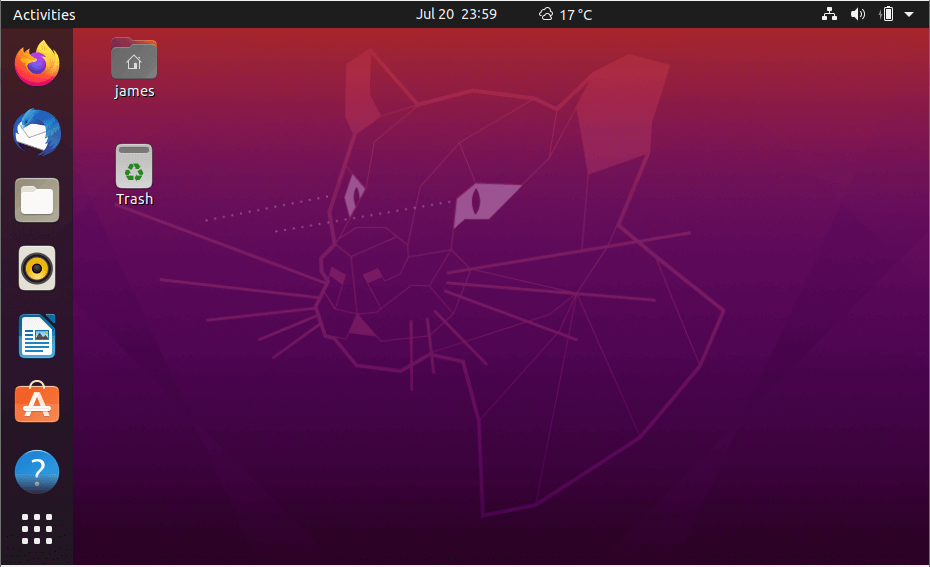
Ubuntu 26.04 LTS, released in April 2026, is the latest long-term support release and will receive updates for years, making it a solid choice for beginners who want stability without frequent upgrades.
The distribution ships with the GNOME desktop environment, which offers a clean and modern interface. Users coming from Windows may need a few days to adjust to GNOME’s layout, but most find it intuitive once they become familiar with it.
One of Ubuntu’s biggest advantages is software availability.
Whether you’re looking for web browsers, office applications, development tools, multimedia software, or virtualization platforms, you’ll almost always find installation instructions written specifically for Ubuntu.
Over the years, I’ve noticed that Ubuntu tends to be the first distribution supported by hardware vendors, software developers, and cloud providers. That broad ecosystem makes life easier for new Linux users.
Ubuntu also performs well on modern laptops and desktops, with good support for AMD, Intel, and NVIDIA hardware.
If you want a Linux distribution with extensive documentation, a large user community, and long-term stability, Ubuntu remains an excellent starting point.
Minimum Requirements:
- Dual-core processor
- 4 GB RAM
- 25 GB storage
If you’re still deciding between Mint and Ubuntu for your first install, who’s stuck in the same decision.
3. Zorin OS (Best for Windows Users)
For Windows users who want Linux to feel familiar from day one, Zorin OS is one of the easiest transitions available.
The latest release, Zorin OS 18, arrived in late 2025 and continues the project’s focus on helping users move away from Windows without feeling lost.
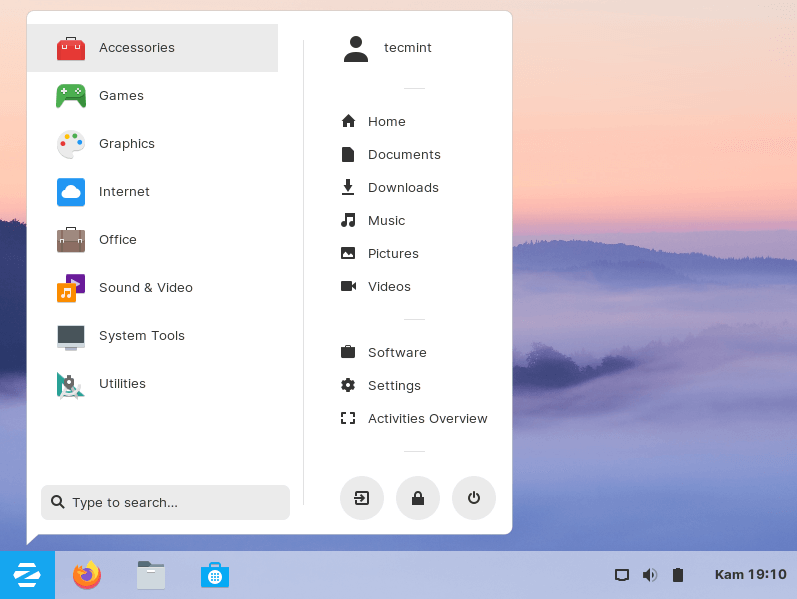
The first thing you’ll notice is the desktop layout. The application menu, taskbar, desktop icons, and overall appearance feel very similar to a traditional Windows desktop.
I’ve installed Zorin OS for friends and family members who had never used Linux before, and many of them were comfortable using it within a few hours.
Under the hood, Zorin OS is based on Ubuntu, which means you get access to Ubuntu’s software repositories and broad hardware compatibility.
The developers have also done an excellent job polishing the user experience. The desktop feels refined, responsive, and consistent throughout the system.
Another advantage is support for older hardware. Users with aging laptops often find that Zorin OS performs much better than newer versions of Windows.
For anyone moving away from Windows 10 or Windows 11 and looking for a familiar desktop environment, Zorin OS deserves serious consideration.
Minimum Requirements:
- 1 GHz dual-core processor
- 2 GB RAM
- 15 GB storage
Tip: If you’re helping a family member switch from Windows, Zorin OS is often easier for them to learn than Ubuntu.
4. Fedora Workstation (Best for Modern Hardware)
Fedora Workstation has become one of the strongest desktop Linux distributions available today.
A few years ago, Fedora was often viewed as a distribution primarily for developers and Linux enthusiasts. While it remains popular among technical users, it has also become very approachable for beginners.
Fedora Workstation 44 is the current stable release and includes newer kernels, drivers, and desktop software than many traditional long-term support distributions.
If you’ve recently purchased a laptop powered by AMD Ryzen AI, Intel Core Ultra, or newer NVIDIA graphics, Fedora often provides excellent support right out of the box.
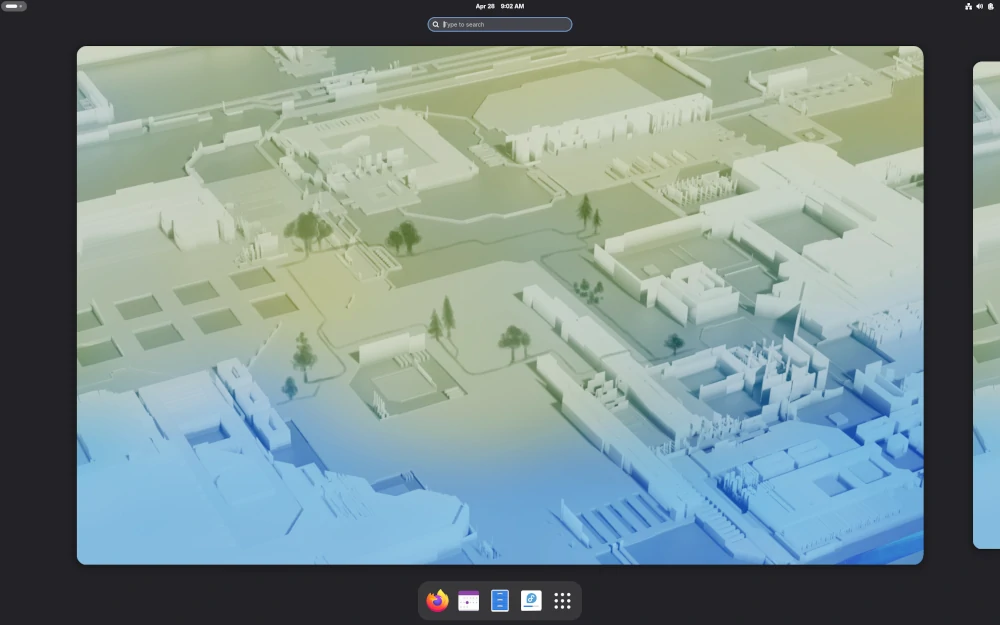
The GNOME desktop experience feels polished and responsive, with a strong focus on simplicity and usability.
Fedora is also backed by Red Hat, which contributes significantly to Linux development. Many technologies that eventually appear in enterprise Linux environments first gain traction in Fedora.
One reason some users choose Fedora over Ubuntu is access to newer software packages without waiting years for major upgrades.
At the same time, Fedora maintains a reputation for reliability and quality testing.
For users who want a modern Linux desktop with current software and excellent hardware support, Fedora Workstation is an outstanding option.
Minimum Requirements:
- Dual-core processor
- 4 GB RAM
- 20 GB storage
Warning: Fedora introduces new software versions more frequently than Linux Mint or Ubuntu LTS, so you’ll see changes sooner.
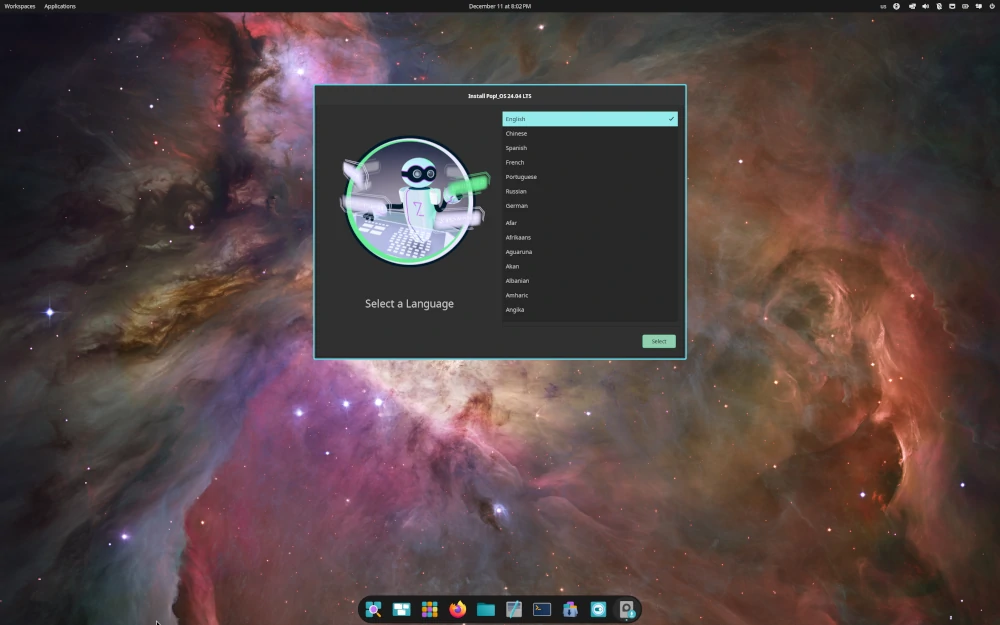
5. Pop!_OS (Best for Developers and Laptop Users)
Pop!_OS has built a loyal following among developers, students, engineers, and power users who want a desktop that helps them stay productive.
Developed by System76, Pop!_OS is based on Ubuntu but includes a number of improvements that make it feel like its own distribution rather than just another Ubuntu derivative.
The latest stable release, Pop!_OS 24.04 LTS, continues the project’s focus on performance, usability, and hardware compatibility.
One thing I’ve always appreciated about Pop!_OS is how well it handles laptops. Battery life, touchpads, external monitors, and graphics switching generally work very well without requiring manual configuration.
Users with NVIDIA graphics cards will also appreciate that Pop!_OS provides separate installation images with NVIDIA drivers already included. This eliminates one of the most common headaches new Linux users encounter after installation.
The distribution also includes automatic window tiling, multiple workspaces, and keyboard shortcuts that can significantly improve productivity once you become familiar with them.
Despite offering these advanced features, Pop!_OS remains approachable for newcomers. You can use it like a traditional desktop while gradually learning more advanced capabilities over time.
If you spend your day writing code, working with multiple applications, or using Linux on a laptop, Pop!_OS is definitely worth trying.
Minimum Requirements:
- 4 GB RAM
- 20 GB storage
- 64-bit dual-core processor
6. elementary OS (Best for macOS Users)
If you’re moving from macOS to Linux, elementary OS is one of the most comfortable places to start.
The project has always focused on simplicity, consistency, and visual design. The result is a desktop environment that feels polished and uncluttered.
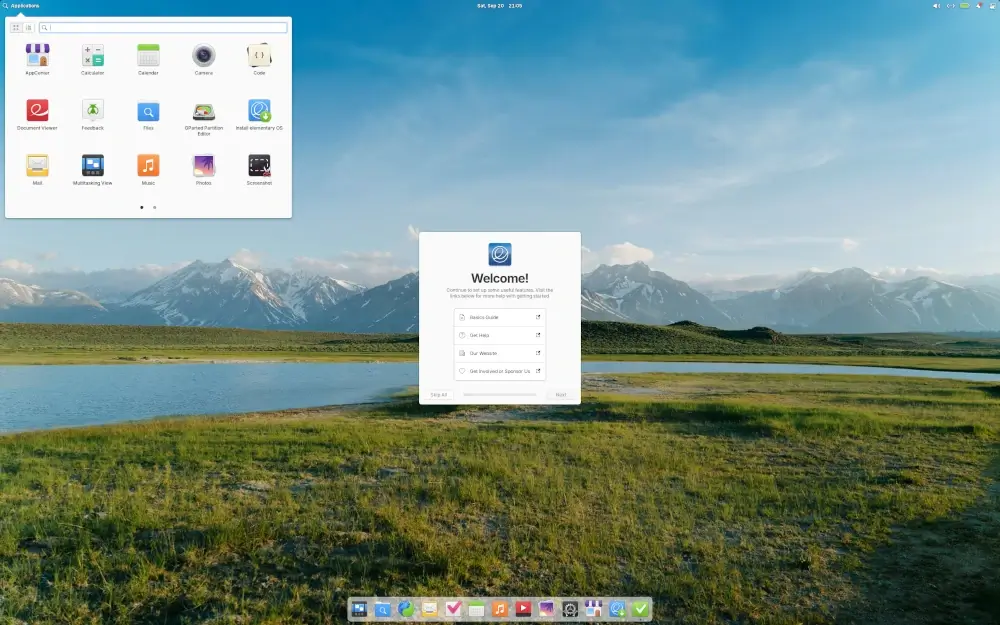
elementary OS 8 continues that tradition with a refined desktop experience built around the Pantheon desktop environment.
At first glance, many users immediately notice similarities to macOS. The centered dock, clean interface, and carefully designed applications create a familiar experience without directly copying Apple’s design.
What makes elementary OS stand out is its attention to detail such as menus, settings panels, notifications, and bundled applications all follow a consistent design philosophy.
The distribution also avoids overwhelming users with excessive options. Instead of presenting dozens of settings and customization panels, elementary OS focuses on sensible defaults.
I’ve recommended elementary OS to users who primarily browse the web, manage documents, watch videos, and perform everyday computing tasks. For those workloads, it works exceptionally well.
Users who enjoy extensive customization may eventually prefer another distribution, but for simplicity and elegance, elementary OS remains a strong option.
Minimum Requirements:
- 4 GB RAM
- 32 GB storage
- Modern 64-bit processor
If this finally cleared up which distros are actually still safe to install, who’s about to download something outdated.
7. MX Linux (Best for Older Computers)
Not everyone is installing Linux on a brand-new laptop.
Many people turn to Linux because they want to extend the life of an older computer that struggles to run modern versions of Windows.
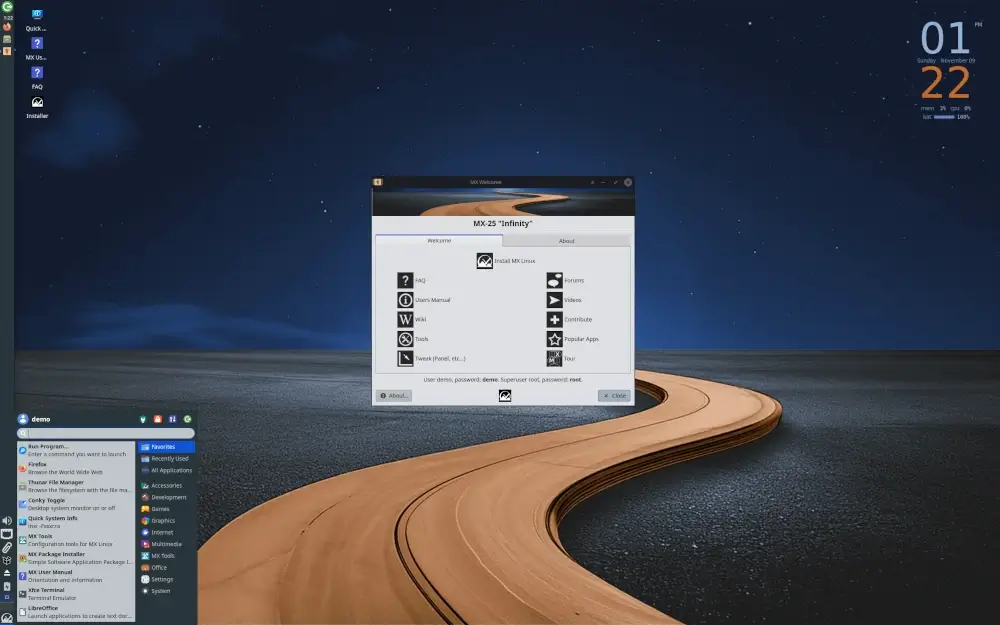
That’s where MX Linux shines, which is based on Debian Stable and has consistently earned a reputation for reliability, efficiency, and ease of use.
The latest MX Linux releases continue to focus on delivering a fast desktop experience while keeping resource usage low.
What makes MX Linux particularly appealing is its collection of built-in administration tools. These utilities simplify common tasks such as creating live USB drives, managing system settings, installing software, and performing maintenance.
For beginners, these graphical tools remove much of the complexity that often comes with learning Linux.
I’ve personally seen MX Linux breathe new life into laptops that were considered too slow for everyday use. Systems with limited memory and older processors often perform surprisingly well.
Because MX Linux is based on Debian Stable, users also benefit from one of the most reliable software foundations available in the Linux ecosystem.
If your computer is several years old and you want a Linux distribution that prioritizes speed and stability, MX Linux deserves a place on your shortlist.
Minimum Requirements:
- 2 GB RAM
- 20 GB storage
- 64-bit processor
Tip: Before replacing an older computer, try MX Linux. You might be surprised by how much performance you can regain.
8. Peppermint OS (Best Lightweight Linux Distribution)
Peppermint OS is a good choice for users who want a lightweight Linux desktop that remains fast and responsive on modest hardware.
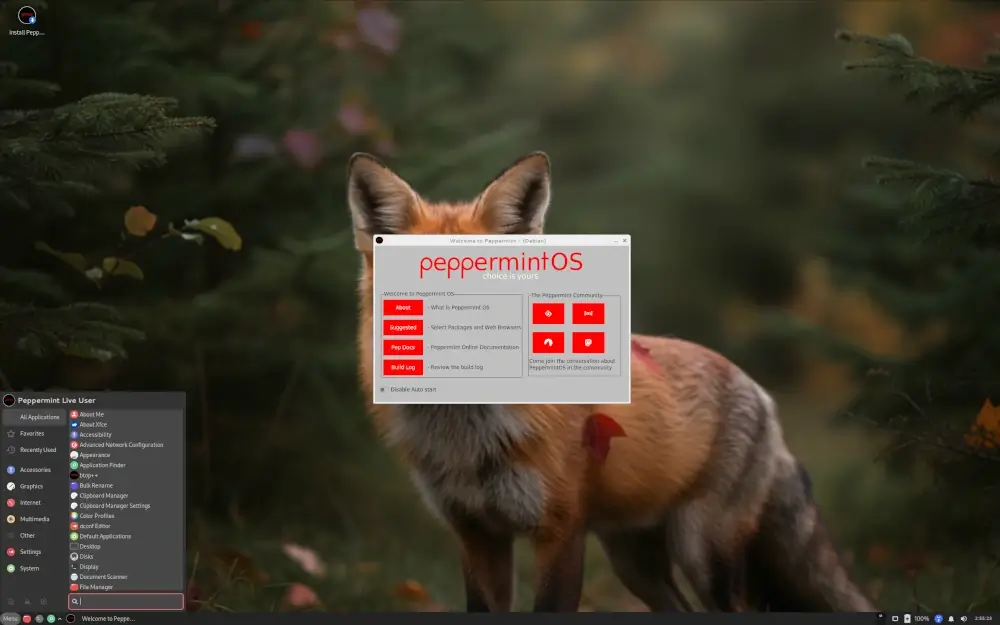
Unlike many distributions that install a large collection of software by default, Peppermint OS takes a more minimal approach. It provides the essentials and lets users install only the applications they actually need.
This keeps the system lean and helps it run smoothly on older laptops and desktops.
The latest Peppermint OS releases are based on Debian and continue to focus on simplicity, stability, and low resource usage.
One thing I like about Peppermint OS is that it doesn’t try to overwhelm new users with unnecessary features. The desktop layout is straightforward, applications are easy to find, and the system feels responsive even on hardware that is several years old.
For users who primarily browse the web, check email, watch videos, and work with documents, Peppermint OS provides everything needed for everyday computing.
It’s also a practical choice for secondary computers, school systems, and older family laptops that need a fresh start.
Minimum Requirements:
- 2 GB RAM
- 20 GB storage
- 64-bit processor
Tip: If your main goal is speed on older hardware, Peppermint OS is one of the lightest options on this list.
If you’ve made it this far and still haven’t picked one, so you can compare notes with whoever helps you decide.
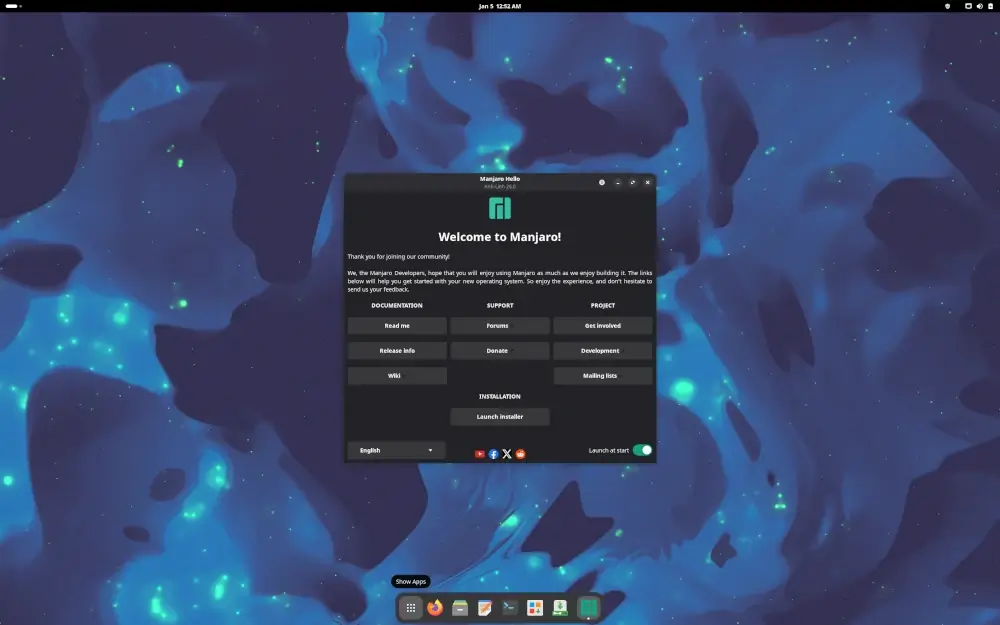
9. Manjaro (Best Introduction to Arch Linux)
Arch Linux is known for its flexibility, simplicity, and access to very recent software packages. It’s also known for having a learning curve that can be intimidating for beginners.
Manjaro makes the Arch experience far more approachable.
Built on top of Arch Linux, Manjaro provides a graphical installer, automated hardware detection, desktop-friendly defaults, and a much easier setup process.
The result is a distribution that gives users many of the advantages of Arch Linux without requiring extensive Linux experience.
One of Manjaro’s biggest strengths is software freshness. New kernels, drivers, desktop environments, and applications generally arrive sooner than they do on many traditional distributions.
This can be particularly beneficial for gamers, developers, and users running newer hardware.
Manjaro is available in multiple desktop editions, including KDE Plasma, GNOME, and XFCE, allowing users to choose the environment that best fits their preferences.
Although Manjaro is beginner-friendly, it follows a rolling-release model. Instead of upgrading between major versions, users receive continuous updates throughout the life of the system.
For newcomers who want newer software and are interested in learning more about the Arch ecosystem, Manjaro offers an excellent starting point.
Minimum Requirements:
- 4 GB RAM
- 30 GB storage
- 64-bit processor
Warning: Rolling-release distributions receive updates more frequently than Linux Mint or Ubuntu LTS, so occasional maintenance may be required.
10. openSUSE Tumbleweed (Best Rolling Release for Beginners)
openSUSE Tumbleweed is often overlooked when people discuss beginner-friendly Linux distributions, but it deserves far more attention than it receives.
Tumbleweed follows a rolling-release model, which means users continuously receive updated software instead of waiting for major operating system upgrades.
What makes Tumbleweed unique is its reputation for quality control.
Before updates reach users, they go through extensive automated testing to help ensure system stability, which gives users access to current software while maintaining a dependable desktop experience.
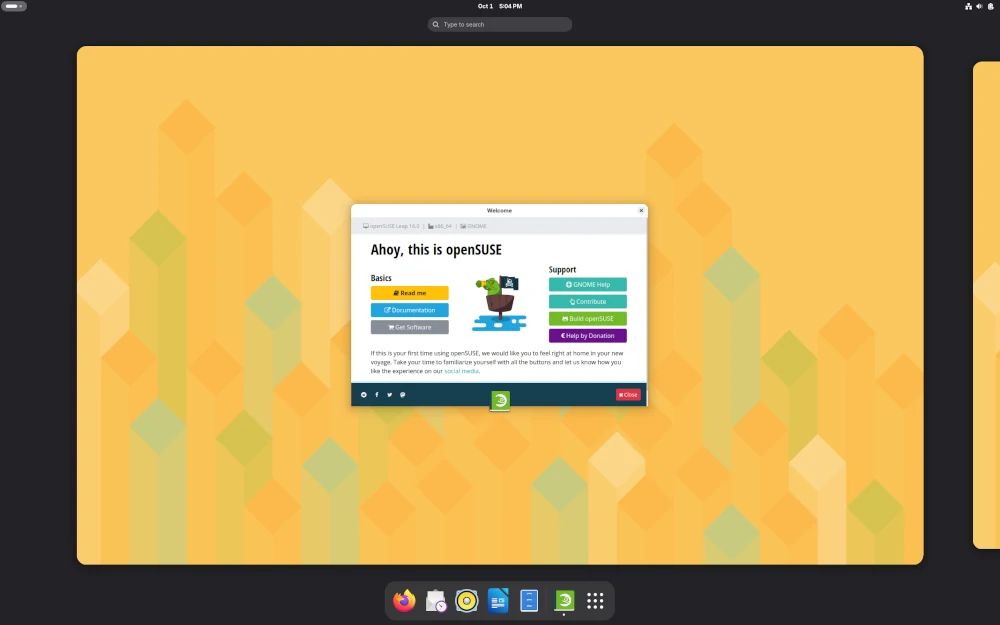
Another standout feature is YaST, which is one of the most powerful graphical administration tools available on Linux. It allows users to manage software, networking, storage, user accounts, system services, and many other settings from a single interface.
The distribution is available with both KDE Plasma and GNOME desktops, giving users flexibility in how they want their desktop environment to look and behave.
If you’re interested in learning Linux while still having access to current software packages, openSUSE Tumbleweed is a strong option.
Minimum Requirements:
- Dual-core processor
- v4 GB RAM
- 40 GB storage
11. Deepin Linux (Best Looking Linux Desktop)
If appearance matters as much as functionality, Deepin Linux is worth considering.
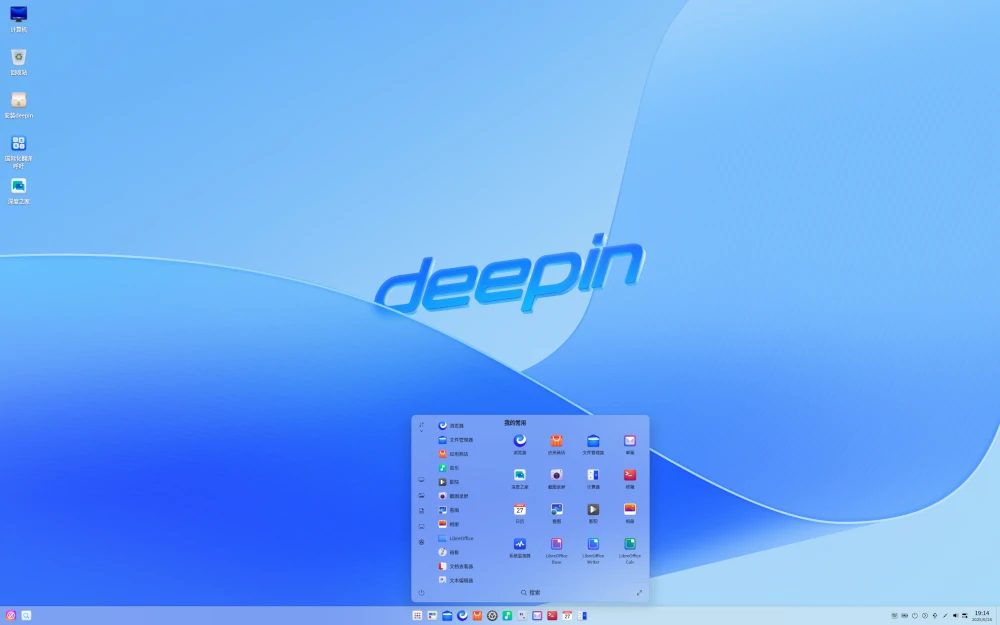
Deepin is a Debian-based Linux distribution that focuses heavily on desktop design and user experience. Its Deepin Desktop Environment (DDE) is widely regarded as one of the most polished and visually appealing desktop environments available on Linux.
The latest Deepin releases feature a modern interface with a customizable dock, refined animations, attractive system settings, and a collection of built-in applications designed to provide a consistent user experience.
What makes Deepin stand out is how approachable it feels to new users. The desktop layout is easy to understand, applications are well organized, and common tasks such as managing files, installing software, and adjusting system settings can be performed without touching the terminal.
I’ve found that users coming from Windows or macOS often adapt quickly because the interface feels familiar while still offering the flexibility of Linux.
That said, Deepin has a smaller community than distributions such as Linux Mint, Ubuntu, and Fedora. As a result, you may find fewer tutorials and troubleshooting resources online.
Still, if your priority is a beautiful desktop environment with a beginner-friendly design, Deepin Linux deserves a look.
Minimum Requirements:
- 4 GB RAM
- 64-bit processor
- 25 GB storage
Which Linux Distribution Should You Choose?
- If you’re completely new to Linux and simply want the easiest starting point, choose Linux Mint.
- If you want access to the largest Linux ecosystem, extensive documentation, and broad software support, Ubuntu remains an excellent choice.
- Users moving from Windows will likely feel most comfortable with Zorin OS thanks to its familiar desktop layout.
- Those using newer laptops and hardware should take a close look at Fedora Workstation.
- Developers, students, and laptop users may prefer Pop!_OS because of its productivity-focused features and excellent hardware support.
- If you’re coming from macOS, elementary OS offers one of the cleanest and most familiar desktop experiences available.
- For older computers, MX Linux and Peppermint OS can significantly improve performance while remaining easy to use.
- If desktop appearance is a top priority, Deepin Linux offers one of the most polished and visually appealing user experiences available on Linux.
- If you’re curious about rolling-release distributions, Manjaro and openSUSE Tumbleweed provide good introductions without overwhelming beginners.
The good news is that all of these distributions offer live installation media, allowing you to test them before committing to a full installation.
Conclusion
Choosing your first Linux distribution is much easier today than it was a decade ago.
Modern Linux distributions provide polished desktop environments, graphical software managers, automatic hardware detection, and large communities that are ready to help newcomers get started.
For most beginners, Linux Mint remains my top recommendation because of its stability, familiar desktop layout, and ease of use. It’s the distribution I frequently recommend to friends, family members, and first-time Linux users.
That said, there isn’t a single right answer.
Ubuntu offers unmatched community support, Zorin OS makes switching from Windows easier, Fedora delivers newer software, and Pop!_OS provides an excellent experience for developers and laptop users.
Whether you prefer the simplicity of Linux Mint, the familiarity of Zorin OS, the modern experience of Fedora, or the visual polish of Deepin Linux, there is a Linux distribution that fits your needs.
Once you find a distribution that fits your needs, you’ll discover that Linux is far more approachable than many people expect.
If this article helped, with someone on your team.
