

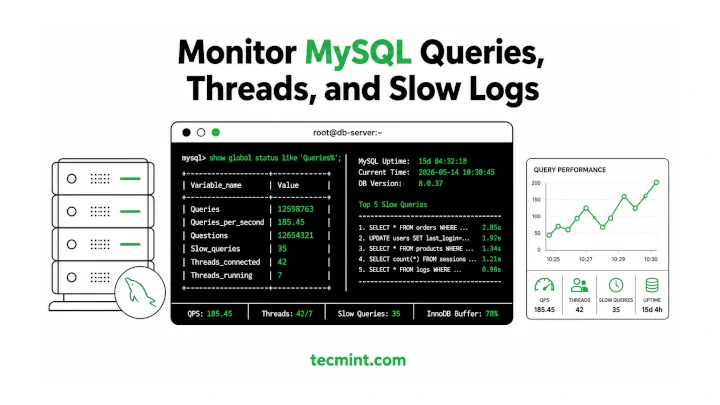
MySQL ships with decent built-in diagnostics, but when your database is slowing down under load, you need command-line tools that show you exactly what’s happening: which queries are running, how long they’re taking, and where the bottlenecks are.
This guide covers 6 open-source command-line tools for monitoring MySQL uptime, load, slow queries, and overall performance on Linux. The tools were tested on Ubuntu and RHEL, but they work on any modern Linux distribution running MySQL 8.0 or MariaDB 10.6+.
Getting uptime and query statistics from a live MySQL server once meant manually digging through SHOW STATUS output, but these tools turn that data into readable, real-time views that help you spot performance issues before they take down your site.
1. Mytop
Mytop is a console-based MySQL monitoring tool similar to the Linux top command, providing a live terminal view of threads, queries per second, slow queries, and server uptime.
The original Mytop project was abandoned in 2009, and older distro packages no longer work properly with MySQL 8. On Ubuntu, apt install mytop fails entirely, so you should use the actively maintained community fork released in 2026 with support for MySQL 8.0 and MariaDB 10.3+.
On Ubuntu/Debian:
sudo apt install libdbi-perl libdbd-mysql-perl libterm-readkey-perl
cd ~/
git clone https://github.com/fevangelou/mytop.git
cd mytop
chmod +x mytop
sudo cp mytop /usr/local/sbin/
On RHEL/Rocky Linux:
sudo dnf install perl-DBI perl-DBD-MySQL perl-TermReadKey
cd ~/
git clone https://github.com/fevangelou/mytop.git
cd mytop
chmod +x mytop
sudo cp mytop /usr/local/sbin/
Then run mytop and connect to your MySQL server:
mytop -u root -p
OR
mytop -u root -p'YourPassword'
Output:
MySQL on localhost (8.0.36)                up 5+12:03:44 [12:45:01]
 Queries: 2.5M   qps:   87   Slow:    14   Se/In/Up/De(%):  62/18/14/06
             qps now:   92   Slow qps: 0.3  Threads:    9 (   8/  1)
 Key Efficiency: 98.6%  Bps in/out:  1.2k/140k   Now in/out:  1.4k/168k

      Id    User       Host/IP         DB      Time    Cmd Query or State
       --    ----       -------         --      ----    --- ----------
      112    app_user   192.168.1.45    mydb       0    Query SELECT * FROM orders WHERE...
      113    root       localhost       mysql      0    Sleep
The top section is what you’re watching.
Slow: 14tells you 14 slow queries have run since the server started.qps now: 92is the real-time query rate. If that number spikes and your app slows down at the same time, you’ve got a load problem worth investigating.- Press
?inside mytop to see all keyboard shortcuts. - Press
kto kill a specific thread by ID.
If this helped you finally make sense of what’s happening inside a busy MySQL server, [share]share it with your team[/share], because most sysadmins don’t know mytop exists.
2. Innotop
Innotop is a more detailed real-time monitor for MySQL servers running the InnoDB storage engine, which is the default engine in every MySQL 8 install.
Where mytop shows a thread list, innotop shows you InnoDB buffer pool stats, lock waits, transaction states, and I/O statistics. That’s the kind of data you need when queries are slow but the thread count looks fine.
To install Innotop on Linux, use the following appropriate command for your specific Linux distribution.
sudo apt install innotop         [On Debian, Ubuntu and Mint]
sudo dnf install innotop         [On RHEL/CentOS/Fedora and Rocky/AlmaLinux]
sudo apk add innotop             [On Alpine Linux]
sudo pacman -S innotop           [On Arch Linux]
sudo zypper install innotop      [On OpenSUSE]
sudo pkg install innotop         [On FreeBSD]
If it’s not in your repo, clone from GitHub and run it:
git clone https://github.com/innotop/innotop.git
cd innotop
innotop -u root -p
Output:
[RO] InnoDB Txns, InnoDB 8.0.36, up 5+12:04:11, 9 threads, 92.0 QPS

CXN     Timeouts  Deadlocks  Txns  MaxSQL  RollSegments  History  Queries
local          0          0     3      0%           128       42  1234567

ID  User        Host    DB      Time  Undo  Query
42  app_user    local   mydb       3    18  UPDATE inventory SET qty=qty-1 WHERE...
3. mysqladmin
mysqladmin ships with every MySQL installation and it is the fastest way to check uptime, connection status, and live query rates from a single command without opening an interactive session.
Check server version and uptime:
mysqladmin -u root -p version
Output:
mysqladmin  Ver 10.0 Distrib 10.11.15-MariaDB, for Linux on x86_64
Copyright (c) 2000, 2018, Oracle, MariaDB Corporation Ab and others.

Server version		10.11.15-MariaDB
Protocol version        10
Connection              Localhost via UNIX socket
UNIX socket             /var/run/mysqld/mysqld.sock
Uptime:                 5 days 12 hours 3 min 44 sec

Threads: 9  Questions: 2491823  Slow queries: 14  Opens: 412  Flush tables: 3  Open tables: 405  Queries per second avg: 5.287
The Slow queries: 14 line is the one to watch here. That number only goes up, never resets, while the server is running. If you check it now and it’s at 14, then check again in an hour and it’s at 140, something changed in the last hour worth investigating.
To watch live status updates every 2 seconds:
mysqladmin -u root -p -i 2 status
Output:
Uptime: 475424  Threads: 9  Questions: 2491823  Slow queries: 14  Opens: 412  ...
Uptime: 475426  Threads: 11  Questions: 2491985  Slow queries: 14  Opens: 412  ...
That Threads number jumping tells you connection spikes in real time. If it climbs to your max_connections limit, new connections start getting refused.
4. Percona Toolkit
Percona Toolkit is a collection of open-source command-line tools built by Percona for production MySQL administration. Two tools from the kit are directly useful for performance monitoring: pt-query-digest for slow query analysis and pt-mysql-summary for a full server health snapshot.
Percona Toolkit isn’t in the default Ubuntu or RHEL repos, so you need to add the Percona repository first, then install.
On Ubuntu/Debian:
sudo apt update && sudo apt install curl
curl -O https://repo.percona.com/apt/percona-release_latest.generic_all.deb
sudo apt install gnupg2 lsb-release ./percona-release_latest.generic_all.deb
sudo apt update
sudo percona-release enable pt release
sudo apt install percona-toolkit
On RHEL/Rocky Linux:
sudo yum install -y https://repo.percona.com/yum/percona-release-latest.noarch.rpm
sudo percona-release enable pt release
sudo yum install percona-toolkit
pt-mysql-summary
Start here when you’re logging into a server for the first time or troubleshooting a problem you don’t have context for. It dumps a human-readable summary of everything: MySQL version, configuration, table sizes, replication status, key buffer usage:
pt-mysql-summary -- -u root -p
Output:
# Percona Toolkit MySQL Summary Report #######################
                   System time | 2025-05-14 12:45:01 UTC
# Instances ##################################################
  Port  Data Directory             Nice OOM Socket
  ===== ========================== ==== === ======
  3306  /var/lib/mysql              0   0  /var/run/mysqld/mysqld.sock
# MySQL Executable ############################################
       Path to executable | /usr/sbin/mysqld
              Has symbols | Yes
# Processlist ################################################
  Command                        COUNT(*) Working SUM(Time) MAX(Time)
  ------------------------------ -------- ------- --------- ---------
  Query                                 3       3         4         3
  Sleep                                 6       0       840       420
That Sleep count with high SUM(Time) values means long-idle connections are staying open. That’s a connection pool tuning issue, not a query issue. pt-mysql-summary surfaces exactly this kind of signal without you having to know which SHOW STATUS variable to look at.
pt-query-digest
This is the most useful slow query tool available for MySQL. First, enable the slow query log if it isn’t on:
mysql -u root -p -e "SET GLOBAL slow_query_log = 'ON'; SET GLOBAL long_query_time = 1;"
Then run pt-query-digest against the slow query log:
pt-query-digest /var/log/mysql/mysql-slow.log
Output:
# 450ms user time, 30ms system time, 28.00M rss, 220.15M vsz
# Current date: 2025-05-14 12:45:01
# Hostname: web01
# Files: /var/log/mysql/mysql-slow.log
# Overall: 184 total, 8 unique, 0.02 QPS, 0.14x concurrency
# Attribute          total     min     max     avg     95%  stddev  median
# ============     ======= ======= ======= ======= =======  ======  ======
# Exec time           512s      1s    143s     3s      9s      14s     1s
# Rows examine     1.02G      0    180M    5.7M   30M    18M    800k

# Profile
# Rank  Query ID           Response time  Calls  R/Call  Item
# ====  =================  =============  =====  ======  ====
#    1  0x813031B8BBC3B329  341s  66.6%    42  8.12s   SELECT orders items
#    2  0xA0CA1BBEDCD1B80D  108s  21.1%    89  1.21s   SELECT users sessions
That Rank 1 query is responsible for 66% of all slow query time. It’s running 42 times and averaging 8 seconds each. That’s your target. Fix that one query, add a missing index or rewrite the JOIN, and you’ll take 66% of the load off your slow query problem in one shot.
The slow query log path on Ubuntu is usually /var/log/mysql/mysql-slow.log. On RHEL it’s typically /var/lib/mysql/hostname-slow.log. If you see Permission denied, run with sudo.
5. MySQLTuner
MySQLTuner is a single Perl script that connects to your MySQL server, reads a broad set of status and configuration variables, and outputs a prioritized list of tuning recommendations.
It’s the right tool to run on a freshly configured MySQL server or after a major traffic spike when you suspect your configuration is the problem.
Download and run it:
wget https://raw.githubusercontent.com/major/MySQLTuner-perl/master/mysqltuner.pl
chmod +x mysqltuner.pl
perl mysqltuner.pl --user root --pass your-mysql-root-password
Replace your-mysql-root-password with your actual MySQL root password. The --pass flag passes it directly; without it, MySQLTuner will prompt you.
>>  MySQLTuner 2.2.12 - Major Hayden <[email protected]>
 >>  Bug reports, feature requests, and downloads at http://mysqltuner.com/
 >>  Run with '--help' for additional options and output filtering

[--] Skipping version check for MySQLTuner script
[OK] Logged in as root@localhost

-------- General Statistics --------------------------------------------------
[--] Performing tests on MySQL 8.0.36
[OK] Currently running supported MySQL version 8.0.36
[OK] Operating on 64-bit architecture

-------- Performance Metrics -------------------------------------------------
[OK] Query cache is disabled by default due to its known issues.
[!!] InnoDB buffer pool / data size: 128M / 2G
[!!] InnoDB buffer pool instances: 1 (recommended 2)
[!!] Slow queries: 14 (0% of 2491823 total queries)

-------- Recommendations -----------------------------------------------------
General recommendations:
    Increase innodb_buffer_pool_size to 1.5G or more
    Add innodb_buffer_pool_instances = 2 to my.cnf
    Enable slow_query_log and set long_query_time = 2
That [!!] InnoDB buffer pool / data size: 128M / 2G line means your buffer pool is set to the default 128MB but your actual data is 2GB. MySQL is reading from disk far more than it needs to. Setting innodb_buffer_pool_size to around 70% of available RAM and restarting MySQL is often the single biggest performance gain you can make on a new server.
If you see Can’t connect to local MySQL server through socket, it means MySQLTuner can’t find your MySQL socket file. Try adding --socket /var/run/mysqld/mysqld.sock to the command.
If a friend just set up their first MySQL server and has no idea where to start tuning it, [share]send this article[/share] their way. MySQLTuner alone will save them hours.
6. mysqlslap
mysqlslap ships with MySQL, same as mysqladmin. It’s a load-testing and benchmarking tool that simulates concurrent client connections to your server and measures how it handles the load. You use it to test performance before a traffic spike, not during one.
Run a basic benchmark with 50 concurrent connections and 200 total queries:
mysqlslap -u root -p --concurrency=50 --iterations=1 --auto-generate-sql --auto-generate-sql-load-type=mixed --number-of-queries=200
Output:
Benchmark
        Average number of seconds to run all queries: 3.847 seconds
        Minimum number of seconds to run all queries: 3.847 seconds
        Maximum number of seconds to run all queries: 3.847 seconds
        Number of clients running queries: 50
        Average number of queries per client: 4
That 3.847 seconds for 200 queries across 50 clients is your baseline. Run it again after you increase innodb_buffer_pool_size or add an index, and compare. If the number drops significantly, the change made a real difference.
To test against a specific database with a real query:
mysqlslap -u root -p --concurrency=25 --iterations=3 --query="SELECT * FROM mydb.orders WHERE status="pending"" --create-schema=mydb
Output:
Benchmark
        Average number of seconds to run all queries: 1.243 seconds
        Minimum number of seconds to run all queries: 1.198 seconds
        Maximum number of seconds to run all queries: 1.301 seconds
        Number of clients running queries: 25
        Average number of queries per client: 1
Three iterations with a range between 1.198s and 1.301s. That’s a consistent result. Now add an index on the status column and run it again. If it drops to 0.2 seconds, you just proved the index is worth adding to production.
Learned something from pt-query-digest or MySQLTuner you didn’t know before? [share]Share this with someone[/share] managing a MySQL server who’s still guessing at performance problems.
Conclusion
Between these 6 tools, you’ve got real-time thread monitoring with mytop, InnoDB transaction visibility with innotop, quick uptime checks with mysqladmin, slow query analysis with pt-query-digest, config tuning recommendations with MySQLTuner, and load benchmarking with mysqlslap.
Start with mysqladmin version to check your baseline uptime and slow query count. Then run pt-query-digest on your slow query log. That one step alone will tell you which queries are actually hurting your server. Use MySQLTuner afterward to check if your configuration is letting those optimized queries down.
Which of these tools do you already use, and which one are you going to try first? Drop a comment below.
