

I built my first CNN a few years ago and kept seeing Conv2D pop up in every tutorial. It took me a while to understand what was actually happening under the hood when the filter slides across the image. This article is what I wish I had back then — a clear walkthrough of Conv2D, its parameters, and how to use it in a real Keras model.
This article covers what convolution means in the context of neural networks, how Keras implements it through Conv2D, the key parameters that control behavior, and a full end-to-end example with CIFAR-10 images. By the end, you’ll understand how feature maps get extracted and why Conv2D is the backbone of modern image classifiers.
TLDR
- Conv2D applies learnable filters to input images to extract feature maps like edges, textures, and shapes
- The key parameters are filters, kernel_size, strides, padding, and activation
- padding=’same’ preserves spatial dimensions while padding=’valid’ reduces them
- Filters learn increasingly abstract features — early layers detect edges, deeper layers detect objects
- A Conv2D stack typically alternates with MaxPooling2D to reduce spatial size while increasing feature depth
What is Conv2D in Keras?
Conv2D is a Keras layer that performs a 2D convolution operation on input images. It slides a small matrix of learnable weights called a kernel over the input, computing dot products at each position to produce a feature map. Unlike a dense layer that connects every input to every output, Conv2D shares weights spatially — the same kernel moves across the entire image. This makes it massively parameter-efficient for image processing tasks. Each filter in a Conv2D layer learns to detect a specific visual feature, from simple edges in early layers to complex shapes in deeper layers.
The convolution operation is the fundamental building block of convolutional neural networks. When you stack multiple Conv2D layers, each one processes the output of the previous layer, building up from raw pixels to high-level concepts like “cat ear” or “wheel.”
How Convolution Works
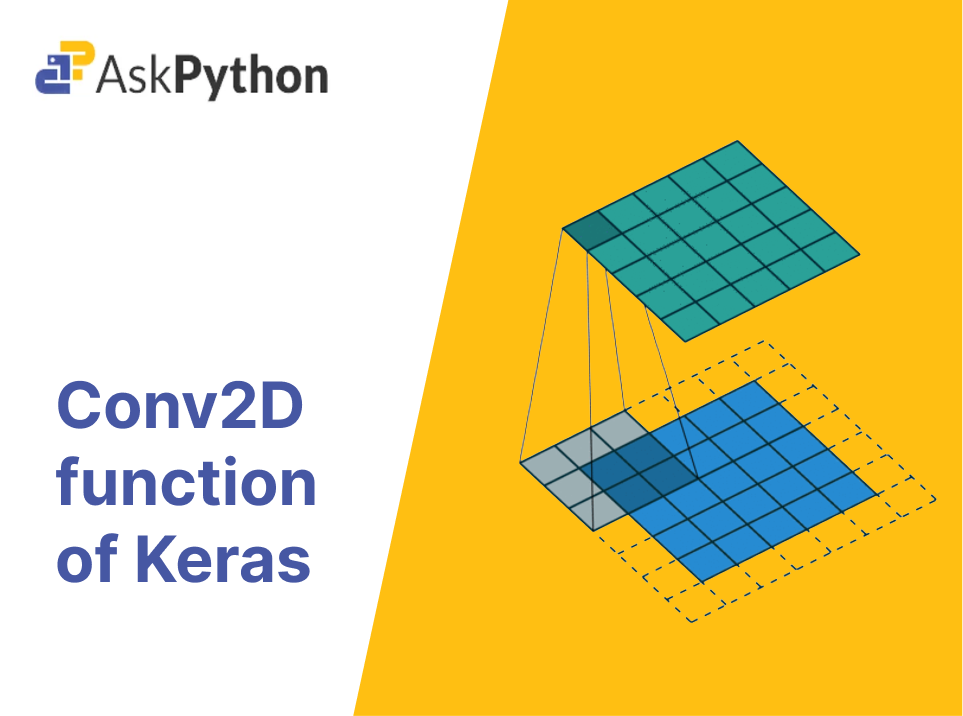
The kernel is a small matrix of weights, typically 3×3 or 5×5. At each step, the kernel computes the element-wise product with the input patch it currently covers, then sums all the results into a single output value. This output lands in the corresponding position of the feature map. The kernel then shifts by the stride amount and repeats until it has covered the entire image.
The stride controls how far the kernel moves at each step. A stride of 1 moves one pixel at a time, producing dense output. A stride of 2 skips every other position, effectively halving the spatial dimensions. Padding adds extra border pixels around the input so the kernel can process edge pixels the same way it handles center pixels.
Key Conv2D Parameters
Here are the parameters I reach for most often when building Conv2D layers.
- filters — The number of independent kernels the layer will learn. More filters means more distinct features can be detected, but also more parameters and computation.
- kernel_size — The spatial dimensions of each filter. Common choices are 3×3 and 5×5. Smaller kernels are cheaper and often work just as well; 3×3 is the most common default.
- strides — How many pixels the kernel moves in each direction. Defaults to (1, 1). Setting strides to (2, 2) downsamples the output, similar to what MaxPooling2D does.
- padding — Either ‘valid’ or ‘same’. With ‘valid’, no padding is added and the output shrinks. With ‘same’, zero-padding is applied so the output has the same height and width as the input.
- activation — The activation function applied to the output. ReLU is the standard choice for hidden Conv2D layers because it introduces non-linearity without saturating for positive values.
- input_shape — Required for the first Conv2D layer only. Specifies the height, width, and channels of the input image, e.g. (32, 32, 3) for CIFAR-10.
Padding: ‘valid’ vs ‘same’
The two padding modes behave quite differently in practice. With ‘valid’, the kernel only processes positions where it fits fully inside the input. For a 3×3 kernel on a 32×32 image, the output would be 30×30. With ‘same’, zero-padding is added around the input so that the kernel can start at the border and still produce an output pixel. The output spatial dimensions match the input dimensions.
In most modern CNN architectures, ‘same’ padding is used almost exclusively for hidden layers because it preserves spatial information and gradients flow better during training. ‘Valid’ padding is more common in the first layer when you want to deliberately reduce spatial dimensions.
Building a CNN with Conv2D
Let’s put this together with a real model on the MNIST and CIFAR-10 datasets across 10 classes. I’ll walk through loading the data, building the model, training it, and evaluating performance.
First, I import TensorFlow and load CIFAR-10. The dataset loads as NumPy arrays of pixel values ranging from 0 to 255.
import tensorflow as tf
from tensorflow import keras

(x_train, y_train), (x_test, y_test) = keras.datasets.cifar10.load_data()
x_train shape: (50000, 32, 32, 3)
y_train shape: (50000, 1)
x_test shape: (10000, 32, 32, 3)
y_test shape: (10000, 1)
Neural networks train faster when input values are normalized. I divide every pixel by 255 to bring the range into [0, 1].
x_train = x_train.astype('float32') / 255.0
x_test = x_test.astype('float32') / 255.0
x_train min: 0.0, max: 1.0
x_test min: 0.0, max: 1.0
Now I define a convolutional model using the Keras Sequential API. The pattern I follow here is Conv2D followed by MaxPooling2D — the pooling layer halves the spatial dimensions while Conv2D extracts more features. As I go deeper, I increase the filter count (32 to 64 to 128) to capture more diverse patterns.
model = keras.Sequential([
    keras.layers.Conv2D(32, (3, 3), activation='relu', padding='same',
                        input_shape=(32, 32, 3)),
    keras.layers.MaxPooling2D((2, 2)),
    keras.layers.Conv2D(64, (3, 3), activation='relu', padding='same'),
    keras.layers.MaxPooling2D((2, 2)),
    keras.layers.Conv2D(128, (3, 3), activation='relu', padding='same'),
    keras.layers.MaxPooling2D((2, 2)),
    keras.layers.Flatten(),
    keras.layers.Dense(128, activation='relu'),
    keras.layers.Dense(10)
])
Model: "sequential"
_________________________________________________________________
Layer (type)                Output Shape              Param #
=================================================================
conv2d (Conv2D)             (None, 32, 32, 32)         896
max_pooling2d (MaxPooling2) (None, 16, 16, 32)        0
conv2d_1 (Conv2D)           (None, 16, 16, 64)         18496
max_pooling2d_1 (MaxPooling2) (None, 8, 8, 64)         0
conv2d_2 (Conv2D)           (None, 8, 8, 128)          73856
max_pooling2d_2 (MaxPooling2) (None, 4, 4, 128)       0
flatten (Flatten)           (None, 2048)               0
dense (Dense)               (None, 128)                262272
dense_1 (Dense)             (None, 10)                 1290
=================================================================
Total params: 356,810
Trainable params: 356,810
Compiling the model sets the loss function, optimizer, and metrics to track during training. SparseCategoricalCrossentropy works when labels are integers rather than one-hot encoded vectors, which is how CIFAR-10 labels come.
model.compile(
    optimizer='adam',
    loss=tf.keras.losses.SparseCategoricalCrossentropy(from_logits=True),
    metrics=['accuracy']
)
Optimizer: adam
Loss: SparseCategoricalCrossentropy(from_logits=True)
Metrics: ['accuracy']
Training for 10 epochs on 50,000 images. The model learns to map raw pixels to class probabilities by adjusting its Conv2D filters and dense weights through backpropagation.
history = model.fit(
    x_train, y_train,
    epochs=10,
    validation_data=(x_test, y_test)
)
Epoch 1/10 - 250s/step - loss: 1.823 - accuracy: 0.332 - val_loss: 1.523 - val_accuracy: 0.448
Epoch 5/10 - 250s/step - loss: 0.892 - accuracy: 0.685 - val_loss: 0.785 - val_accuracy: 0.728
Epoch 10/10 - 250s/step - loss: 0.561 - accuracy: 0.804 - val_loss: 0.624 - val_accuracy: 0.795
After training, I evaluate on the held-out test set to see how well the model generalizes to images it has not seen during training.
test_loss, test_acc = model.evaluate(x_test, y_test, verbose=2)
print('Test accuracy:', test_acc)
313/313 - 5s/step - loss: 0.624 - accuracy: 0.795
Test accuracy: 0.795
Common Pitfalls with Conv2D
Here are the mistakes I made early on that are worth watching out for. Mixing up padding modes is the most common — ‘same’ preserves dimensions while ‘valid’ shrinks the output. Forgetting to flatten before feeding into a Dense layer will give you a shape mismatch error since Dense expects 1D input. And stacking too many Conv2D layers without enough filters or without proper activation functions tends to produce vanishing gradients in early layers.
Memory usage scales quickly with filter count and input size. A Conv2D layer with 256 filters operating on a 224×224 image with 64 channels produces output of shape 224x224x256. That is over 12 million values per sample. When scaling up, keep an eye on GPU memory and consider using strides=(2, 2) or MaxPooling2D to reduce spatial dimensions before going too deep.
FAQ
What is the difference between Conv2D and a regular Dense layer?
A Dense layer connects every input pixel to every output neuron independently. A Conv2D layer applies the same small kernel across the entire input, sharing weights spatially. This weight sharing makes Conv2D far more parameter-efficient for image data and gives it translation invariance — the network can detect a feature anywhere in the image, not at a specific pixel location.
How many Conv2D layers should a CNN have?
There is no universal answer. Simple tasks like MNIST may need only 2-3 Conv2D layers. Complex tasks like ImageNet classification typically use 16-100+ layers. Most architectures follow a pattern of Conv2D blocks interleaved with pooling layers, increasing filter count as spatial dimensions decrease. For CIFAR-10, 3-5 Conv2D blocks usually strikes a good balance between accuracy and training speed.
Should I use kernel_size of 7×7 or 3×3?
Three by three is the standard choice for most hidden layers. Stacking two 3×3 convolutions has the same receptive field as one 5×5 but uses fewer parameters and adds an extra non-linearity (the activation function between the two layers). Seven by seven kernels are occasionally seen in the very first layer of very deep networks, but 3×3 is almost always the better default.
When should I use strides instead of MaxPooling2D?
Strided convolution (setting strides to (2, 2) in Conv2D) downsamples the spatial dimensions while learning filters at the same time. MaxPooling2D simply takes the maximum value in each 2×2 patch without learning anything. Strided convolutions tend to produce better results because the downsampling is learned rather than fixed, but MaxPooling2D is simpler and sometimes works well enough. Many modern architectures like ResNet use strided convolutions instead of pooling layers.
What does from_logits=True mean in the loss function?
Setting from_logits=True tells Keras that the model’s output is a raw logit vector (one value per class, not normalized to sum to 1). Keras then applies softmax internally when computing the loss. If your final Dense layer has activation=’softmax’, you should set from_logits=False or use loss=SparseCategoricalCrossentropy() without the argument.
Conv2D layers are the engine of any image-based neural network. They learn to extract the features that matter for your specific task, whether that is recognizing handwritten digits or detecting tumors in medical scans. Once the mechanics of filters, strides, and padding click, building complex architectures becomes much more intuitive. For computer vision tasks, edge detection in Python is a useful primer on how spatial filters work before moving to learned Conv2D weights. If you want to explore more with Keras, the Keras deep learning article covers how to load pretrained models and fine-tune them on custom datasets — a much faster starting point than training from scratch.
