


To reuse a function across Python files, you can put it in one file and import that file where you need it. A Python module is a file of statements and definitions, usually with a .py extension, that another file can access with an import.
I’ll show how to create and import a module, then install a third-party package in the environment that runs your script.
TL;DR
A Python module is a .py file whose definitions you can reuse from another file with an import statement.
- Save related functions and constants in a module file.
- Use import module_name to access its contents with dot notation.
- Install third-party distributions with python3 -m pip in the environment that runs your script.
What Is a Python Module?
A Python module is a file containing Python statements and definitions, usually saved with a .py extension. Importing it gives another file access to its functions, classes and variables through a module namespace.
For example, math is part of Python’s standard library, so you can import it without installing anything. A package groups related modules under a shared import name, while a distribution is software installed by a tool such as pip. The distribution name and the name used in import statements can differ.
import math

print(math.sqrt(81))
print(math.pi)
The module prefix shows that sqrt and pi belong to math.
How to Create and Import a Python Module Step by Step
Put reusable definitions in one .py file, then import it from a second script in the same directory.
Step 1: Save a reusable definition in a module
Save this as geometry.py. It defines a constant and a function, and the main guard lets the same file run as a script without printing when another file imports it.
PI = 3.14159

def circle_area(radius):
    return PI * radius ** 2

if __name__ == "__main__":
    print(circle_area(3))
Step 2: Import the module from a second file
Save the following as use_geometry.py beside geometry.py. The first import keeps the module name available. The from-import binds circle_area directly in this script.
import geometry
from geometry import circle_area

print(geometry.PI)
print(circle_area(3))
Run the second file from that directory. I ran this exact command in the workspace and captured its output below.
The first line comes from the module constant, and the second is the function result for radius 3. The screenshot shows the command and both output lines from the same run.
Step 3: Import only the names you use
Use from geometry import circle_area when the script needs one known name. Use import geometry when several names come from that file or when you want the origin visible at each use.
An alias can shorten a long module name: import geometry as geo, then call geo.circle_area(3). Avoid importing every name with an asterisk because the source of a name becomes harder to see and names can collide.
Step 4: Install a third-party module in the right environment
Modules shipped with Python need no installation, but third-party libraries must be installed into the interpreter environment used by your program. For a package available on PyPI, run this from a terminal:
python3 -m pip install requests
The -m option runs pip through that python3 interpreter, which helps avoid installing into a different Python than the one that later runs the code. I ran the command in an isolated project environment. Its terminal response was:
Requirement already satisfied: requests in ./article-venv/lib/python3.14/site-packages (2.34.2)
Requirement already satisfied: charset_normalizer<4,>=2 in ./article-venv/lib/python3.14/site-packages (from requests) (3.5.2)
Requirement already satisfied: idna<4,>=2.5 in ./article-venv/lib/python3.14/site-packages (from requests) (3.20)
Requirement already satisfied: urllib3<3,>=1.26 in ./article-venv/lib/python3.14/site-packages (from requests) (2.8.0)
Requirement already satisfied: certifi>=2023.5.7 in ./article-venv/lib/python3.14/site-packages (from requests) (2026.7.22)
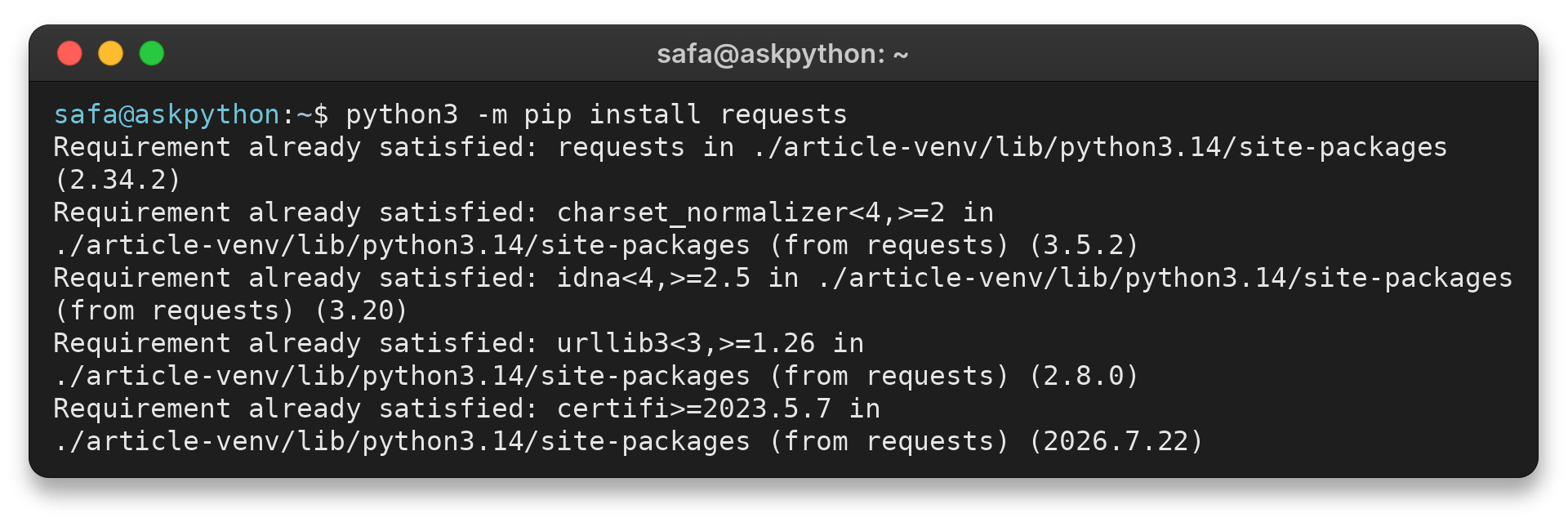
The package was already present in this environment, so pip confirmed its location and version instead of downloading it again. A virtual environment keeps project dependencies separate from other projects. Use the same interpreter to install and run your code.
Python Module Import Errors and Next Steps
When an import fails, check the interpreter and module search path before reinstalling packages. Python searches locations in sys.path, including the script’s directory and installed library paths.
| Symptom | Likely cause | Check or fix |
|---|---|---|
| ModuleNotFoundError | File is outside the searched path, or distribution is not installed in this interpreter | Run from the project directory, then use the pip installation command above in the active environment. |
| Wrong module loads | A local file shadows a standard-library or installed module | Rename files such as math.py and remove matching stale cache files |
| Changes do not appear after editing | The running interpreter already has the module imported | Restart the process, or use importlib.reload() while testing interactively |
For a package, import through its dotted path, such as from mypackage import helpers, and keep imports based on the package structure. The Python tutorial explains how modules and packages differ, and the site’s guide to importing other Python files covers related file layouts.
Use python3 -m pip show requests to see whether the active interpreter can find an installed distribution. For built-in module names and standard-library behavior, consult the official Python standard library reference.
Conclusion: Keep Modules Small and Explicit
Use modules to separate reusable definitions from the script that calls them. Add a package when related files need a shared import namespace.
FAQ
These answers cover two common distinctions that come up after the first import works.
Do Python modules need to be installed?
Modules in the Python standard library and files in your project can be imported without installing them separately. Install a third-party distribution into the environment that runs your script.
What is the difference between a module and a package?
A module is a Python file that provides definitions and statements. A package is an importable namespace that groups modules under a shared name.
