

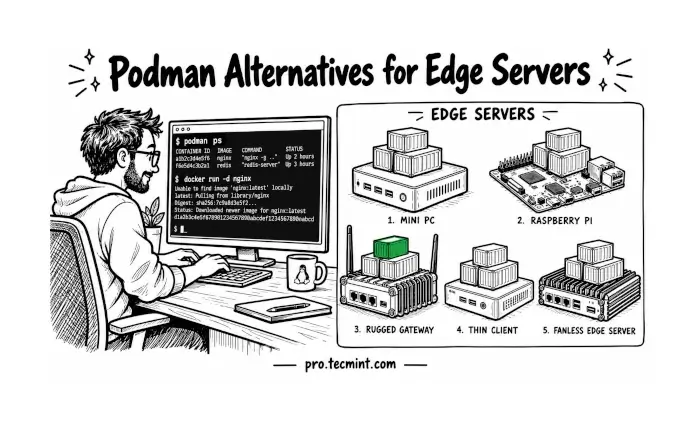
Edge servers with 1 GB of RAM and a unreliable, slow uplink need more than a general-purpose container tool. In this guide, we’ll look at nerdctl, balenaEngine, Incus, systemd-nspawn, and K3s, including how to install each tool and when it makes more sense than Podman.
Imagine you manage a few dozen small ARM boxes in shops, each with limited flash storage and a 4G connection that drops several times a day. Podman can run containers on these devices perfectly fine.
But it doesn’t help with edge-specific problems such as interrupted image pulls that fail halfway on a weak link or devices that need to be managed as a group or running lightweight system containers.
The five tools below address different edge computing needs. All rely on the same Linux kernel building blocks, including namespaces, which isolate what processes can see, and cgroups, which control CPU and memory usage.
The key difference is what each tool builds on top of these features and the edge problems it is designed to solve.
How We Picked These Podman Alternatives
Because “lightweight” means something different on a 512 MB router than on a 4 GB mini PC, we compared these tools based on idle memory usage, OCI image support, reliability on unstable networks, and active maintenance.
All examples were tested on a Linux server at 192.168.122.248 using the tecmint user.
1. Run Docker-Compatible Containers with containerd and nerdctl
If you want a Docker-like command-line experience without Docker Engine, containerd and nerdctl is one of the closest alternatives to Podman.
containerd provides the container runtime and is widely used underneath Docker and Kubernetes, while nerdctl provides a Docker-compatible CLI with familiar commands such as run, ps, and compose.
The full nerdctl release bundle includes containerd, runc, CNI (Container Network Interface) plugins, and BuildKit, making it convenient to install the required components together:
NERDCTL_VERSION=2.1.3  # Verify the latest release on GitHub
wget https://github.com/containerd/nerdctl/releases/download/v${NERDCTL_VERSION}/nerdctl-full-${NERDCTL_VERSION}-linux-amd64.tar.gz

sudo tar Cxzvvf /usr/local nerdctl-full-${NERDCTL_VERSION}-linux-amd64.tar.gz
sudo systemctl enable --now containerd
For ARM64 devices, replace amd64 with arm64 in the download filename.
Now start a small Nginx container and test port publishing:
sudo nerdctl run -d --name web -p 8080:80 nginx:alpine
curl -I http://192.168.122.248:8080
An HTTP/1.1 200 OK response confirms that the container is serving HTTP traffic through the published port. header means the container is serving traffic. For a rootless setup similar to Podman, run:
containerd-rootless-setuptool.sh install
This approach is particularly useful when you already work with Docker-style commands or need compatibility with the containerd ecosystem without installing the full Docker Engine.
If this helped you replace Docker or Podman commands on a small edge box, share it with someone who’s still running a full Docker Engine on a 1 GB device.
2. Ship Small Image Updates over Slow Links with balenaEngine
nerdctl still downloads full image layers on every update, which costs money on metered 4G links. balenaEngine is a Docker-compatible engine built for IoT devices, with atomic image pulls that survive power loss and binary delta updates when used with balenaCloud.
For edge devices connected through metered or unreliable networks, balenaEngine offers features designed specifically for IoT deployments.
Based on the Moby project, it supports Docker-compatible containers, failure-resistant image pulls, and binary delta updates that can reduce the data transferred when deploying updated images through supported workflows.
Unlike a general-purpose container engine, balenaEngine is designed to use memory and storage conservatively, making it worth considering for resource-constrained devices.
The project provides an install script that downloads a single binary bundle:
curl -sfL https://balena.io/engine/install.sh | sh
For security, inspect the script before executing it, particularly on production devices. Check the installed version and available commands:
balena-engine version
balena-engine --help
If the installation provides the daemon separately, configure it to run under the appropriate service manager rather than relying on a background process. For a temporary test, start the daemon using the project’s documented procedure, then launch an Nginx container:
sudo balena-engine run -d --name web -p 8080:80 nginx:alpine
curl -I http://192.168.122.248:8080
For production deployments, use the appropriate systemd service or supported balenaOS deployment workflow. Delta updates are especially useful when deploying through the balena platform; they should not be assumed to apply automatically to every standalone image pull.
Maintenance Note: Check the balenaEngine GitHub releases and the official engine page before choosing a version. The standalone release and the engine bundled with balenaOS may differ, so verify the available build, architecture, and security-update status before standardizing on it.
3. Run Full System Containers with Incus (LXC)
The first two tools are primarily designed to run application containers. But what if a legacy service expects systemd, cron, SSH, or multiple background services inside the container? In that case, Incus, a community-driven system container and virtual machine manager, is a better fit.
Incus uses Linux system containers to provide an environment that behaves much more like a lightweight server than a single application container, while generally requiring fewer resources than a traditional virtual machine.
On Ubuntu, Incus is available through the distribution’s supported packaging channels. Install it with:
sudo apt update
sudo apt install -y incus
On Enterprise Linux distributions such as Rocky Linux, AlmaLinux, and RHEL, the installation method depends on the distribution version and available repositories. Check the current Incus installation documentation before enabling a third-party repository:
sudo dnf install -y incus
After installation, initialise Incus with its minimal configuration:
sudo incus admin init --minimal
Add your user to the Incus administration group:
sudo usermod -aG incus-admin tecmint
newgrp incus-admin
Now launch a small Alpine system container:
incus launch images:alpine/3.22 edge01
Set a 128 MiB memory limit and check the container:
incus config set edge01 limits.memory 128MiB
incus list
The incus list output should show edge01 as RUNNING and, once networking is ready, display an IPv4 address on the Incus bridge. If the address is initially missing, wait a few seconds and run incus list again.
Incus is a good choice when you need to run a complete Linux userspace with multiple services but don’t want the overhead of a full virtual machine. It is less attractive when you only need isolated application processes, where Podman or nerdctl may be simpler.
If system containers finally make sense to you after this section, share it with a colleague who’s still running full VMs for single legacy services.
4. Boot Minimal OS Containers with systemd-nspawn
Incus provides a full system-container management layer, but that can be more than you need on a very small device, whereas systemd-nspawn takes a simpler approach: it runs a lightweight operating-system container using systemd’s existing tooling, without introducing a separate container-management daemon.
On Debian and Ubuntu, install systemd-container and debootstrap. The latter creates a minimal Debian filesystem that can be used as the container root:
Incus adds its own daemon, which you may not want on a very small device. systemd-nspawn gives you similar system containers using only systemd, which is already running, so nothing extra runs in the background.
On Debian and Ubuntu, install the container tools along with debootstrap, which builds a minimal Debian root filesystem:
sudo apt install -y systemd-container debootstrap
On Rocky Linux, AlmaLinux, and RHEL, install the same systemd-container package with dnf, then build the root filesystem with dnf –installroot instead of debootstrap:
sudo dnf install -y systemd-container
Now build a minimal Debian root filesystem with systemd included, because a minbase build doesn’t include it by default, and set the root password inside it:
sudo debootstrap --variant=minbase --include=systemd,dbus trixie /var/lib/machines/edge01
sudo systemd-nspawn -D /var/lib/machines/edge01 passwd
With the root password set, start the container as a service, enable it at boot, and cap its memory through its systemd unit:
sudo machinectl start edge01
sudo machinectl enable edge01
sudo systemctl set-property [email protected] MemoryMax=256M
machinectl list
Because the container is managed through systemd, its logs can be inspected with sudo journalctl -M edge01.
systemd-nspawn is a good fit when you want a minimal system container and already rely heavily on systemd. It is less convenient than Incus for managing a fleet of containers, but its small management footprint can make it attractive on constrained edge devices.
5. Orchestrate Edge Nodes with K3s
The tools so far focus primarily on managing containers on a single machine. That becomes tiring when you have ten, twenty, or hundreds of edge devices.
K3s solves a different problem; it provides a lightweight Kubernetes distribution for managing containers across multiple nodes.
K3s packages the Kubernetes control plane and container runtime components into a compact distribution, making it much smaller than a typical Kubernetes installation.
Before installing the server, make sure the node has a stable or reserved IP address. In this example, the server uses 192.168.122.248.
Install K3s and disable the bundled Traefik ingress controller and ServiceLB because this example does not need either component:
curl -sfL https://get.k3s.io | sh -s - --disable traefik --disable servicelb
sudo k3s kubectl get nodes
The two options serve different purposes:
--disable traefikprevents K3s from deploying its bundled Traefik ingress controller, reducing the number of components running on the node when ingress is not required.--disable servicelbdisables K3s’s built-in ServiceLB implementation that is useful when you plan to use another load-balancing solution or do not needLoadBalancerservices.
The server should eventually appear as Ready:
NAME      STATUS   ROLES                  AGE   VERSION
edge01    Ready    control-plane,master   ...   v...
To add another device as an agent, retrieve the node token from the K3s server:
sudo cat /var/lib/rancher/k3s/server/node-token
On the new device, install K3s with the server URL and token:
curl -sfL https://get.k3s.io | \
  K3S_URL=https://192.168.122.248:6443 \
  K3S_TOKEN='YOUR_NODE_TOKEN' sh -
Back on the server, verify that the new node joined:
sudo k3s kubectl get nodes
K3s requires more memory than the single-host tools covered above, particularly on the server/control-plane node. Treat 1 GB RAM as highly constrained for a K3s server, rather than as a normal production target; check the current K3s requirements and workload requirements before deploying it on such hardware.
K3s is therefore the right choice when the problem is no longer “How do I run a container on this box?” but “How do I deploy and manage workloads across many edge boxes?”
If K3s helped you picture managing a whole fleet instead of single boxes, share it with someone planning their first edge rollout.
Tips for Choosing a Podman Alternative on Edge Servers
With all five tools covered, the right choice comes down to how many devices you manage, what you need to run inside each container, and how constrained the hardware and network are.
| Tool | Container Model | Best Fit |
|---|---|---|
| nerdctl + containerd | Application | Docker-compatible workflows and Compose |
| balenaEngine | Application | IoT deployments and unreliable or metered networks |
| Incus | System | Legacy services that need a complete Linux userspace |
| systemd-nspawn | System | Minimal system containers on systemd-based hosts |
| K3s | Application, orchestrated | Managing workloads across multiple edge nodes |
Security matters just as much as resource usage. Add users to privileged administration groups such as incus-admin only when necessary. Membership in these groups can provide capabilities that effectively allow administrative control over containers and, depending on the configuration, the host.
Apply resource limits to workloads where appropriate, particularly on devices with limited RAM. A runaway process can otherwise consume enough memory to trigger the kernel’s out-of-memory (OOM) killer, potentially affecting unrelated services.
Finally, don’t choose an edge container platform based solely on published idle-memory figures. Start with the hardware and workload you actually have, then measure it:
free -m
systemd-cgtop
Test under realistic conditions, including your normal number of containers, image pulls, network interruptions, logging, and peak workload. The results will tell you far more than a benchmark performed with an empty container.
The simplest rule is:
- One box, Docker-style commands: use nerdctl + containerd.
- IoT devices with constrained networks: consider balenaEngine.
- A full Linux environment inside a container: use Incus.
- A minimal systemd-based container: use systemd-nspawn.
- A fleet of edge nodes: use K3s.
Conclusion
You now have five lightweight alternatives to Podman on Linux, ranging from Docker-compatible nerdctl to fleet-wide K3s. The right choice depends less on finding the smallest runtime and more on matching the tool to your network conditions, device count, available resources, and workload.
If you want to measure CPU, memory, and I/O usage on constrained servers, the Linux Performance Monitoring Tools course on Pro TecMint covers practical tools such as vmstat, iostat, and sar that can help you compare container workloads under real-world conditions.
How are you running containers at the edge? Are you still using Podman, or has another tool replaced it? What has worked best for you when deploying and updating containers over slow or unreliable links? Share your setup, configurations, or any issues you’ve encountered in the comments.
If this article helped, with someone on your team.
