

I was trolling the docs and noticed the SIGN() function. I have never written this in production code, but it is an interesting function. This post looks at where I might use this and when the need arises.
Another post for me that is simple and hopefully serves as an example for people trying to get blogging as #SQLNewBloggers.
How It Works
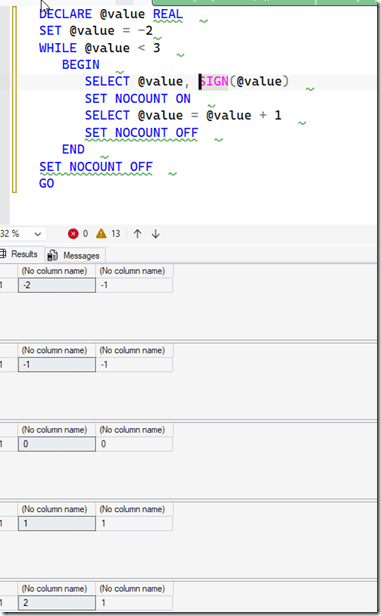
The SIGN() function works by taking an argument and evaluating if the value is positive, negative, or zero. The example in the MSLearn Docs shows the values working in a few ways. I’m reproducing that here to look at how it works.
If I change this to work with float and strings, we get similar values.
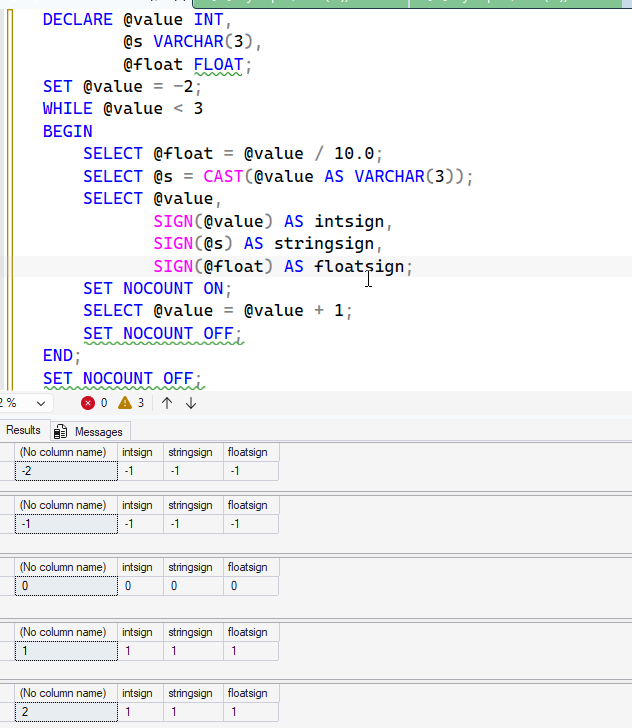
Essentially, this implements this code:
IF @value > 0 SELECT @value, 1
    IF @value = 0 SELECT @value, 0
    IF @value < 0 SELECT @value, –1
Or this code:
    CASE WHEN @value > 0 THEN 1
    WHEN @value = 0 THEN 0
    WHEN @value < 0 THEN -1
    END AS valsign
This is a simple function, and it’s easily duplicated in code, so why use it?
Use Cases
Most of the mathematical algorithms I’ve implemented don’t deal with negative numbers in a material way. Aggregates, such as averages and sums will take the value into account and the sign isn’t important.
In some cases, it might. Perhaps I want to do some math around distances from zero, but I don’t want the values to cancel each other out. For example, maybe I have a small data set. I have some shipments and weights.
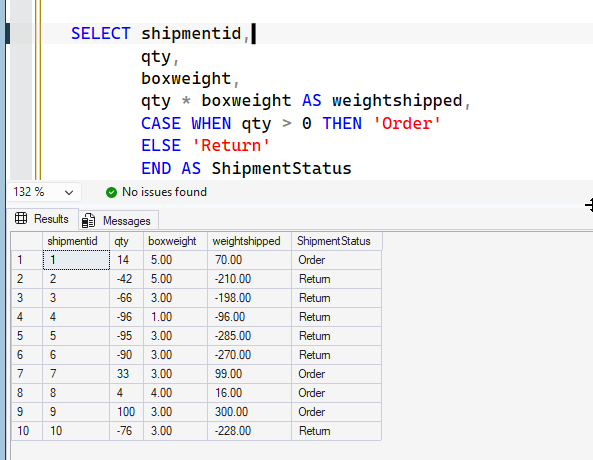
Now, it makes sense that we’re shipping to and from our warehouse and tracking the direction with a negative quantity for returns. However, to calculate total shipping weight, a sum doesn’t work:
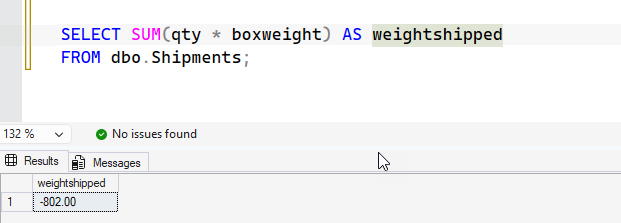
I really want to normalize the values. I could use SIGN() here, as shown:
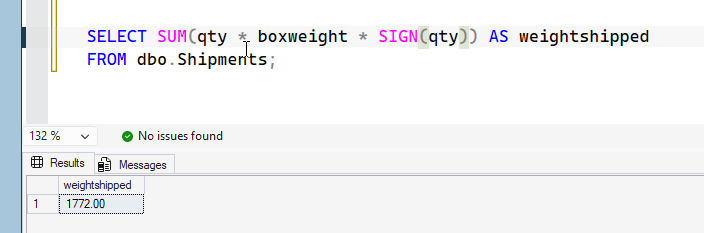
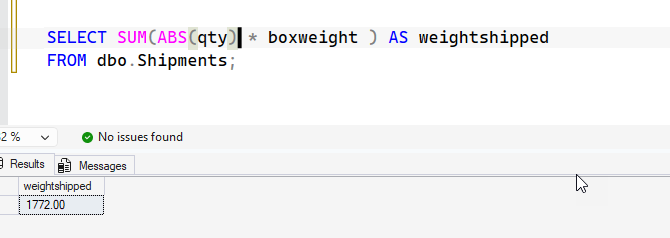
Of course, ABS() works as well, so that’s not necessarily a great example. I’d argue both are slightly obscure without a comment in the code.
Another example, perhaps I’m looking to determine a trend of movement. I saw this on the Internet from someone else.
If I run this code, I’m getting the change of values, but also the direction of travel. That TrendDirection lets me know which ways things changed.
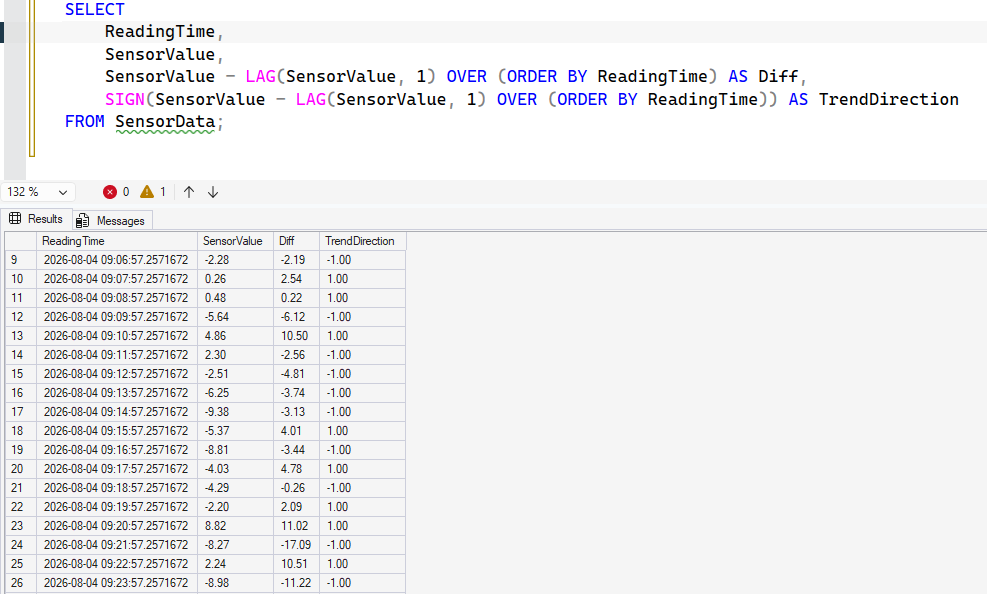
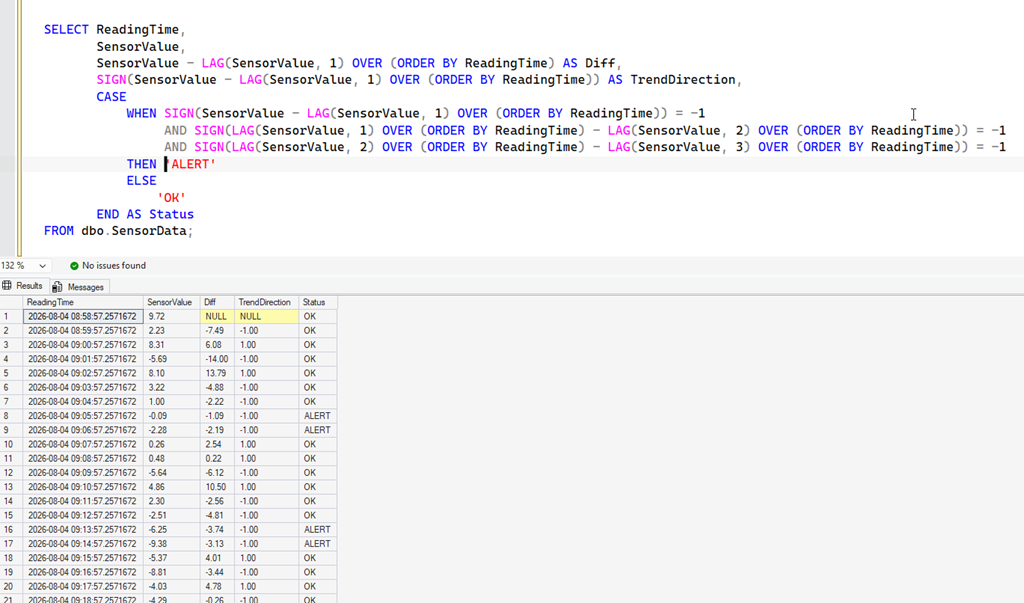
I might want to look for (or alert on) a trend. So, if I look at lines 14-17, I have a trend of increasingly negative values. Perhaps if I have 3 in a row (a complex LAG), I raise an alert.
Here’s a LAG with SIGN repeated to show that.
There are other cases I might care about, but these come to mind.
SQLNewBlogger
This is an example of a post that shows I know how a function works, but mostly where I might use it. I added my own thoughts, and a couple of use cases.
This post took about 40 minutes to write, with the code setup and some internet searching involved. I did use Prompt AI to generate some tables and code, which made things easy, but I had to think a bit on the scenarios and how I felt about them.
All good things to showcase in the age of AI. If an AI generated code, could you determine the use? Knowing SIGN() can help. Write your own post and showcase your knowledge. Disclose if AI helps.
The post Using the SIGN() Function: #SQLNewBlogger appeared first on SQLServerCentral.
