

Most sysadmins don’t realize there’s an IP conflict until something goes offline. That’s where IP address management (IPAM) tools help. They keep track of IP addresses so you can spot conflicts before they cause problems.
Managing a handful of IP addresses is easy. But as your network grows, keeping track of hundreds or even thousands of addresses in a spreadsheet quickly becomes difficult. Before long, it’s hard to know which IP addresses are already in use, which ones are available, and where your next conflict might occur.
That’s where IP Address Management (IPAM) comes in. IPAM is the process of tracking, organizing, and managing all the IP addresses in your network. Instead of relying on scattered spreadsheets or manual records, an IPAM tool provides a centralized view of your address space, showing what’s allocated, what’s available, and where you’re running out of IP addresses.
Without proper IP address management, it’s easy to assign a static IP address that’s already in use or let a DHCP address pool become exhausted without anyone noticing. These issues can result in IP conflicts, network outages, and hours of unnecessary troubleshooting that could have been avoided.
Unfortunately, many “best IPAM tools” lists on the web are outdated. They continue to recommend projects that haven’t been actively maintained for years, and some no longer install or run properly on modern Linux distributions due to compatibility issues.
Rather than wasting time evaluating abandoned software, it’s better to focus on solutions that are actively developed and supported.
If you’re still managing IP ranges with spreadsheets, there’s a good chance they’re no longer accurate. Multiple administrators may have made changes that were never documented, making it difficult to know which subnets or individual IP addresses are actually available.
That’s more than a documentation problem it can easily lead to address conflicts and unexpected network outages.
A good IPAM solution eliminates that uncertainty by giving you a single place to see which IP addresses are in use, which ones are free, and which DHCP scopes or address pools are running low.
To help you choose the right solution, we’ve evaluated the current releases available in mid-2026 and compiled a list of 11 actively maintained IPAM tools that work well on modern Linux systems.
1. ManageEngine OpUtils
ManageEngine OpUtils is an IP address management (IPAM) and switch port management tool that helps you keep track of IP addresses and connected devices from one place. Instead of using separate tools to find out which device is connected to a switch port and what IP address it has, OpUtils brings everything together.
It can be installed on Windows Server or Linux, and it’s also available through AWS Marketplace for cloud deployments.
OpUtils automatically scans your network to discover IPv4 and IPv6 devices, monitors DHCP and DNS information, and detects unauthorized or rogue devices that connect to your network.
It also helps you monitor IP address usage, making it easier to find free addresses and avoid IP conflicts. One of its most useful features is the Switch Port Mapper, which shows exactly which device is connected to each switch port.
This can save a lot of time when troubleshooting network issues instead of manually tracing cables or checking switches one port at a time.
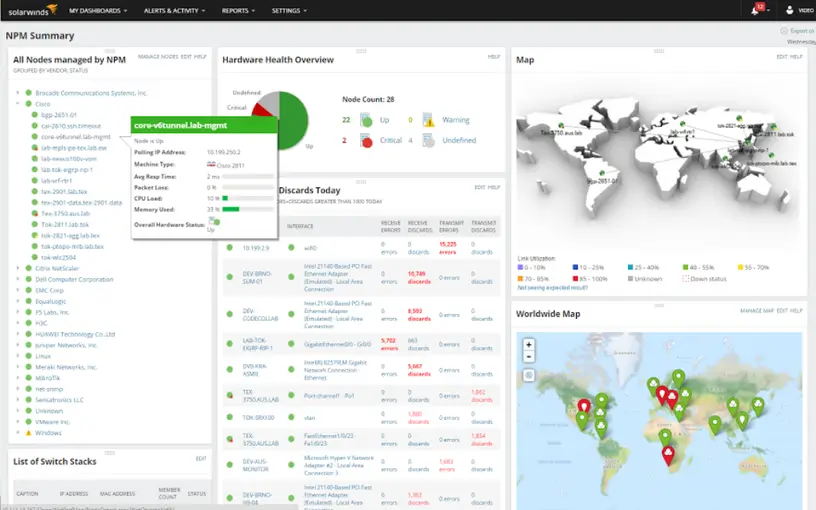
2. SolarWinds IP Address Manager
SolarWinds IP Address Manager (IPAM) helps you manage IP addresses by automatically tracking information from your DHCP and DNS servers. It can detect duplicate IP addresses and other conflicts before they affect your network, making it easier to avoid unexpected downtime.
The tool works with equipment from multiple vendors, so you don’t have to use hardware from a single manufacturer. It also integrates with VMware and provides an API if you want to automate tasks or connect it with other tools.
One of its biggest strengths is its dashboard. It gives you a clear view of your entire IP address space in one place, making it easy to see which addresses are in use, which are available, and where you may be running out of IPs.
The interface is straightforward and doesn’t take long to learn, even if you’re new to IP address management.
If you’re ready to replace messy spreadsheets with proper IP address management, share this guide with your team.
3. BlueCat Address Manager
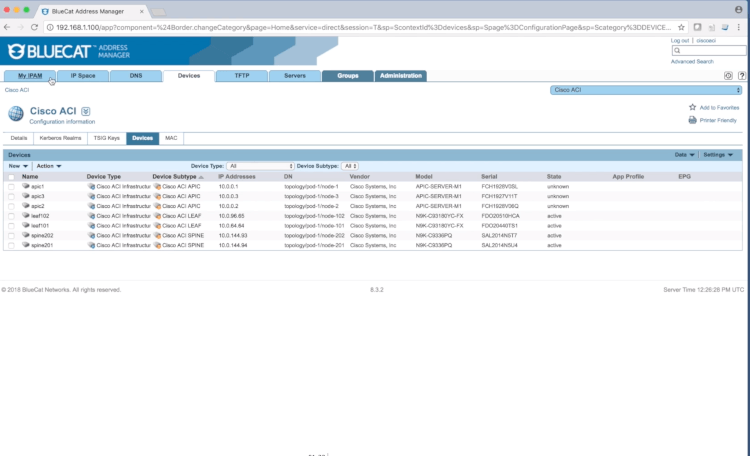
BlueCat Address Manager is designed for organizations where networks change frequently. It combines DNS, DHCP, and IP address management (DDI) into a single system, so all related information stays together instead of being managed separately.
It supports both IPv4 and IPv6 networks and includes role-based access control, audit logs, and workflow automation. These features help teams control who can make changes, track every action, and reduce the need for manual IP address requests.
BlueCat also provides tools for network automation. You can schedule changes, use its web services API to automate tasks, and automatically update records when the actual network no longer matches the documented configuration.
To get the most value from an IPAM solution, connect it to your provisioning and automation processes so new subnets and devices are added automatically instead of relying on manual updates.
4. Infoblox
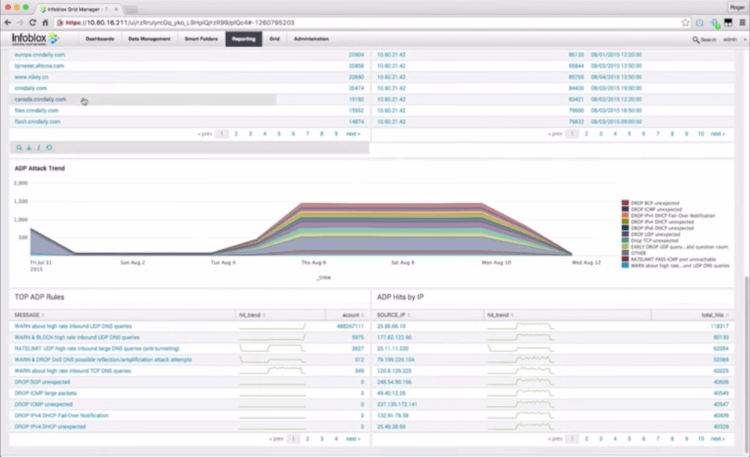
Infoblox is an enterprise IPAM solution built for on-premises, hybrid, and multi-cloud environments. It helps you manage DNS, DHCP, and IP addresses (DDI) from a central location, making it easier to keep large networks organized.
The platform monitors IP address usage and provides predictive insights to warn you when address pools are running low, giving you time to plan before you run out of available IP addresses. It can also automatically detect unauthorized devices and help isolate them, improving network security.
Another useful feature is DHCP fingerprinting, which identifies the type of device connecting to your network based on its DHCP requests. This helps you build a more accurate device inventory without manually tracking every system.
All of this information is available through a centralized dashboard, making it easier to monitor and manage your network.
This offer is available for TecMint Pro members. We may earn a commission at no extra cost to you.
5. Tidal LightMesh IPAM
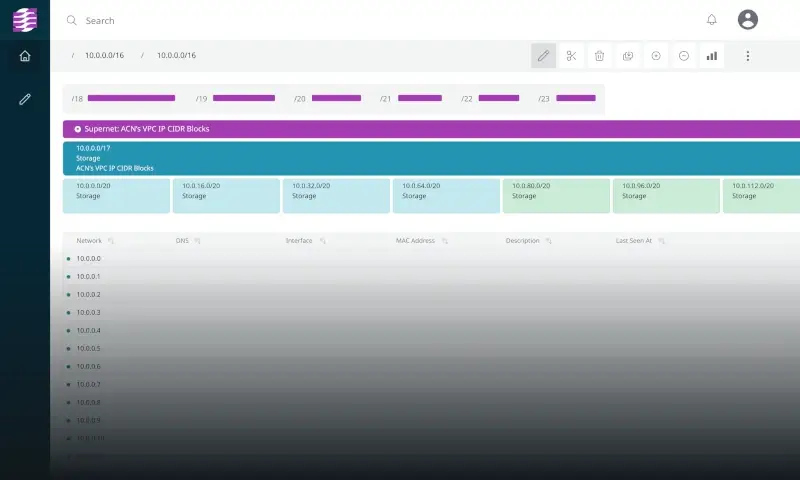
Tidal LightMesh IPAM (formerly LightMesh) is a cloud-based IP address management solution that focuses on making IP tracking simple and easy to visualize. Instead of relying on large tables filled with IP addresses, it uses a visual layout that makes it easier to understand your network.
The platform automatically discovers cloud resources in AWS and Microsoft Azure, helping you keep your IP address records up to date across cloud environments. It offers a free plan for small deployments, along with paid plans for larger networks.
One of its standout features is the TreeView interface. It lets you navigate from networks to subnets and then down to individual IP addresses without losing your place. This makes it much easier to explore large address spaces and quickly find the information you need when troubleshooting network issues.
Know someone who’s still using a spreadsheet for IP address management? Share this article with them.
6. GestióIP
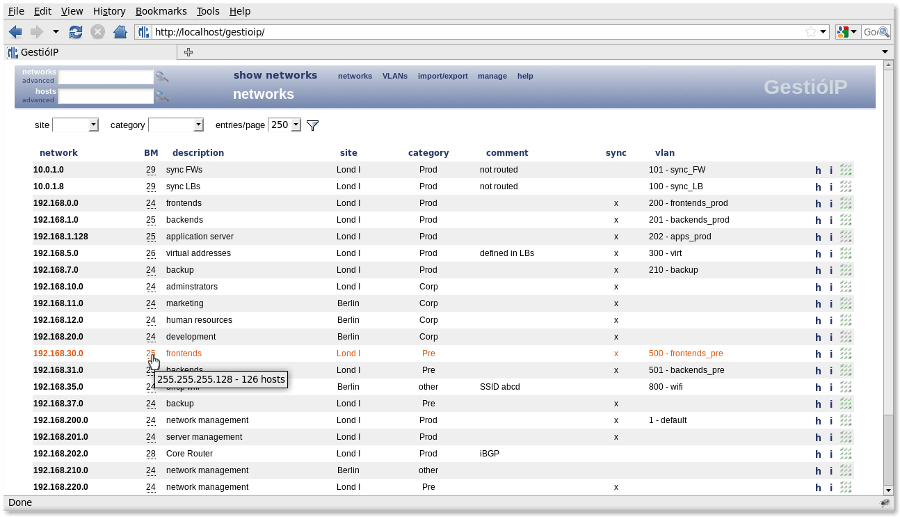
GestióIP is a free and open-source IP address management (IPAM) tool for managing both IPv4 and IPv6 networks. It is actively maintained and is a good choice for organizations that want a capable IPAM solution without paying for commercial software.
The tool can automatically discover networks from your routing tables and collect host information using ping, DNS, and SNMP. It also includes a flexible search feature that makes it easy to find networks, subnets, or IP addresses without navigating through multiple menus.
The web interface is functional but looks older than many commercial IPAM products, and the installation process requires running a fairly long Bash script with root privileges. Even so, GestióIP is known for being stable and reliable, making it a solid option for managing large networks without licensing costs.
7. phpIPAM
phpIPAM is one of the most popular open-source IP address management (IPAM) tools for Linux environments. It runs on a standard PHP and MySQL/MariaDB stack, making it easy to deploy on most Linux servers.
The tool helps you manage IPv4 and IPv6 addresses, subnets, VLANs, and VRFs from a web-based interface. It also supports user authentication through LDAP, Active Directory, and RADIUS, making it suitable for organizations that already use centralized authentication.
phpIPAM includes automatic subnet scanning, IP address discovery, and customizable permissions, allowing multiple administrators to manage the network securely. Its combination of flexibility, active development, and open-source licensing makes it a popular choice for both small and large Linux networks.
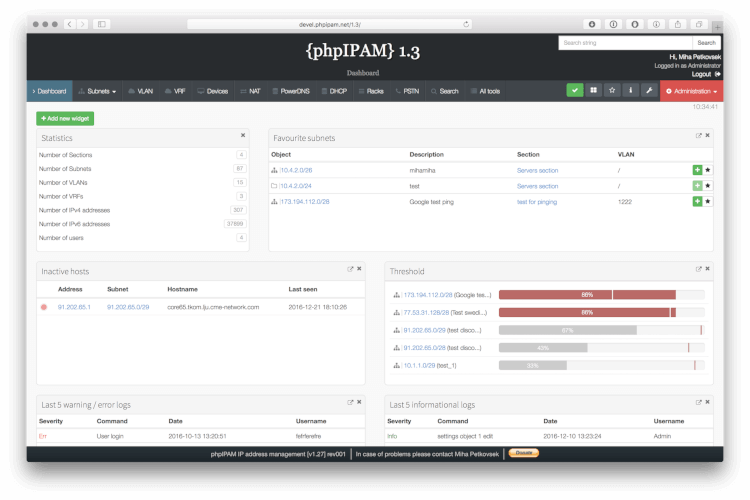
phpIPAM can automatically scan your subnets to keep IP address information up to date, but this only works if you configure its scheduled scan job (typically using cron). If you skip this step, you’ll have to update IP address records manually, and your IPAM database can quickly become outdated.
8. NetBox
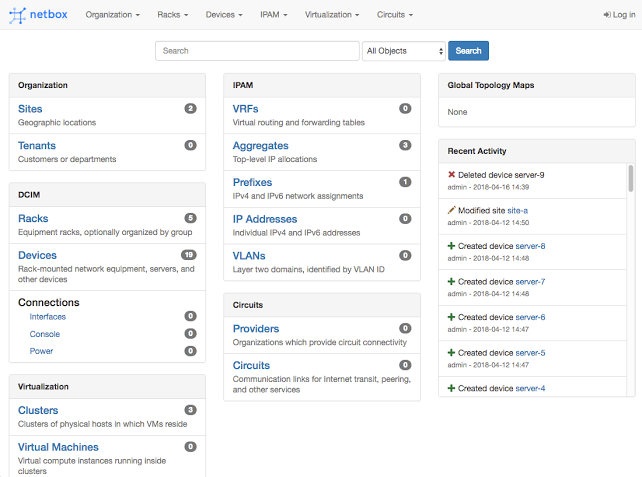
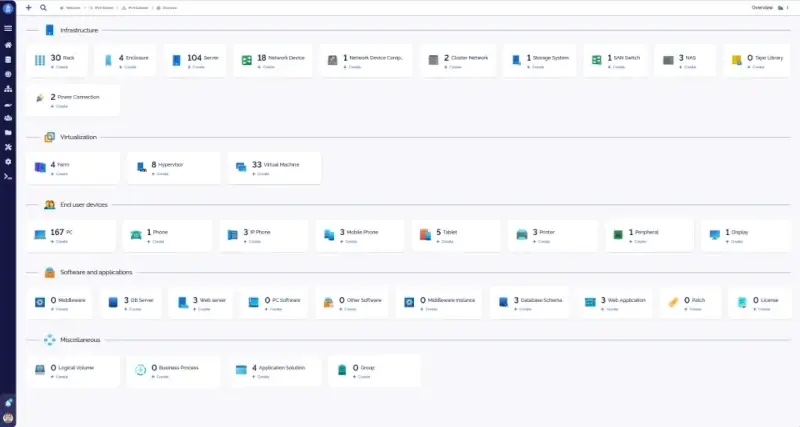
NetBox is a popular open-source infrastructure management platform that includes powerful IP address management (IPAM) features. In addition to managing IP addresses and subnets, it lets you document racks, devices, cables, circuits, VLANs, and VRFs, giving you a complete view of both your network and its physical infrastructure.
One of NetBox’s biggest strengths is its detailed infrastructure documentation. Instead of managing IP addresses separately from your network inventory, everything is stored in one place, making it easier to understand how devices, networks, and IP addresses are connected.
NetBox also provides both REST and GraphQL APIs, allowing automation tools such as Ansible to retrieve network information directly. This helps reduce manual configuration, improves consistency, and makes network automation much easier.
9. EfficientIP
EfficientIP is an enterprise DDI (DNS, DHCP, and IP Address Management) solution that manages all three services from a single platform. Keeping these services together helps ensure that IP address records, DNS entries, and DHCP information stay synchronized, reducing configuration errors and simplifying network management.
The platform supports automated IP address provisioning, which minimizes manual data entry and helps prevent common issues such as duplicate IP addresses or incorrect assignments. This makes it especially useful in large or frequently changing network environments.
EfficientIP also maintains a detailed audit history of every IP address change. You can easily see when an address or subnet was modified, who made the change, and what was updated. This audit trail is valuable for troubleshooting, compliance, and tracking configuration changes over time.
Which IPAM tool are you planning to try first? Share this list with your team or the person responsible for approving new software—it could save you a lot of time when choosing the right solution for your network.
10. Teemlp
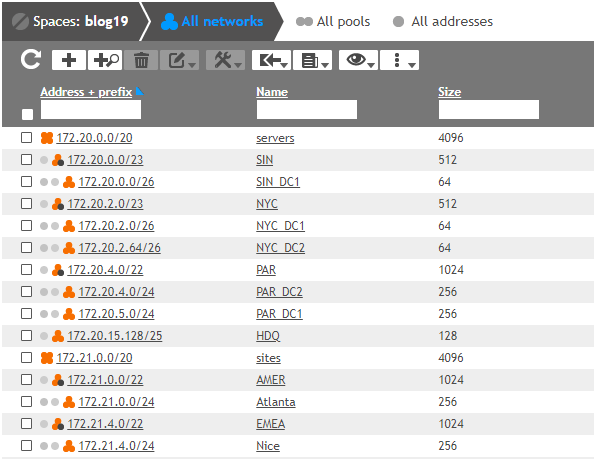
Teemlp teemIP is an open-source IP address management (IPAM) solution built on the iTop framework. It helps you manage IPv4 and IPv6 address spaces, organize subnet hierarchies, and integrate DNS, DHCP, and VLAN information in a single platform.
The software is released under the AGPL v3 license, making it free to use and customize. It is maintained by teemIP SAS, which also offers commercial support for organizations that need professional assistance.
If your organization already uses iTop for IT service management (ITSM), teemIP integrates naturally with it. This allows you to manage IP addresses and IT assets within the same environment instead of maintaining separate systems.
11. Nautobot
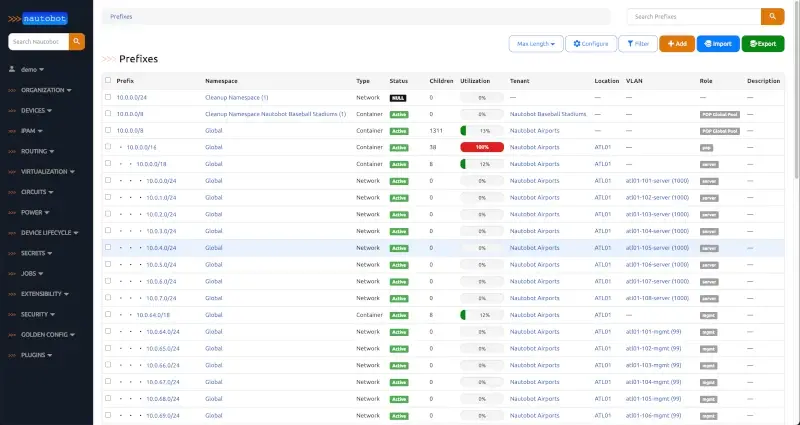
Nautobot is an open-source network source-of-truth platform that includes IP address management (IPAM), data center infrastructure management (DCIM), and automation features. It is built with the Django web framework and is designed to help teams manage network information from a central location.
Originally created as a fork of NetBox, Nautobot places a stronger focus on network automation. It includes a Jobs framework that lets you run Python scripts directly against your network data, making it easier to automate routine tasks and operational workflows.
Another advantage is its flexibility. Nautobot supports custom fields across all data models, allowing you to store additional information that matches your organization’s requirements. If you need a more customizable platform with built-in automation capabilities, Nautobot is a strong open-source alternative to consider.
Conclusion
Managing IP addresses manually may work for a small network, but as your infrastructure grows, it becomes much harder to keep track of what is in use and what is available. An IPAM tool gives you a central place to manage your IP address space, reduce conflicts, and make network administration much easier.
In this article, we’ve looked at 11 IPAM tools for Linux environments, ranging from commercial solutions such as ManageEngine OpUtils, SolarWinds IP Address Manager, and Infoblox to open-source options like phpIPAM, NetBox, GestióIP, teemIP, and Nautobot. Each tool offers a different balance of features, automation, and scalability, so the best choice depends on the size and needs of your network.
If you’re new to IPAM, start by deploying one of these tools in a small test environment. Explore its discovery features, monitor how it tracks IP addresses, and see how well it fits into your existing workflow before rolling it out across your entire network.
Have you used any of these IPAM tools? Or is there another solution that has worked well for your environment? Let us know in the comments—we’d love to hear about your experience.
If this article helped, with someone on your team.
