

This is actually inspired by an article SQL Server Central, which taught me something new. I decided to verify what was in the article and do some research. The summary
tl;dr if you change the schema owner, all permissions are dropped.
Another post for me that is simple and hopefully serves as an example for people trying to get blogging as #SQLNewBloggers.
The Scenario
We start by creating three logins and their corresponding database users. Think of them as three colleagues with different roles:
- User1 — will own the schema
- User2 — will be granted access to a table
- User3 — will eventually take over schema ownership
Imagine there are a lot of User2 variants, as different logins are granted access to this table. To me, this is a problem, and I would use a role if I managed the system.
CREATE LOGIN User1 WITH PASSWORD = 'Demo12#1'
CREATE USER User1 FOR LOGIN User1
GO
CREATE LOGIN User2 WITH PASSWORD = 'Demo12#2'
CREATE USER User2 FOR LOGIN User2
GO
CREATE LOGIN User3 WITH PASSWORD = 'Demo12#3'
CREATE USER User3 FOR LOGIN User3
GO
Next, we create a schema explicitly authorised to User1, then add a table to it and populate it with some sample data.
CREATE SCHEMA MySchema AUTHORIZATION User1
GO
CREATE TABLE MySchema.MyTable (myid INT)
GO
INSERT MySchema.MyTable (myid)
VALUES (1), (2), (3)
GO
SELECT * FROM MySchema.MyTable
GO
At this point, User1 owns MySchema. Any objects inside it — like MyTable — fall under that ownership.
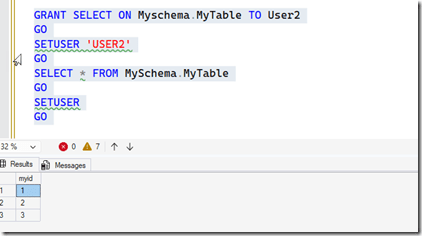
Now we grant User2 SELECT permission on the table. This is straightforward, explicit, and intentional. I’ll perform an explicit grant of permissions here.
GRANT SELECT ON MySchema.MyTable TO User2
GO
We can verify it works by impersonating User2 and running the query:
SETUSER 'User2'
GO
SELECT * FROM MySchema.MyTable
GO
SETUSER
GO
The query succeeds and returns all three rows. So far, everything is working as expected, as we see below..
Now, the tricky part I didn’t know.
Here’s where things get interesting. A database administrator decides to transfer ownership of MySchema from User1 to User3:
ALTER AUTHORIZATION ON SCHEMA::MySchema TO User3;
GO
This might seem like a routine administrative change — just updating who “owns” the schema. No permissions were explicitly revoked. No error is raised. But something has quietly changed.
If I now run the code above, I can’t access the table as User2.

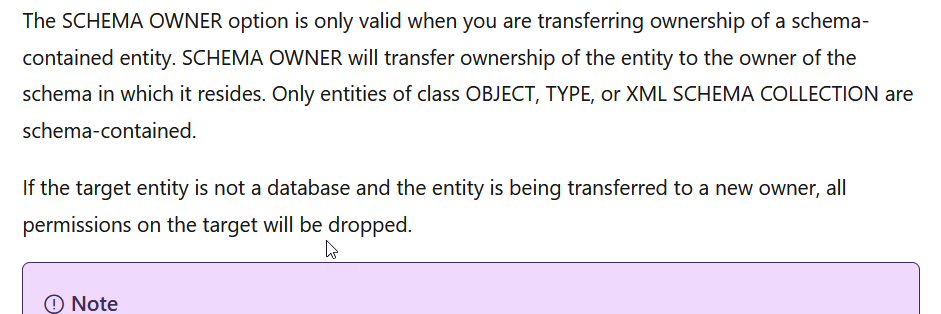
I’ve lost access. If I check the ALTER AUTHORIZATION docs, I see this, with the last sentence being the important one. Permissions are dropped.
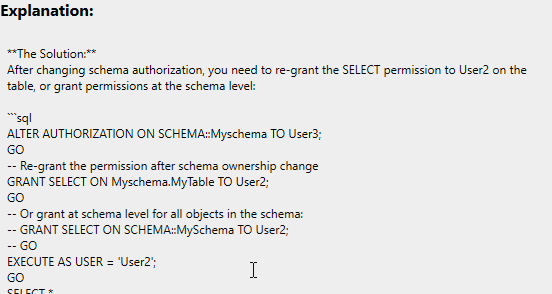
Something to know, and glad that Prompt AI knows this:
Summary
If you change the owner (authorization) on an object, and it’s not a database, permissions are dropped. This should be a warning at the very least, though to be fair, I’ve never changed schema ownership. It could happen, but in general, I try to keep dbo as the owner of all schemas.
In any case, something good to know.
SQL New Blogger
I took some code from an article I read (edited, really) and then used it to setup a scenario to test the concept. I likely will never forget this, and if I an AI suggests this, or can’t figure out what went wrong, I’ll have some idea myself to verify or validate a fix.
This post took about 20 minutes, including running the code a few times to test things, but it was a good exercise to show what I know, how I can use AI, and how I can spot issues.
You could use something like this as a learning exercise and to showcase your skills, even in the age of AI.
