

Let me tell you something that took me a long time to say out loud. Human Can Make Mistakes Not AI. (Well, line inspired from famous GenAI tool).
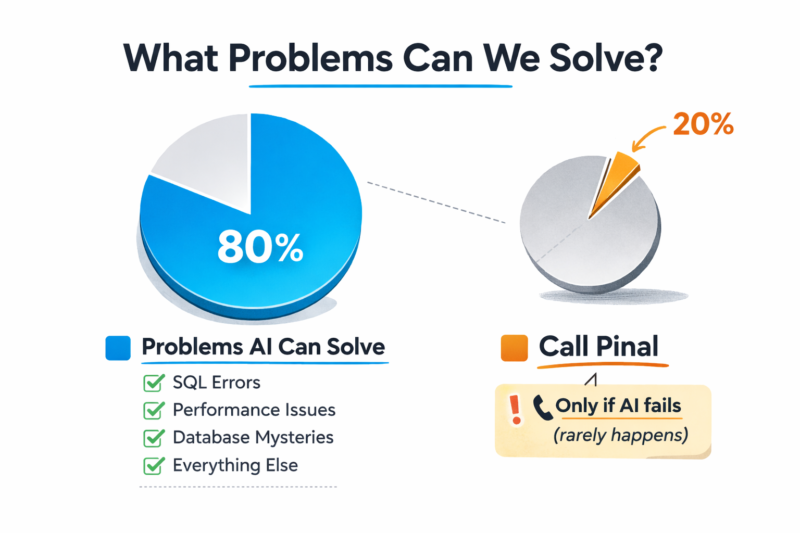
The most useful thing I can do is to tell you that a large number of the problems people hire me or email me for can be solved without hiring me. Free of cost. Tonight. With tools that exist right now and work remarkably well.
I have been doing SQL Server performance tuning for over two decades. I have a blog, I have written books, I have seen environments so broken that I needed a moment of silence before I could begin. And from that vantage point, with complete sincerity, I am telling you to try AI first. Not because I am being modest. Not as a marketing trick where I say that and you think “wow what a humble guy, I will hire him immediately.” I mean it practically and literally. There is a real chance you do not need me at all.
Here is where AI is genuinely, legitimately excellent at SQL Server performance work. Please go through this list before you consider emailing me.
- Reviewing a single slow query. Paste your query, paste your execution plan XML, describe the table sizes, and a good AI will give you shockingly useful advice about missing indexes, implicit conversions, parameter sniffing, and scan vs seek patterns. This works well. Do this before you call anyone.
- Explaining wait stats output. Copy your
sys.dm_os_wait_statsresults into AI and ask it what the top waits mean. It will explain CXPACKET, PAGEIOLATCH, ASYNC_NETWORK_IO, and SOS_SCHEDULER_YIELD clearly and correctly in plain English. It is genuinely good at this. - Reviewing your index strategy on a specific table. Give AI your table DDL, your most common query patterns, and your existing indexes. It will give you a surprisingly sensible opinion about which indexes are redundant, which are missing, and whether your clustered index key is reasonable.
- Understanding execution plan operators. Hash joins, nested loops, key lookups, sort warnings, parallelism operators. AI explains all of these clearly and can tell you why the optimizer might have chosen them. This used to require reading thick reference books cover to cover. Now you just ask.
- Writing initial DBCC and maintenance scripts. Index rebuild vs reorganize thresholds, statistics update scripts, integrity check routines. AI can produce a solid first draft of all of these, correctly, with reasonable defaults. You should still review it. But it is a very good first draft.
- Understanding SQL Server configuration options. Max degree of parallelism, cost threshold for parallelism, max server memory, trace flags. AI knows the textbook answers and the common recommendations. It is right surprisingly often.
- Explaining deadlock XML graphs. Paste the deadlock XML from your system health session and ask AI to explain who was the victim, what resources were contested, and what the general pattern looks like. It handles this well.
- Reviewing your backup and recovery strategy. Describe your RPO and RTO requirements, your database sizes, your recovery model settings. AI will point out obvious gaps and ask the right clarifying questions. It is useful here.
- Getting a plain-English explanation of a confusing error message. “Error 823” or “I/O request taking longer than 15 seconds” or the ever-mysterious “A fatal error occurred while reading the input stream from the network.” AI will tell you what these mean and what to investigate first.
- Learning concepts before a meeting with a consultant. If you do eventually hire someone like me and want to get the most out of that time, spend 30 minutes the night before asking AI to explain wait stats, execution plans, and TempDB contention. You will get so much more value from the session. I genuinely recommend this. I am not joking.
Now, in the spirit of full honesty, AI has had its share of misses too. But that is a story for another post entirely, and I have plenty of those stories saved up. If you have a SQL Server problem, your first call should be to a chatbot, not to me. Try the ten things above. Try them seriously. A meaningful percentage of you will solve your problem completely and never need to email me at all, and I will consider that a genuine win.
But if you have worked through this list, given AI a genuine shot, and something is still quietly ruining your Mondays, then perhaps what you need is someone who has sat inside 400 plus SQL Server environments, and who will explain every single thing while your hands stay on the keyboard and your passwords stay in your head.
That is what the Comprehensive Database Performance Health Check is. A focused 4-hour Zoom session where we work through your SQL Server together, I share every script I run and explain each one, and you walk away genuinely understanding what was wrong and how to keep it from coming back.
Reference: Pinal Dave (https://blog.sqlauthority.com), X (twitter).
