

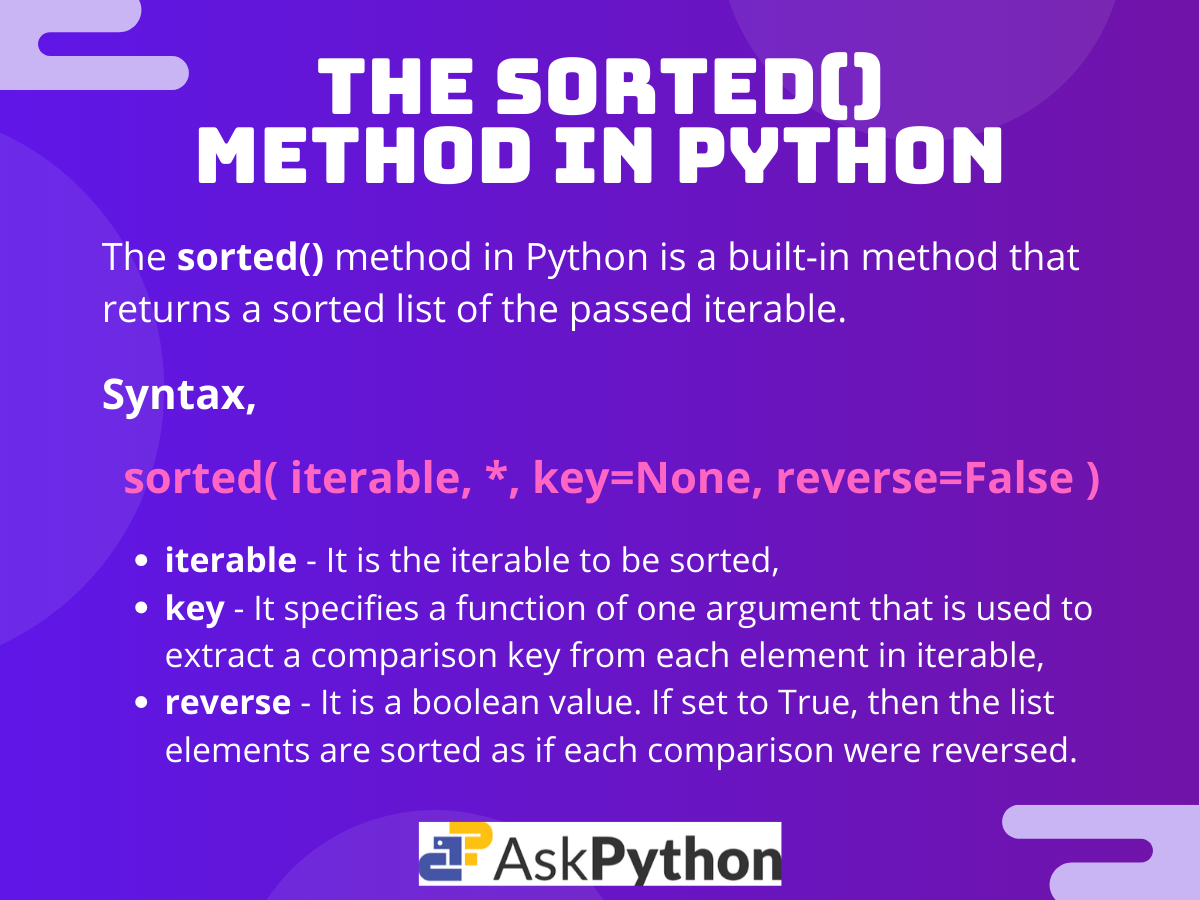
sorted(iterable, key=None, reverse=False)

# Basic example
numbers = [5, 2, 8, 1, 9]
result = sorted(numbers)
print(result)  # [1, 2, 5, 8, 9]
The python sorted function returns a new list containing all elements from any iterable arranged in ascending order. Unlike the sort() method that modifies lists in place, sorted() creates a fresh list while preserving your original data structure. This distinction matters when you need to maintain the original sequence or work with immutable types like tuples and strings.
How python sorted works with lists
The most straightforward application of python sorted involves numeric lists. The function examines each element and arranges them from smallest to largest by default.
prices = [49.99, 29.99, 99.99, 19.99, 79.99]
sorted_prices = sorted(prices)
print(sorted_prices)  # [19.99, 29.99, 49.99, 79.99, 99.99]

# Original list remains unchanged
print(prices)  # [49.99, 29.99, 99.99, 19.99, 79.99]
String lists follow alphabetical ordering, with uppercase letters taking precedence over lowercase due to ASCII values. The function compares characters position by position until it finds a difference.
languages = ["Python", "JavaScript", "Go", "Rust", "TypeScript"]
sorted_languages = sorted(languages)
print(sorted_languages)  # ['Go', 'JavaScript', 'Python', 'Rust', 'TypeScript']

# Case sensitivity affects ordering
mixed_case = ["python", "Python", "PYTHON"]
print(sorted(mixed_case))  # ['PYTHON', 'Python', 'python']
Sorting tuples and immutable sequences with python sorted
Tuples cannot be modified after creation, which makes sorted() particularly valuable for these data structures. The function returns a list rather than a tuple, giving you flexibility to continue processing the sorted data.
coordinates = (5, 2, 8, 1, 9, 3)
sorted_coords = sorted(coordinates)
print(sorted_coords)  # [1, 2, 3, 5, 8, 9]
print(type(sorted_coords))  #
Strings get treated as sequences of individual characters. Each character becomes a separate element in the resulting list.
word = "python"
sorted_chars = sorted(word)
print(sorted_chars)  # ['h', 'n', 'o', 'p', 't', 'y']
print(''.join(sorted_chars))  # hnopty
Using reverse parameter for descending order in python sorted
Setting the reverse parameter to True flips the sort order from ascending to descending. This parameter accepts a boolean value and defaults to False when omitted.
scores = [85, 92, 78, 95, 88, 91]
top_scores = sorted(scores, reverse=True)
print(top_scores)  # [95, 92, 91, 88, 85, 78]

# Works identically with strings
names = ["Alice", "David", "Bob", "Charlie"]
reversed_names = sorted(names, reverse=True)
print(reversed_names)  # ['David', 'Charlie', 'Bob', 'Alice']
The reverse operation happens after the initial sorting logic completes. Python first determines the natural ascending order, then reverses that sequence.
Custom sorting with the key parameter in python sorted
The key parameter accepts any function that transforms each element before comparison. This function gets called once per element, and python sorted uses the returned values to determine ordering.
# Sort strings by length
words = ["Python", "is", "a", "programming", "language"]
by_length = sorted(words, key=len)
print(by_length)  # ['a', 'is', 'Python', 'language', 'programming']

# Sort by absolute value for negative numbers
numbers = [-5, 3, -2, 8, -9, 1]
by_absolute = sorted(numbers, key=abs)
print(by_absolute)  # [1, -2, 3, -5, 8, -9]
Built-in functions like len(), abs(), and str.lower() serve as common key functions. The str.lower() method enables case-insensitive alphabetical sorting.
mixed_case_names = ["alice", "Bob", "CHARLIE", "david"]
case_insensitive = sorted(mixed_case_names, key=str.lower)
print(case_insensitive)  # ['alice', 'Bob', 'CHARLIE', 'david']
Lambda functions for inline sorting logic in python sorted
Lambda functions provide compact, single-line key functions without requiring separate function definitions. These anonymous functions work best for simple transformations.
# Sort by last character
fruits = ["apple", "banana", "cherry", "date"]
by_last_char = sorted(fruits, key=lambda x: x[-1])
print(by_last_char)  # ['banana', 'apple', 'date', 'cherry']

# Sort by sum of digits in string
codes = ["A123", "B456", "C789", "D012"]
by_digit_sum = sorted(codes, key=lambda x: sum(int(d) for d in x if d.isdigit()))
print(by_digit_sum)  # ['D012', 'A123', 'B456', 'C789']
Combining reverse with key gives you complete control over sort behavior. The key function executes first to generate comparison values, then reverse inverts the final order.
words = ["python", "java", "c", "javascript"]
longest_first = sorted(words, key=len, reverse=True)
print(longest_first)  # ['javascript', 'python', 'java', 'c']
Sorting dictionaries with python sorted
Dictionaries return only their keys when passed to sorted(). The function ignores values entirely unless you explicitly access them through the key parameter.
ages = {"Alice": 30, "Bob": 25, "Charlie": 35, "David": 28}
sorted_keys = sorted(ages)
print(sorted_keys)  # ['Alice', 'Bob', 'Charlie', 'David']

# Sort by values instead of keys
sorted_by_age = sorted(ages, key=lambda x: ages[x])
print(sorted_by_age)  # ['Bob', 'David', 'Alice', 'Charlie']

# Get sorted key-value pairs
sorted_items = sorted(ages.items(), key=lambda x: x[1])
print(sorted_items)  # [('Bob', 25), ('David', 28), ('Alice', 30), ('Charlie', 35)]
The items() method converts dictionaries into lists of tuples, where each tuple contains a key-value pair. This format enables sorting by either element.
Advanced sorting with operator module in python sorted
The operator module provides optimized functions for accessing object attributes and items. These functions run faster than equivalent lambda expressions and improve code readability.
from operator import itemgetter, attrgetter

# Sort list of tuples by specific position
students = [("John", 85), ("Alice", 92), ("Bob", 78), ("Diana", 95)]
by_score = sorted(students, key=itemgetter(1))
print(by_score)  # [('Bob', 78), ('John', 85), ('Alice', 92), ('Diana', 95)]

# Sort by multiple criteria
by_multiple = sorted(students, key=itemgetter(1, 0))
print(by_multiple)  # [('Bob', 78), ('John', 85), ('Alice', 92), ('Diana', 95)]
The attrgetter() function extracts attributes from objects, making it ideal for custom class instances.
from operator import attrgetter

class Employee:
    def __init__(self, name, salary, department):
        self.name = name
        self.salary = salary
        self.department = department

    def __repr__(self):
        return f"Employee({self.name}, ${self.salary}, {self.department})"

employees = [
    Employee("Alice", 75000, "Engineering"),
    Employee("Bob", 65000, "Marketing"),
    Employee("Charlie", 80000, "Engineering"),
    Employee("Diana", 70000, "Sales")
]

by_salary = sorted(employees, key=attrgetter('salary'))
print(by_salary)
# [Employee(Bob, $65000, Marketing), Employee(Diana, $70000, Sales),
#  Employee(Alice, $75000, Engineering), Employee(Charlie, $80000, Engineering)]

# Sort by department, then salary
by_dept_salary = sorted(employees, key=attrgetter('department', 'salary'))
print(by_dept_salary)
Sorting nested structures with python sorted
Nested lists and complex data structures require careful key function design. You can access specific positions or combine multiple criteria.
# Sort nested lists by second element
matrix = [[3, 4], [1, 2], [5, 1], [2, 3]]
sorted_matrix = sorted(matrix, key=lambda x: x[1])
print(sorted_matrix)  # [[5, 1], [1, 2], [2, 3], [3, 4]]

# Sort by sum of nested list elements
nested = [[1, 2, 3], [4, 5], [6], [7, 8, 9, 10]]
by_sum = sorted(nested, key=sum)
print(by_sum)  # [[6], [4, 5], [1, 2, 3], [7, 8, 9, 10]]
Practical use cases for python sorted
Real-world applications often combine multiple sorting techniques. Processing file paths, timestamps, or user data benefits from python sorted’s flexibility.
# Sort files by extension
files = ["image.png", "document.pdf", "script.py", "data.csv", "photo.jpg"]
by_extension = sorted(files, key=lambda x: x.split('.')[-1])
print(by_extension)  # ['data.csv', 'photo.jpg', 'document.pdf', 'image.png', 'script.py']

# Sort version strings
versions = ["1.10.2", "1.9.0", "1.2.1", "2.0.0", "1.10.1"]
by_version = sorted(versions, key=lambda x: [int(n) for n in x.split('.')])
print(by_version)  # ['1.2.1', '1.9.0', '1.10.1', '1.10.2', '2.0.0']

# Sort by date strings
dates = ["2024-03-15", "2024-01-20", "2024-12-01", "2024-03-10"]
sorted_dates = sorted(dates)  # Works because of ISO format
print(sorted_dates)  # ['2024-01-20', '2024-03-10', '2024-03-15', '2024-12-01']
Handling None values in python sorted
The presence of None values causes comparison errors in Python 3. You need explicit handling to position these values at the start or end of sorted results.
# This raises TypeError
# numbers = [5, None, 2, None, 8, 1]
# sorted(numbers)  # TypeError: '<' not supported between 'int' and 'NoneType'

# Solution: Use key function to handle None
numbers_with_none = [5, None, 2, None, 8, 1]
sorted_numbers = sorted(numbers_with_none, key=lambda x: (x is None, x))
print(sorted_numbers)  # [1, 2, 5, 8, None, None]

# Place None values first
sorted_none_first = sorted(numbers_with_none, key=lambda x: (x is not None, x))
print(sorted_none_first)  # [None, None, 1, 2, 5, 8]
The tuple comparison in the key function creates a two-level sort. Python first groups by the boolean value, then sorts within each group.
Performance considerations for python sorted
Python’s sorting algorithm, Timsort, runs in O(n log n) time for most cases. The key function gets called exactly once per element, so expensive transformations add directly to total execution time.
import time

# Inefficient: calling expensive function multiple times
large_list = list(range(10000))

# Good: key function called once per element
start = time.time()
result = sorted(large_list, key=lambda x: x ** 2)
efficient_time = time.time() - start

# Consider caching for complex transformations
def expensive_transform(x):
    # Simulate expensive operation
    return sum(range(x))

# Create cached version
cache = {x: expensive_transform(x) for x in large_list}
start = time.time()
result = sorted(large_list, key=cache.get)
cached_time = time.time() - start
Sorting stability guarantees that equal elements maintain their original relative order. This property enables multi-level sorting by chaining operations.
# Stable sort preserves order of equal elements
data = [("Alice", 25), ("Bob", 25), ("Charlie", 30), ("Diana", 25)]
by_age = sorted(data, key=lambda x: x[1])
print(by_age)
# [('Alice', 25), ('Bob', 25), ('Diana', 25), ('Charlie', 30)]
# Alice, Bob, Diana maintain original order within age 25
The python sorted function provides comprehensive sorting capabilities across all iterable types. Whether you need basic alphabetical ordering or complex multi-criteria sorting of custom objects, the combination of key functions, reverse parameter, and stability handles virtually any sorting requirement. The function’s non-mutating behavior and universal iterable support make it the preferred choice for most sorting operations in Python.
